Duke Plus "feedback and general discussion of Duke Plus"
#1157 Posted 13 May 2011 - 11:06 AM
#1158 Posted 16 May 2011 - 01:24 AM
About the blood added by Duke Plus it still hits the frame rate into the red a bit for a split second when blasting a guy apart. I can splat one guy without it causing much trouble, 2 guys gets a bit lower, splattering 3 is some what comparable to 1 from the last DP version, and anymore than 3 and it gets real bad. All in all good work.
There are some other strange positives I have noticed. Blowing apart a super trooper does not send the frame rate into the red or at least not usually. Also I played through the DP effects level and notice something better. In "DP effects" the added blood splats did not impact performance much if at all except at the end when I used the BFG. However after the explosion with the BFG had subsided the room was a mess with blood splatted all over but the frame rate had not been slammed badly like it is in other levels. Is there something special about that level?
And I looked at the eduke32 log and noticed that the blood textures take much longer to load than everything else does. Anyone know why?
PartOfLog.txt (954bytes)
Number of downloads: 637
Oh ya that minigun is awesome! There were bullet shells everywhere.
This post has been edited by Bubbles: 16 May 2011 - 01:28 AM
#1159 Posted 16 May 2011 - 01:33 AM
I have found 1.99 to be playable online without "out of sync"
But it is abseloutly impossible to find versions after 1.99 but before 2.09
#1160 Posted 16 May 2011 - 01:42 AM
in your documetation (version 2.20) you wrote for Point light (SE49):
Quote
This is similar to a CYCLER. Set HITAG to the brightness you want at the peak of the cycle. Extra will determine the length of the cycle, and must be > 0. Higher Extra = a faster cycle (64 is a good default value). Finally, the shade of the SE is a timing offset (1 tic per shade). You can have different cyclers oscillating at the same rate, but at different times. You can use this, for example, to make a an emergency light that switches between red and blue (you would put two SEs on the same spot, give them different colors, and give one a shade so that its light starts as the other's fades).
but doesn´t the Hitag of a Point light is used to show th distance of it?
#1161 Posted 16 May 2011 - 03:38 AM
baunegaard, on 16 May 2011 - 01:33 AM, said:

I have found 1.99 to be playable online without "out of sync"
But it is abseloutly impossible to find versions after 1.99 but before 2.09
define impossible?
http://www.mediafire...uke%20stuff#0,1
#1162 Posted 16 May 2011 - 03:48 AM
blizzart, on 16 May 2011 - 01:42 AM, said:
in your documetation (version 2.20) you wrote for Point light (SE49):
but doesn´t the Hitag of a Point light is used to show th distance of it?
That's right. In that situation, the hitag is the maximum distance the light will reach, i.e the distance the light would be at if it was a normal SE 49. The cycler makes it pulsate IIRC between 0 and the distance of the hitag.
#1163 Posted 16 May 2011 - 03:54 AM
Micky C, on 16 May 2011 - 03:48 AM, said:
But what tells the SE49 that it is a normal Poinlight or a DP Point light? Or does it check whether there´s an EXTRA or not?
#1164 Posted 16 May 2011 - 04:13 AM
This post has been edited by Micky C: 16 May 2011 - 04:13 AM
#1165 Posted 16 May 2011 - 04:30 AM
Micky C, on 16 May 2011 - 04:13 AM, said:

Thanks, man!
#1167 Posted 16 May 2011 - 06:55 AM
#1168 Posted 16 May 2011 - 08:05 AM
Forge, on 16 May 2011 - 03:38 AM, said:
After a little more investigation, i have found that DukePlus 1.90 and up gives "out of sync" too
BUT with the 1.80 version i have been able to play 3 levels in a row without a single "out of sync" message in coop.
So i am very curious to see how versions between 1.8 and 1.9 does, but on the link you gave me there arent any.
Do you have any oppertunity to upload these versions too? I really want to test them out.
This post has been edited by baunegaard: 16 May 2011 - 12:46 PM
#1169 Posted 17 May 2011 - 07:02 PM
baunegaard, on 16 May 2011 - 08:05 AM, said:
BUT with the 1.80 version i have been able to play 3 levels in a row without a single "out of sync" message in coop.
So i am very curious to see how versions between 1.8 and 1.9 does, but on the link you gave me there arent any.
Do you have any oppertunity to upload these versions too? I really want to test them out.
Sorry. That's everything I have. I'm not sure if I was around and had internet access when there was publicly released versions between 1.8 and 1.9
This post has been edited by Forge: 18 May 2011 - 04:38 PM
#1170 Posted 18 May 2011 - 04:46 PM
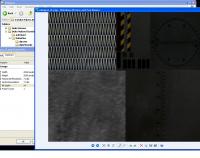
-BFG is at an angle when first picked up but is corrected by switching through weapons a few times.
-The water geometry in "DP effects" comes apart. It is the little pond outside the shooting range.
-One of the Green super troopers had no arms. Is that intentional?
-Pigcop's tear gas casts dark circular shadows.
(All were when using polymer with DP 2.3.)
This post has been edited by Bubbles: 18 May 2011 - 04:47 PM
#1171 Posted 18 May 2011 - 04:55 PM
Bubbles, on 18 May 2011 - 04:46 PM, said:
-BFG is at an angle when first picked up but is corrected by switching through weapons a few times.
-The water geometry in "DP effects" comes apart. It is the little pond outside the shooting range.
-One of the Green super troopers had no arms. Is that intentional?
-Pigcop's tear gas casts dark circular shadows.
(All were when using polymer with DP 2.3.)
I think all of those may be Polymer issues, because I don't recall Polymost having any of those problems last time I checked. The one exception is the missing arms on the green trooper -- I haven't seen this myself but it sounds like there is an error with one of the skin definitions.
#1172 Posted 20 May 2011 - 04:16 PM
Failed loading skin file "DUKEPLUS_RESOURCES/GRAPHICS/WEAPONS/Minigun/minigun_D.png": error -1
OUT OF MEMORY in daskinloader!
It's file size is 3.11mb and 2048x2048! Holy cow!
Also thought I'd mention the other minigun_N.png is even larger. Over 5mb. Rather a huge image for the game to load into memory while so much is already in there. Note this was while playing DNE w/Polymer/HRP, and texture quality set on the lowest setting. Also have 512mb video ram w/2gig of system mem ram, and a duel core prossesor.
This post has been edited by VinsaneOne: 20 May 2011 - 04:42 PM
#1173 Posted 20 May 2011 - 04:21 PM
#1174 Posted 20 May 2011 - 05:38 PM
DanM, on 20 May 2011 - 04:21 PM, said:
How small can it be made before it's not going to look good in the game? Also there may be other files like that needing downsizing related to this out of mem error.
#1175 Posted 20 May 2011 - 06:13 PM
VinsaneOne, on 20 May 2011 - 05:38 PM, said:
Try saving the images using indexed color and 1024x1024. That should cut them to about 25% of their current file size.
#1176 Posted 20 May 2011 - 06:52 PM
#1177 Posted 20 May 2011 - 07:15 PM
It loaded without crashing!
from log...
Load skin: p0-e0 "DUKEPLUS_RESOURCES/GRAPHICS/WEAPONS/Minigun/minigun_D.png"... cached... 64 ms
Load skin: p253-e0 "DUKEPLUS_RESOURCES/GRAPHICS/WEAPONS/Minigun/minigun_S.png"... cached... 6 ms
Load skin: p252-e0 "DUKEPLUS_RESOURCES/GRAPHICS/WEAPONS/Minigun/minigun_N.png"... cached... 470 ms
@DT:I did it before reading your post. Should the HxW be the same like you suggested and better for the look of the skin? If so, I'll fix it. BTW, the D.png is now 618kb and the N.png is now 1.06mb. Considerably smaller than before.
Sorry, one more question. Reading so much lately about memory in the forums, log files, etc, Is there a way to increase the cache? The log always says Initialized 24.0M cache, got me thinking again!
This post has been edited by VinsaneOne: 20 May 2011 - 08:32 PM

#1178 Posted 20 May 2011 - 11:31 PM
#1179 Posted 21 May 2011 - 12:06 AM
VinsaneOne, on 20 May 2011 - 04:16 PM, said:
I downsized it to match my screen res of 1024x768 and guess what?
sorry, I exaggerated with this texture
I think a texture 1024 * 1024 is adequate
#1180 Posted 21 May 2011 - 06:05 PM
Muelsa, on 21 May 2011 - 12:06 AM, said:
I think a texture 1024 * 1024 is adequate
That's good to know. I think maybe if I have time I'll go through all the textures I find that could be resized. That might make an overall improvement in performance. Still, does anyone know how to increase the 24 mb cache that automaticly initializes during game launch? I've noticed a pattern when the game randomly quits related to memory, I see the textures file is never over 20 mb. For most of us having memory to spare, an option to manualy configure that cache would help a great deal.
This post has been edited by VinsaneOne: 21 May 2011 - 06:11 PM
#1181 Posted 22 May 2011 - 09:12 AM
#1182 Posted 22 May 2011 - 02:19 PM
You may see some lights blinking on or off, but hopefully not too much. I added a check so that a light will not turn back on if the player has not changed sectors from when it turned off.
EDIT: I fixed a bug in the code and re-uploaded. Nothing cripping, but it should work better now.
EDIT2: Made some more improvements.
Attached File(s)
-
dpcons.zip (206.08K)
Number of downloads: 836
#1184 Posted 22 May 2011 - 05:01 PM
Micky C, on 22 May 2011 - 04:05 PM, said:
Probably not. My understanding is that maphacked lights are not mediated by SEs or any other sprites and there is no CON access to them. CON access to the actual lights, and not merely the sprites associated with them, would allow for better solutions.
#1185 Posted 22 May 2011 - 06:47 PM
DeeperThought, on 22 May 2011 - 05:01 PM, said:
So does that mean the polymer_mhk.zip file should be removed from the Autoload folder or does it matter if it's there? Also, can these new con files be replaced with the ones in DNE?
This post has been edited by VinsaneOne: 22 May 2011 - 06:58 PM
#1186 Posted 22 May 2011 - 08:05 PM
VinsaneOne, on 22 May 2011 - 06:47 PM, said:
No, do not remove the maphacks. Yes, the CONs in DNE can be replaced. But I now realize they still need some more work.

Help
Duke4.net
DNF #1
Duke 3D #1




