Duke4.net Forums: World Tour EDuke32 Compatibility Stopgap - Duke4.net Forums

Jump to content

  • 12 Pages +
  • « First
  • 10
  • 11
  • 12
  • You cannot start a new topic
  • You cannot reply to this topic

World Tour EDuke32 Compatibility Stopgap  "My package arrives."

User is offline   JacketAU 

#331

Honestly it's pretty inspiring how much this must be a passion project for you, with comments going so far back, reading through them has been quite a journey and seeing this project slowly evolve over time through that lens has been nice, do you have a discord group for your project?
0

User is offline   Massacher 

#332

View PostHendricks266, on 14 October 2016 - 01:27 AM, said:


Option: Developer commentary. Use `setvar commentary <value>` in the console to configure. 0 - off, 1 - on, 2 - show but don't allow playback

[Polymer only] For the time being, normal maps only work with `r_pr_artmapping 0`, for the same reason texture filtering is incompatible with the artmapping feature.


What does don't allow playback mean?

What is polymer?

This post has been edited by Massacher: 30 July 2024 - 03:26 PM

0

User is offline   NightFright 

  • The Truth is in here

#333

I guess it would show the icons, but if you click on them, there wouldn't be any audio. (Even though I'm not totally sure what's the point of such an option.)
As for Polymer: That's a more modern, more demanding (but somewhat imperfect) renderer with advanced visual effects compared to the usual default, Polymost.
0

User is offline   t800 

#334

Did normal maps feature got broken in more modern builds of Eduke32? I am using r10593-19c21b9ab (it got installed with Build Launcher I am testing right now). And I just cant get it displayed. Yes, I tried to toggle r_pr_artmapping to 0 in console but with no avail. Any help?
0

User is offline   t800 

#335

OK, disregard my previous post. It is problem connected with way BuildLauncher utilizes Eduke32 and its stopgap patch. It just adds new dynamic lights but normal maps for textures dont work. But standart way of using stopgap patch in ordinary Eduke32 folder with all World Tour data still work correctly. So, it is not your problem at all. :)

This post has been edited by t800: 02 October 2024 - 01:31 PM

0

User is offline   fgsfds 

#336

Will be fixed in the next version

This post has been edited by fgsfds: 03 October 2024 - 04:07 AM

1

User is offline   lwc 

#337

View PostAdamputee, on 03 November 2016 - 12:24 AM, said:

Warning guys, incoming update!!!

November 2, 2016
General
Restored original sound FX quality
Added option to disable auto-aim
Updated Duke3D.GRP file to work with source ports, and included original DUKE.RTS file
“Use” button now traces to the crosshair, removing the need to crouch to use low buttons
Widescreen aspect ratios now increase viewport width (rather than clipping height)
Fixed Prima Arena (E5L8) so players can get 100% kills
Improved sound ducking when listening to dev commentary
Fixed “Clear” and “Reset” buttons in the keyboard config menu having their functionality swapped
Pushing up on the right analog stick no longer toggles the run state

Is there anywhere to download just the patch itself? Does it work natively with EDuke32 even without Stopgap?
Thanks!

This post has been edited by lwc: 20 October 2024 - 02:12 AM

0

#338

View PostNightFright, on 21 March 2024 - 10:40 PM, said:

Since it has not happened yet: I've coded a solution to integrate the expanded mini HUD (with armor display). Took me the better part of a full week to get it where I wanted it to be. It's highly accurate.

A few notes:
- Widescreen support has been added.
- Ammo numbers are centered.
- Alignments of a few inventory items have been adjusted. It can be undone by checking the comments in the code.
- The only thing I couldn't get working is statusbar scaling. That means regardless which scaling you use, its size will always be 100%.

How to use:
Add the two attached con files to your stopgap solution. Overwrite e32wt.con, then launch WT with the stopgap as usual. Check the mini HUD (make sure EDuke32 HUD isn't active), armor should be there.

*CHANGELOG:*
- Apr 19, 2024: Fix for ammo display when holding pipebomb detonator
- Apr 5, 2024: Minimize amount of required variables
- Apr 4, 2024: Prevent negative health values (switch to .last_extra)
- Apr 3, 2024: Small (possibly final) code efficiency update
- Apr 1, 2024: Upgraded to xdim-1/ydim-1 (draw correctly to whole screen)
- Mar 26, 2024: Small code efficiency update


Hi, tried installing this but it always brings up an error about the con files

"Found 379 warning(s), 2 error(s) in CON files."

I am using build launcher for this so it could be an issue with that, but i dont know

0

User is offline   NightFright 

  • The Truth is in here

#339

Without providing your eduke32.log, nobody will be able to help you.
0

#340

View PostNightFright, on 14 May 2026 - 02:10 AM, said:

Without providing your eduke32.log, nobody will be able to help you.

Thought i uploaded it, turns out i didnt, my bad, here it is

Attached File  eduke32.log (40.01K)
Number of downloads: 22
0

User is offline   NightFright 

  • The Truth is in here

#341

It actually tells you the problem, right there:

Quote

Required game data was not found. A valid copy of 'e32wt.grp' or other compatible data is needed to run EDuke32.

0

#342

 NightFright, on 21 May 2026 - 01:09 AM, said:

It actually tells you the problem, right there:


This only appears when i try and install this though? Without the hud mod installed the game boots up just fine
0

User is offline   NightFright 

  • The Truth is in here

#343

I have located critical mistakes in the script and patched the file. No idea how this was supposed to work before, but it even doesn't with an EDuke32 snapshot from March 2024, when the last mod update was made.

Anyway: Please redownload the Stopgap HUD mod and try again.
0

#344

View PostNightFright, on 21 May 2026 - 07:45 AM, said:

I have located critical mistakes in the script and patched the file. No idea how this was supposed to work before, but it even doesn't with an EDuke32 snapshot from March 2024, when the last mod update was made.

Anyway: Please redownload the Stopgap HUD mod and try again.


I can confirm it works now, ty very much


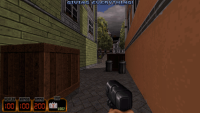
Attached Image: image-ezgif.com-webp-to-png-converter.png


A bit unrelated to this but is there a way to make the commands for the voice toggle and dev commentary not get reset? they always seem to reset back to 0 after restarting the game

This post has been edited by Ohthatguy64: 21 May 2026 - 02:27 PM

0

Share this topic:


  • 12 Pages +
  • « First
  • 10
  • 11
  • 12
  • You cannot start a new topic
  • You cannot reply to this topic


All copyrights and trademarks not owned by Voidpoint, LLC are the sole property of their respective owners. Play Ion Fury! ;) © Voidpoint, LLC

Enter your sign in name and password


Sign in options