Duke4.net Forums: EDuke32 2.0 and Polymer! - Duke4.net Forums

Jump to content

  • 213 Pages +
  • « First
  • 63
  • 64
  • 65
  • 66
  • 67
  • Last »
  • You cannot start a new topic
  • You cannot reply to this topic

EDuke32 2.0 and Polymer!  "talk about the wonders of EDuke32 and the new renderer"

User is offline   SwissCm 

#1910

Considering you just blatantly generalized about AMD/ATI I'm guessing your "E-Pen" elongated by a rather substantial amount?
0

#1911

View PostSwissCm, on Nov 19 2010, 04:34 PM, said:

Considering you just blatantly generalized about AMD/ATI I'm guessing your "E-Pen" elongated by a rather substantial amount?


Calling out a bad brand isn't generalizing, especially when both your job and your hobby is to test and bench their products like I said mine is.
I don't see how that's generalizing.
Though, when you come to a forum and say that all oc fans "are fanboys and never look at hardware objectively" then you are generalizing bad!
How can you possibly know me or all the oc fans?
Did you see a few oc fans that were wrong about many things and you suddenly decided to turn that into a stereotype and live with it?
Does your life revolve around stereotypes and ignorant assumptions?
I hate assumptions and I never assume anything, I only state personal opinions and factual stuff accepted by majorities.
If it's better, I will reiterate and say that it's my strong and insurmountable opinion that amd and ati were 2 incompetent, cheap, low end hardware oriented, companies that fused together so they don't die alone.

Now that I've mentioned that IT'S MY OPINION based on years of experience in the field, maybe you can sleep better at night, knowing that I haven't completely destroyed the brands that you are OBVIOUSLY in love with(yet you call me a fanboy)

This post has been edited by Mr.Deviance: 19 November 2010 - 11:31 PM

0

User is offline   Plagman 

  • Former VP of Media Operations

#1912

Let's stop the off-topic discussion; the guys over at ATI (now AMD) make great hardware when they feel like it, no doubt. Sure, there are some driver issues: they don't have the same end goal.
0

User is offline   Jblade 

#1913

The last few snapshots seem to crash consistantly on the AMC TC test map I've made - I used the debug exe included in the latest synthesis zip and in the crash log it says this:
0x5a92bb : D:\AMCTHETC\eduke32.debug.exe : codebook.c 
0x59ecb8 : D:\AMCTHETC\eduke32.debug.exe : info.c 
0x5971d9 : D:\AMCTHETC\eduke32.debug.exe : vorbisfile.c 
0x598e95 : D:\AMCTHETC\eduke32.debug.exe : vorbisfile.c 
0x599ae9 : D:\AMCTHETC\eduke32.debug.exe : vorbisfile.c 
0x588efe : D:\AMCTHETC\eduke32.debug.exe : Z:\var\www\synthesis\eduke32\eduke32\source\
jaudiolib/src/vorbis.c (341) : in function (MV_PlayLoopedVorbis) 
0x588e15 : D:\AMCTHETC\eduke32.debug.exe : Z:\var\www\synthesis\eduke32\eduke32\source\
jaudiolib/src/vorbis.c (287) : in function (MV_PlayVorbis) 
0x588dbb : D:\AMCTHETC\eduke32.debug.exe : Z:\var\www\synthesis\eduke32\eduke32\source\
jaudiolib/src/vorbis.c (258) : in function (MV_PlayVorbis3D) 
0x585894 : D:\AMCTHETC\eduke32.debug.exe : Z:\var\www\synthesis\eduke32\eduke32\source\
jaudiolib/src/fx_man.c (1042) : in function (FX_PlayAuto3D) 
0x4defc3 : D:\AMCTHETC\eduke32.debug.exe : Z:\var\www\synthesis\eduke32\eduke32/source/sounds.c (520) : in function (S_PlaySound3D) 
0x4df4ad : D:\AMCTHETC\eduke32.debug.exe : Z:\var\www\synthesis\eduke32\eduke32/source/sounds.c (616) : in function (A_PlaySound) 
0x46a865 : D:\AMCTHETC\eduke32.debug.exe : Z:\var\www\synthesis\eduke32\eduke32/source/gameexec.
c (1019) : in function (VM_Execute) 
0x4696d3 : D:\AMCTHETC\eduke32.debug.exe : Z:\var\www\synthesis\eduke32\eduke32/source/gameexec.
c (668) : in function (VM_DoConditional) 
0x477302 : D:\AMCTHETC\eduke32.debug.exe : Z:\var\www\synthesis\eduke32\eduke32/source/gameexec.
c (4710) : in function (VM_Execute) 
0x46bc73 : D:\AMCTHETC\eduke32.debug.exe : Z:\var\www\synthesis\eduke32\eduke32/source/gameexec.
c (1386) : in function (VM_Execute) 
0x4696d3 : D:\AMCTHETC\eduke32.debug.exe : Z:\var\www\synthesis\eduke32\eduke32/source/gameexec.
c (668) : in function (VM_DoConditional) 
0x4711e7 : D:\AMCTHETC\eduke32.debug.exe : Z:\var\www\synthesis\eduke32\eduke32/source/gameexec.
c (2790) : in function (VM_Execute) 
0x47792b : D:\AMCTHETC\eduke32.debug.exe : Z:\var\www\synthesis\eduke32\eduke32/source/gameexec.
c (4862) : in function (A_Execute) 
0x43e3b2 : D:\AMCTHETC\eduke32.debug.exe : Z:\var\www\synthesis\eduke32\eduke32/source/actors.c (4809) : in function (G_MoveActors) 
0x449fcf : D:\AMCTHETC\eduke32.debug.exe : Z:\var\www\synthesis\eduke32\eduke32/source/actors.c (7950) : in function (G_MoveWorld) 
0x427015 : D:\AMCTHETC\eduke32.debug.exe : Z:\var\www\synthesis\eduke32\eduke32/source/game.c (10256) : in function (G_DoMoveThings) 
0x4268b8 : D:\AMCTHETC\eduke32.debug.exe : Z:\var\www\synthesis\eduke32\eduke32/source/game.c (10122) : in function (G_MoveLoop) 
0x4265dc : D:\AMCTHETC\eduke32.debug.exe : Z:\var\www\synthesis\eduke32\eduke32/source/game.c (10042) : in function (app_main) 
0x55af94 : D:\AMCTHETC\eduke32.debug.exe : Z:\var\www\synthesis\eduke32\eduke32\build/src/
winlayer.c (494) : in function (WinMain@16) 
0x5b2a16 : D:\AMCTHETC\eduke32.debug.exe : main.c 
0x4010db : D:\AMCTHETC\eduke32.debug.exe : crt1.c 
0x401158 : D:\AMCTHETC\eduke32.debug.exe : crt1.c 
Failed to init bfd from (C:\WINDOWS\system32\kernel32.dll)
0x7c816fe7 : C:\WINDOWS\system32\kernel32.dll : RegisterWaitForInputIdle

I don't know C or anything like that so can anybody reveal what all that means, and if it's relevant to a problem in the CON code or something in Eduke?

edit: or maybe even my PC - There was OGG sounds playing and the vorbis stuff seems to suggest it might be related to that so I've just updated the OGG codecs on my PC since it seems they were pretty old.

This post has been edited by James: 20 November 2010 - 01:23 PM

0

User is offline   Mblackwell 

  • Evil Overlord

#1914

What's the last good commit/revision and the first bad one?
0

User is offline   Tetsuo 

#1915

Good news for people who run eDuke32 in OS X like me. The reverse ambient lighting problem has been fixed in Snow Leopard 10.6.5. The other problem where sectors outside the one you are in stop rendering after a while still is present but I was happy to see the former fixed. Everything works proper on there other than the latter. Marcus Herbert hasn't compiled the latest SVN yet though. Does anyone on Windows experience that problem?

Issuing a restartvid command when the sector problem happens seems to work for now.

This post has been edited by Tetsuo: 21 November 2010 - 05:56 AM

0

User is offline   Jblade 

#1916

View PostMblackwell, on Nov 21 2010, 05:59 AM, said:

What's the last good commit/revision and the first bad one?

I'll start jumping back versions and see which one doesn't crash. So far I've tried the October 18th debug version and it crashes on that with pretty much the same thing:
0x5a92bb : D:\AMCTHETC\eduke32.debug.exe : codebook.c 
0x59ecb8 : D:\AMCTHETC\eduke32.debug.exe : info.c 
0x5971d9 : D:\AMCTHETC\eduke32.debug.exe : vorbisfile.c 
0x598e95 : D:\AMCTHETC\eduke32.debug.exe : vorbisfile.c 
0x599ae9 : D:\AMCTHETC\eduke32.debug.exe : vorbisfile.c 
0x588efe : D:\AMCTHETC\eduke32.debug.exe : Z:\var\www\synthesis\eduke32\eduke32\source\
jaudiolib/src/vorbis.c (341) : in function (MV_PlayLoopedVorbis) 
0x588e15 : D:\AMCTHETC\eduke32.debug.exe : Z:\var\www\synthesis\eduke32\eduke32\source\
jaudiolib/src/vorbis.c (287) : in function (MV_PlayVorbis) 
0x588dbb : D:\AMCTHETC\eduke32.debug.exe : Z:\var\www\synthesis\eduke32\eduke32\source\
jaudiolib/src/vorbis.c (258) : in function (MV_PlayVorbis3D) 
0x585894 : D:\AMCTHETC\eduke32.debug.exe : Z:\var\www\synthesis\eduke32\eduke32\source\
jaudiolib/src/fx_man.c (1042) : in function (FX_PlayAuto3D) 
0x4defc3 : D:\AMCTHETC\eduke32.debug.exe : Z:\var\www\synthesis\eduke32\eduke32/source/sounds.c (520) : in function (S_PlaySound3D) 
0x4df4ad : D:\AMCTHETC\eduke32.debug.exe : Z:\var\www\synthesis\eduke32\eduke32/source/sounds.c (616) : in function (A_PlaySound) 
0x46a865 : D:\AMCTHETC\eduke32.debug.exe : Z:\var\www\synthesis\eduke32\eduke32/source/gameexec.
c (1019) : in function (VM_Execute) 
0x4696d3 : D:\AMCTHETC\eduke32.debug.exe : Z:\var\www\synthesis\eduke32\eduke32/source/gameexec.
c (668) : in function (VM_DoConditional) 
0x477302 : D:\AMCTHETC\eduke32.debug.exe : Z:\var\www\synthesis\eduke32\eduke32/source/gameexec.
c (4710) : in function (VM_Execute) 
0x46bc73 : D:\AMCTHETC\eduke32.debug.exe : Z:\var\www\synthesis\eduke32\eduke32/source/gameexec.
c (1386) : in function (VM_Execute) 
0x4696d3 : D:\AMCTHETC\eduke32.debug.exe : Z:\var\www\synthesis\eduke32\eduke32/source/gameexec.
c (668) : in function (VM_DoConditional) 
0x4711e7 : D:\AMCTHETC\eduke32.debug.exe : Z:\var\www\synthesis\eduke32\eduke32/source/gameexec.
c (2790) : in function (VM_Execute) 
0x47792b : D:\AMCTHETC\eduke32.debug.exe : Z:\var\www\synthesis\eduke32\eduke32/source/gameexec.
c (4862) : in function (A_Execute) 
0x43e3b2 : D:\AMCTHETC\eduke32.debug.exe : Z:\var\www\synthesis\eduke32\eduke32/source/actors.c (4809) : in function (G_MoveActors) 
0x449fcf : D:\AMCTHETC\eduke32.debug.exe : Z:\var\www\synthesis\eduke32\eduke32/source/actors.c (7950) : in function (G_MoveWorld) 
0x427015 : D:\AMCTHETC\eduke32.debug.exe : Z:\var\www\synthesis\eduke32\eduke32/source/game.c (10256) : in function (G_DoMoveThings) 
0x4268b8 : D:\AMCTHETC\eduke32.debug.exe : Z:\var\www\synthesis\eduke32\eduke32/source/game.c (10122) : in function (G_MoveLoop) 
0x4265dc : D:\AMCTHETC\eduke32.debug.exe : Z:\var\www\synthesis\eduke32\eduke32/source/game.c (10042) : in function (app_main) 
0x55af94 : D:\AMCTHETC\eduke32.debug.exe : Z:\var\www\synthesis\eduke32\eduke32\build/src/
winlayer.c (494) : in function (WinMain@16) 
0x5b2a16 : D:\AMCTHETC\eduke32.debug.exe : main.c 
0x4010db : D:\AMCTHETC\eduke32.debug.exe : crt1.c 
0x401158 : D:\AMCTHETC\eduke32.debug.exe : crt1.c 
Failed to init bfd from (C:\WINDOWS\system32\kernel32.dll)
0x7c816fe7 : C:\WINDOWS\system32\kernel32.dll : RegisterWaitForInputIdle

It also did the same on the 30th of September and 31st of August snapshot, but they didn't come with a debug version. From what I just saw it seems to be caused by an actor using findnearspritez. This is the code I'm using snipped from the actor:
	findnearspritez CHOPPER_WAYPOINT 1024 16000 WAYPOINT
		ifvarn WAYPOINT -1
		{
			getactor[WAYPOINT].pal TEMP4 
			ifvare TEMP4 4 ifvare OWNERSAVED 0 break // If it has no troops, don't take this path
			ifvare TEMP4 3 { getactor[WAYPOINT].z TEMP7 setactor[THISACTOR].z TEMP7 }
				ifvare TEMP9 0
					{
					getactor[WAYPOINT].ang TEMP6
					setactor[THISACTOR].ang TEMP6
					getactorvar[WAYPOINT].ZVELSAVED TEMP2 ifvarn TEMP2 0 setvarvar ZVELSAVED TEMP2 // Set it's troop type
					getactorvar[WAYPOINT].HITAGSAVED HITAGSAVED // Set it's ascend rate
					getactorvar[WAYPOINT].LOTAGSAVED LOTAGSAVED // Set it's descend rate
					getactorvar[WAYPOINT].XVELSAVED XVELSAVED // Set it's stopping time
					getactorvar[WAYPOINT].YVELSAVED YVELSAVED // Set it's movement rate
					ifvarl OWNERSAVED 1 getactorvar[WAYPOINT].OWNERSAVED OWNERSAVED // Set the number of troops!
					setvar TEMP9 1
					}
		}
		else ifvare WAYPOINT -1 setvar TEMP9 0

I'm gonna see if using just findnearsprite crashes it (or maybe findnearactor)

EDIT: Nope, it still crashes with findnearsprite - I'll try findnearactor3d next.

EDIT2: And that caused it to crash as well.

This post has been edited by James: 21 November 2010 - 01:56 AM

0

User is offline   TerminX 

  • el fundador

  #1917

Since the actual crash is occurring somewhere in libvorbis, I suspect you have a corrupt ogg somewhere.
0

User is offline   Jblade 

#1918

The Chopper does use an ogg sound, so you're most likely right - I'll see what I can do to fix it. Thanks :blink:
0

User is offline   LeoD 

  • Duke4.net topic/3513

#1919

There are new versions btw., libogg 1.2.1 and libvorbis 1.3.2.
0

User is offline   Jblade 

#1920

Well I replaced the ogg sound with a completely different one, and it still crashes - I did update my ogg drivers from Vorbis.com yesterday so I'm unsure if the problem is on my side or something else.
0

User is offline   king karl 

#1921

i havnt updated my polymer in a long time where can i get it?
0

User is offline   The Commander 

  • I used to be a Brown Fuzzy Fruit, but I've changed bro...

#1922

http://dukeworld.duk...ke32/synthesis/
Latest version is always at the top.

Or do you mean the HRP, that can be downloaded here.
http://hrp.duke4.net/download.php
0

User is offline   The Commander 

  • I used to be a Brown Fuzzy Fruit, but I've changed bro...

#1923

I like the new addition to Mapster.
Posted Image

For those that don't know what they are looking at, it's E1L1 but in a angled view.
0

User is offline   DavoX 

  • Honored Donor

#1924

FOR THE LOVE OF HOLY FUCKING SHIT CHRIST WITH 5 DICKS!
0

User is offline   Tea Monster 

  • Polymancer

#1925

Can I haz textures with that?
0

User is offline   Danukem 

  • Duke Plus Developer

#1926

View PostTea Monster, on Nov 30 2010, 08:27 AM, said:

Can I haz textures with that?


If you want to view the level in all its glory, just use the full 3D mode.
0

User is offline   Hendricks266 

  • Weaponized Autism

  #1927

I bow before Helixhorned. This reminds me of some stuff Ken has on his site about trying to upgrade BUILD and write Polymost.

If you want textures, I believe you can use the Polymer renderer and clip outside the map.

This post has been edited by Hendricks266: 30 November 2010 - 09:18 AM

0

User is offline   Plagman 

  • Former VP of Media Operations

#1928

It would still have perspective, though; this is an orthogonal projection, way easier to edit. I always wanted to replace 2D mode with an orthogonal view like that; it wouldn't be too hard to make the transition between 2D and 3D mode seamless that way, but I always give up after I take a look at the editor code..
0

User is offline   Tea Monster 

  • Polymancer

#1929

http://www.youtube.c...h?v=q6YU4Z6D5iw
0

User is offline   MusicallyInspired 

  • The Sarien Encounter

#1930

Isometric view! Sweet!
0

User is offline   Micky C 

  • Honored Donor

#1931

It's not just isometric, you can rotate it.

Is it just me or are people unable to edit anything in this mode? Although I'm aware that this feature is still in its early stages and has much potential for the future as it becomes more complex.

Edit:

View PostHendricks266, on Dec 1 2010, 02:47 AM, said:

If you want textures, I believe you can use the Polymer renderer and clip outside the map.

That thing is so useful for so many reasons. I made my avatar with an external render in mapster :blink:

This post has been edited by Micky C: 30 November 2010 - 01:48 PM

0

User is offline   Piano Man 

#1932

Interesting question... Now that you can start looking at it in different angles in 2D mode... Is it possible to start editing and building sectors along a different axis for once??? Instead of building sectors on one axis???

Would it be possible to start building truly 3D maps???
0

User is offline   Micky C 

  • Honored Donor

#1933

If by truly 3D maps you mean ROR then yes it is potentially possible. Polymer is already capable of rendering such scenes with a single pass but I recall helixhorned and plagman conferring about what changes to the editor would be necessary. This is probably one of the stepping stones on the way to being able to edit ROR in 2D mode, but there's still a fair way to go with kinks to iron out.

This post has been edited by Micky C: 01 December 2010 - 04:49 AM

0

User is offline   herejex 

#1934

Hi everbody!

Is there a donwloadable Polymer version, or is only available for delopers?

Thanks for everything folks!
0

User is offline   LeoD 

  • Duke4.net topic/3513

#1935

http://forums.duke4.net/index.php?s=&s...ost&p=63829
Although you deserve being called a lazy noob for not finding the solution on this very page, I'd suggest DT to edit the top posting of this thread and add an obvious download link.
0

User is offline   herejex 

#1936

View PostLeoD, on Dec 1 2010, 05:49 PM, said:

http://forums.duke4.net/index.php?s=&s...ost&p=63829
Although you deserve being called a lazy noob for not finding the solution on this very page, I'd suggest DT to edit the top posting of this thread and add an obvious download link.

Thanks for the information.

I downloaded eduke with that links this morning :blink: , specifically I downloaded the .zip file, but what I get was a eduke.exe version without the polymer light effects. Do I have to download the bz2 file and compile it to get eduke + polymer? :blink:

This post has been edited by herejex: 01 December 2010 - 09:04 AM

0

#1937

You have to tick the Polymer box when EDuke32 first starts, though if your system is not powerful enough it will switch itself back to Polymost when the game starts up.
0

User is offline   herejex 

#1938

View PostHigh Treason, on Dec 1 2010, 06:13 PM, said:
You have to tick the Polymer box when EDuke32 first starts, though if your system is not powerful enough it will switch itself back to Polymost when the game starts up.

I my good! It's true! Thank you!
0

User is offline   LeoD 

  • Duke4.net topic/3513

#1939

Most effects only work with patched maps, sprites/models, and textures. You will need the PolymerHRP.
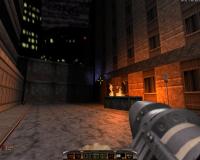
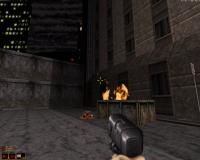
But you can tell if polymer works for you without that:

Attached thumbnail(s)

  • Attached Image: DukePolymost.jpg
  • Attached Image: DukePolymer.jpg

0

Share this topic:


  • 213 Pages +
  • « First
  • 63
  • 64
  • 65
  • 66
  • 67
  • Last »
  • You cannot start a new topic
  • You cannot reply to this topic


All copyrights and trademarks not owned by Voidpoint, LLC are the sole property of their respective owners. Play Ion Fury! ;) © Voidpoint, LLC

Enter your sign in name and password


Sign in options