Duke4.net Forums: Duke Plus - Duke4.net Forums

Jump to content

  • 57 Pages +
  • « First
  • 18
  • 19
  • 20
  • 21
  • 22
  • Last »
  • You cannot start a new topic
  • You cannot reply to this topic

Duke Plus  "feedback and general discussion of Duke Plus"

User is offline   SFJake 

#560

Fair enough. Its all fine, I guess I can just change the max health, and the health given from the pickups in .con files and the result is the same.

Good luck with that Attrition project, by the way. Its quite ambitious, but I think you know what you're doing.

This post has been edited by SFJake: 26 January 2010 - 09:13 PM

0

User is offline   williamjcm 

#561

DT, can you implement a flashlight as an optional flare replacement using Polymer dynamic lights ?

If you can, make it using an aux power that regenerates.
0

User is offline   Danukem 

  • Duke Plus Developer

#562

View Postwilliamjcm, on Jan 30 2010, 03:46 AM, said:

DT, can you implement a flashlight as an optional flare replacement using Polymer dynamic lights ?

If you can, make it using an aux power that regenerates.


I even have a flashlight model that Teamonster made for that purpose. But I never been motivated to add it, because there are no levels where the flashlight has any use, and Polymer runs so badly on my computer I wouldn't be able to enjoy it anyway. I will add it eventually.
0

User is offline   Sobek 

  • There's coffee in that nebula!

#563

I could make use of a 'flashlight', though it would only be in one small level I'm working on. I'd probably also have to alter the model to something that suits Star Trek, as they used wrist-mounted flashlights in that.

If you decide to whip it into shape, great. If not, no big deal... I'm sure other folk could also find use for a flashlight though (survival horror comes to mind).
0

User is offline   williamjcm 

#564

View PostDeeperThought, on Jan 30 2010, 05:57 PM, said:

Polymer runs so badly on my computer I wouldn't be able to enjoy it anyway

Polymer runs good on my computer, the only problem is the "polymer HRP" released a while ago.

View PostSobek, on Feb 1 2010, 04:50 AM, said:

I'm sure other folk could also find use for a flashlight though (survival horror comes to mind).

I agree. I think that levels with the Ravenholm (a ghost town of HL2) or Doom 3 mood could need use of the flashlight.

This post has been edited by williamjcm: 01 February 2010 - 06:51 AM

0

#565

The minigun is still bugged : if you have it with some bullets, change weapon and use the altfire of that weapon and then switch back to the minigun, you'll find to have only one bullet.
0

User is offline   Danukem 

  • Duke Plus Developer

#566

OK, but that's a different bug, though. I fixed it, and I'll upload the code later tonight.

This post has been edited by DeeperThought: 03 February 2010 - 02:47 PM

0

User is offline   Stabs 

#567

I was thinking of a DP Difficulty setting that works based on dmg inflicted / dmg taken that changes based on skill selected, piece of cake could be 60 / 100, lets rock 70 / 100, come get some 85 / 100 damn iam good 100 / 90 but no respawns

that way every level could be played with max monsters but its difficulty would still scale well
0

User is offline   Lukaso 

#568

View PostDanM, on Feb 4 2010, 01:06 PM, said:

I was thinking of a DP Difficulty setting that works based on dmg inflicted / dmg taken that changes based on skill selected, piece of cake could be 60 / 100, lets rock 70 / 100, come get some 85 / 100 damn iam good 100 / 90 but no respawns

that way every level could be played with max monsters but its difficulty would still scale well

Great idea, i like it.
0

User is offline   gooost 

#569

Is it possible to play DukePlus in miltiplayer lan ?
0

User is offline   The Commander 

  • I used to be a Brown Fuzzy Fruit, but I've changed bro...

#570

View Postgooost, on Feb 5 2010, 02:29 AM, said:

Is it possible to play DukePlus in miltiplayer lan ?

Yes, last time I tried it it seemed to work fine.
Although that was quite a few months ago and I don't know if any of the new features break MP now.
0

User is offline   gooost 

#571

 
Yes, and again I start asking questions without previous googling.
I know that I tryed to do that far in the past and didnt work.
Much things happend since then.
0

User is offline   Danukem 

  • Duke Plus Developer

#572

I have uploaded some new unofficial code which fixes some bugs, including: altfire using up minigun ammo even when altfiring a different weapon, excessive damage from green blood pools, at least one other thing I can't remember.

EDIT: Damnit, I found a major bug that has been around since DP 2.07. For testing purposes, I had set the alien queens to all be player allies, but I forgot to revert that when I was done testing. I am uploading another full version of DP with updated code that has that fixed (or you can just download the latest code).

I guess this proves that no one plays episode 4.

This post has been edited by DeeperThought: 04 February 2010 - 10:09 AM

0

User is offline   LeoD 

  • Duke4.net topic/3513

#573

View PostDeeperThought, on Feb 4 2010, 04:44 PM, said:

I guess this proves that no one plays episode 4.

No, I played it last week, but in the end I was too lazy to bother dealing with the queen.
0

User is offline   Sobek 

  • There's coffee in that nebula!

#574

I haven't played anything from Ep4 for a long long time Posted Image
0

User is offline   Lunick 

#575

um sorry if this has already been answered before etc but imhaving a little problem with Duke Plus

Duke Plus works fine on my Laptop with Vista but doesnt work aswell with XP, when I load the game with XP, almost all the new art has changed to a black box, this includes any new guns (the laser pistal just changes to a normal pistol)

Please Help
0

User is offline   Micky C 

  • Honored Donor

#576

It sounds like you're running the software renderer. Make sure you choose the 32-bit openGL renderer when starting eduke32.

Edit: if you can't run the openGL renderer for whatever reason, open up the dukeplus menu and select the restore classic defaults option.

This post has been edited by Micky C: 06 February 2010 - 08:47 PM

0

User is offline   Lunick 

#577

View PostMicky C, on Feb 6 2010, 09:39 PM, said:

It sounds like you're running the software renderer. Make sure you choose the 32-bit openGL renderer when starting eduke32.

Edit: if you can't run the openGL renderer for whatever reason, open up the dukeplus menu and select the restore classic defaults option.


I tried the first option, no difference, tried the second option only restores Duke to normal game setting, doesnt fix black box problem
0

User is offline   Micky C 

  • Honored Donor

#578

Assuming you are in software rendering mode, the reason why some of the weapons are black boxes is because they are models and are not supported by the renderer. The only way to get rid of them is to use the original weapons and disable the openGL effects (in the effects menu) or use the openGL renderer. This goes the same with many other effects. There's really no way around it unfortunately, but there are still plenty of DukePlus effects that don't use those types of graphics.

If you are in openGL mode then the art files are probably missing.

This post has been edited by Micky C: 06 February 2010 - 09:11 PM

0

User is offline   Lunick 

#579

View PostMicky C, on Feb 6 2010, 10:10 PM, said:

Assuming you are in software rendering mode, the reason why some of the weapons are black boxes is because they are models and are not supported by the renderer. The only way to get rid of them is to use the original weapons and disable the openGL effects (in the effects menu) or use the openGL renderer. This goes the same with many other effects. There's really no way around it unfortunately, but there are still plenty of DukePlus effects that don't use those types of graphics.

If you are in openGL mode then the art files are probably missing.


Thanks for trying, I will just play the game on my laptop, simple as that ;)
0

User is offline   gooost 

#580

Guys, girls, whoever that played DukePlus in multiplayer, can you please check which version of Eduke you used, and maybe even which version of yang you used ?
Cant get DukePlus to work OK in multiplayer ;)
Downloaded newest DukePlus and EDuke that comes with it doesent even recognise/allow "-game_dir DukePlus" when launching multiplayer.
I guess you have stored your MP-working copies of DukePlus :P

Thanx.
0

User is offline   The Commander 

  • I used to be a Brown Fuzzy Fruit, but I've changed bro...

#581

View PostNY00123, on Aug 16 2009, 09:43 PM, said:

While not really tested by me, here's a solution, though I consider it to be a workaround.
Steps 1,2 should be done by all players. Step 3 should be done by the host of the YANG room.

1. In YANG, configure the EDuke32 executable to be the eduke32.exe file from the dukeplus archive.
You may use an alternative executable if you're running Linux, for instance.
But it has to be in the same directory of dukeplus as before (but not the internal DukePlus directory wih EDUKE.CON file).

2. Prepare the duke3d.grp file in the same location as the EDuke32 executable.

3. To the host, start YANG. Load the "Create a room" dialog, and in the "Extra args for everyone:" text control, type:

-game_dir DukePlus

Now you should all be set.

If that still doesn't work you have screwed up your DukePlus install.
If it does work but the game behaves oddly then that means DukePlus is broken in MP and there is nothing that can be done about that other than CON fixes which won't be on DT's priority list.
0

User is offline   gooost 

#582

I have found some older version of DukePlus that works fine in multiplayer with EDuke32 20091017 ;), although heavy RPG is disabled and it is the most interesting change. :P
Newest DukePlus still bugs me with Out of Sync..

This post has been edited by gooost: 07 February 2010 - 03:38 AM

0

User is offline   Sobek 

  • There's coffee in that nebula!

#583

Hey there. I've taken a break from working on my Voyager mod (not that you could tell I was, heh), and I've decided to pack up and release my BSG test map as a single mission 'mini-mod' of sorts. I've got a few things that I wanted to ask about, but most of those can wait for now. At the moment I was hoping you might be able to answer something relatively simple;

Can these new camera effects be activated on some kind of timer?

Ideally for this map, I'll end up having some kind of countdown visible for the duration of the mission, that indicates how many ships have escaped (the idea being to simply defend your own ship against incoming missiles while the civilian fleet jumps away in sequence). I would use camera effects to show each ship doing its jump, however I'd probably like to have these occur at 30 intervals... with maybe 6 separate camera sequences or so in total. The only problem is that the player will either be flying around in space randomly and shooting at things in the Skycar, or sitting still manning a modified DPCANNON acting as a railgun. So it's not like a traditional map where you're walking through corridors or linear areas that make activating cameras in succession easy.

I was thinking of something rudimentary like having a bunch of D+ touch plates activate on level load - the first one activating instantly for the opening cutscene, and the rest at 30 second, 60 second, 90 second intervals etc for each separate camera effect. But can a D+ touch plate activate a camera on a timed delay? I don't know, and it's probably a silly way to go about it anyway.

I've been reading up a LOT on various aspects of CON coding on the Eduke32 wiki recently, but this still is all still beyond me, so if anyone has any ideas, I'd really appreciate it ;)
0

User is offline   Stabs 

#584

dp chains (picnum 920 / lotag 1 / yvel activation #) and a shooter my freind

2595 for pistol shot, set it up timed to fire at 30 / 60 / 90 intervals

pistols kills chain, chain activates cutscene

ta-da
0

User is offline   LeoD 

  • Duke4.net topic/3513

#585

Minor bug :
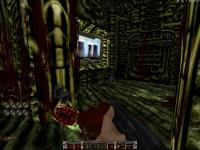
The alternate firing mode of the freezer does not kill a slimer while it is gnawing off your nose.

Edit:
In E2L9 the MP5 sometimes turns into a miniboss gun when picked up.

Attached thumbnail(s)

  • Attached Image: overlord.jpg


This post has been edited by LeoD: 11 February 2010 - 06:10 AM

0

User is offline   Sobek 

  • There's coffee in that nebula!

#586

View PostDanM, on Feb 10 2010, 05:35 PM, said:

dp chains (picnum 920 / lotag 1 / yvel activation #) and a shooter my freind

2595 for pistol shot, set it up timed to fire at 30 / 60 / 90 intervals

pistols kills chain, chain activates cut scene

ta-da


Wow, what a genius idea. That works perfectly... It'll take a fair bit of precise cut scene work and such to get it working exactly as intended, but that otherwise does the trick.

What I'll do is have 6 shooters (for 6 small cut scenes) in a line. In front of each shooter, there will be 2 chains back to back. The first of each chain is just a dud, which is destroyed at level load when the player triggers a DPTOUCHPLATE that activates all the timed shooters. That way, each shooter activates right up and kills that first 'dud' chain, and with their shade set to 2, each shooter will then fire its successive cut scene-activating shot at the desired interval later.

The reason I'm doing it that way is because the cut scenes will all involve a fair few models and animated textures (some with LOTS of frames), so I want to open the level in a way that let's the player view all these assets with ample time for the game to get over the stuttering and pausing involved with getting them loaded properly. I noticed while testing all this out that if the cut scene jumps straight to one of the intensive views (lots of explosions, a big sexy Galactica mesh) then the pauses would result in the cut scene starting about halfway through its track.

Not to worry, I'll get it all hammered out soon enough. Thanks again ;)

This post has been edited by Sobek: 11 February 2010 - 05:39 PM

0

User is offline   Stabs 

#587

yeh good ol dud chains, if your shooter is on 30 timer 2 dud chains and and a real one would actually make it 90

I also thought of coding variables

Say if you reach a chasm it could have a cutscene saying to activate a bridge, BUT what if you never went to the chasm first and then activated the bridge got there and it activated a cutscene saying to do something you have already done?

ANSWER

you would make a door close blocking the shooter from ever reaching the chain, this door would close when you activate the bridge, if you have not activated the cutscene by approaching the chasm it would have no effect regardless

i think too much ;)

This post has been edited by DanM: 11 February 2010 - 05:59 PM

0

#588

While this thread is up in the list, there's something I have been meaning to ask, how do I get a mod to run as well as DukePlus? I tried adding ïnclude dukeplus\eduke.con" in the con and ïnclude dukeplus\dukeplus.def" in the def, but it doesn't work properly (textures go missing from either dukeplus or what I am trying to run on top of it, or similar problem with con files).

This whole cutscene method is intriguing, reminds me of medieval machinery, I got around lag problems by having an opening cutscene that displayed something in a black room (in this case just a logo) but had models and textures shaded to black at the bottom of the room this was in, this seemed to fix it for me, though I don't think it's as flexible as the solution above and probably is not as efficient.
0

User is offline   Sobek 

  • There's coffee in that nebula!

#589

View PostDanM, on Feb 12 2010, 12:28 PM, said:

yeh good ol dud chains, if your shooter is on 30 timer 2 dud chains and and a real one would actually make it 90

I also thought of coding variables

Say if you reach a chasm it could have a cutscene saying to activate a bridge, BUT what if you never went to the chasm first and then activated the bridge got there and it activated a cutscene saying to do something you have already done?

ANSWER

you would make a door close blocking the shooter from ever reaching the chain, this door would close when you activate the bridge, if you have not activated the cutscene by approaching the chasm it would have no effect regardless

i think too much ;)


You can't think too much... I like that kind of creative thinking.

View PostHigh Treason, on Feb 12 2010, 01:43 PM, said:

While this thread is up in the list, there's something I have been meaning to ask, how do I get a mod to run as well as DukePlus? I tried adding ïnclude dukeplus\eduke.con" in the con and ïnclude dukeplus\dukeplus.def" in the def, but it doesn't work properly (textures go missing from either dukeplus or what I am trying to run on top of it, or similar problem with con files).


I was actually curious about something like this too. I've made some minor changes to D+ code (such as changing the DPCANNON's model, projectiles and sounds among other things), and I was trying to work out some way of incorporating only these changes into CONS within my mod directory that load AFTER D+ and overwrite just those relevant bits of D+ code, because obviously, having to track and modify D+ code changes with each release is tricky, not to mention it makes a bit of a mess when I have to package a 'DukePlus' directory with my mod to overwrite what someone already has installed. I recall DeeperThought talking about something similar to someone a little while back but I couldn't find the posts...

For your setup, couldn't you do something similar to what I have now? That is, take the DukePlus bat file and just add "-jDirectory" where 'Directory' is your mod's game dir. In my case, I have a folder called 'Voyager' in my Duke directory, so my batch file reads as below;

Eduke32.exe -game_dir DukePlus -jVoyager


And that seems to work fine. But I suppose it depends on how your mod is set up to begin with...

This post has been edited by Sobek: 11 February 2010 - 07:37 PM

0

Share this topic:


  • 57 Pages +
  • « First
  • 18
  • 19
  • 20
  • 21
  • 22
  • Last »
  • You cannot start a new topic
  • You cannot reply to this topic


All copyrights and trademarks not owned by Voidpoint, LLC are the sole property of their respective owners. Play Ion Fury! ;) © Voidpoint, LLC

Enter your sign in name and password


Sign in options