Duke4.net Forums: EDuke32 2.0 and Polymer! - Duke4.net Forums

Jump to content

  • 213 Pages +
  • « First
  • 154
  • 155
  • 156
  • 157
  • 158
  • Last »
  • You cannot start a new topic
  • You cannot reply to this topic

EDuke32 2.0 and Polymer!  "talk about the wonders of EDuke32 and the new renderer"

User is offline   Sobek 

  • There's coffee in that nebula!

#4646

Hmm. So I've been away for a couple of years really (popped my head in the door from time to time). Could anyone tell me what some of the biggest improvements or changes have been to eDuke32 in that time? I remember every couple of days I'd read the changelog on new builds and be amazed at some of the excellent fixes present, but I'm just curious if there have been any MAJOR improvements made anywhere that I should know about. I used to struggle with some annoying little glitches (like models that would just vanish because the engine decided they didn't need to be rendered from that particular viewpoint or sector, for example). Just curious what you consider to be the highlights so I can start getting caught up again :)

Spent the last few days just cleaning up a fresh install so I can get back into things. Have been playing some dukematches with my best friend on some of our old maps we made and having such a blast. Just about ready to get stuck into it all again I think!
0

User is offline   Micky C 

  • Honored Donor

#4647

One thing you might find useful is something called clipshape maps, allowing you to have accurate model clipping by recreating the rough shape of the model using sector geometry in a special map file, which the engine then uses for clipping information.

Not sure how familiar you are with Polymer and TROR but those are around. There's also better fogpal for openGL modes independent of shade, and alternate palates in polymer are now accurate for hightile textures when using the correct generated references "tables" (can't remember the name).

This post has been edited by Mickey C: 20 May 2014 - 04:49 PM

0

User is offline   Daedolon 

  • Ancient Blood God

#4648

 Helixhorned, on 20 May 2014 - 08:15 AM, said:

I can't reproduce this. Placing a floor-aligned sprite into a sector with a parallaxed ceiling and enabling the sprite's "don't take over shade" bit (key [N] in Mapster32), the sprite keeps its own shade value in the editor (don't forget to enable shade preview with [']+[X] as High Treason remarked) as well as the game.


Note that few sprites have hardcoded behaviour to ruin this as well.
0

User is offline   MetHy 

#4649

There has been a glitch for quite a while now (still in the latest eduke32 version, i checked) that makes turrets a LOT harder to hit then they should be.
0

User is offline   Helixhorned 

  • EDuke32 Developer

#4650

 Daedolon, on 21 May 2014 - 06:51 AM, said:

Note that few sprites have hardcoded behaviour to ruin this as well.

Yes, in actors.c, some cases of the actor SFLAG_NOSHADE have inconsistent coding. The set of problematic tiles is probably as follows.

In G_MoveZombieActors(); the A_CheckSpriteFlags() call is currently buggy r4477: on transitioning from zombie actors to STAT_STANDABLE, these will always take over either the ceiling or the floor shade:
Spoiler

Sprites affected by SE12 (light switch) when "Lights flickering on":
                for (SPRITES_OF_SECT(SECT, j))
                {
                    if (sprite[j].cstat&16)
                    {
                        if (sc->ceilingstat&1 && A_CheckSpriteFlags(j,SFLAG_NOSHADE) == 0)
                            sprite[j].shade = sc->ceilingshade;
                        else sprite[j].shade = sc->floorshade;
                    }
                }


This is not to be confused with functionality for the sprite "don't take over shade flag", which controls sprite[].shade -> displayed sprite shade in G_DoSpriteAnimations(). This one should be working fine.
So, MetHy: was this a false alarm (shade preview not enabled?) or is it one of the problematic cases above?

---
Regarding the few last reports of alleged bugs in general: posting a test case straight away usually yields better results than merely telling.

EDIT2: actually, I recall the turret-hard-to-hit bug from playing the beach CBP. No need for a test case for that, but it might be a while until I'll debug it.
0

User is offline   Jblade 

#4651

Using all that fancy shading/additive stuff you coded in a while back helix, would there be a method to make a 'reverse' additive (or whatever the real term for it is) where black is opaque and the brighter something is the more translucent it becomes?

This post has been edited by James: 22 May 2014 - 01:45 AM

0

User is offline   MetHy 

#4652

View PostHelixhorned, on 22 May 2014 - 12:49 AM, said:

So, MetHy: was this a false alarm (shade preview not enabled?) or is it one of the problematic cases above?


No, that's not the problem. I just checked and, I was wrong; it's not that no shade doesn't work on (some) sprites made flat with R; it's that no-shade doesn't work on sprite #1059 when it is flat or normal. It only works on it when it's wall aligned.

It just happened that I used that sprite as flat and with a parallaxed sky so I thought that's what the issue came from.
Now, wether some other sprites behave like #1059 or not I can't tell unless I stumble upon it.

This post has been edited by MetHy: 22 May 2014 - 02:52 AM

0

User is offline   Helixhorned 

  • EDuke32 Developer

#4653

View PostJames, on 22 May 2014 - 01:45 AM, said:

Using all that fancy shading/additive stuff you coded in a while back helix, would there be a method to make a 'reverse' additive (or whatever the real term for it is) where black is opaque and the brighter something is the more translucent it becomes?

Well, a blending table is conceptually a function ColorIndex ร— ColorIndex→ColorIndex, so the question is usually how to express a derised look in terms of functions of background r, g, b and foreground R, G, B color components (for reverse translucency, the meaning is reversed). I think the one I coded up in shadexfog.lua, create_brightpass_trans(), matches what you want pretty well:

        function(r,g,b, R,G,B, alpha, numtabs)
            local a = alpha/numtabs
            local F = 1 - min(a, (R+G+:) / (3*63))
            local f = 1 - F
            return f*r+F*R, f*g+F*G, f*b+F*B
        end,


It's alpha blending, but one dependent on the texel's values. In the case of one table, it simplifies to:
            local F = 1 - (R+G+:) / (3*63)
            local f = 1 - F
            return f*r+F*R, f*g+F*G, f*b+F*B


View PostMetHy, on 22 May 2014 - 02:34 AM, said:

No, that's not the problem. I just checked and, I was wrong; it's not that no shade doesn't work on (some) sprites made flat with R; it's that no-shade doesn't work on sprite #1059 when it is flat or normal. It only works on it when it's wall aligned.It just happened that I used that sprite as flat and with a parallaxed sky so I thought that's what the issue came from.Now, wether some other sprites behave like #1059 or not I can't tell unless I stumble upon it.

Ah, it's hard-codedness striking here. When a MASKWALL* sprite is spawned, some bits are cleared and the blocking one is set:
        case MASKWALL1__STATIC:
(...)
        case MASKWALL15__STATIC:
            j = sp->cstat & SPAWN_PROTECT_CSTAT_MASK;
            sp->cstat = j|CSTAT_SPRITE_BLOCK;
            changespritestat(i, STAT_DEFAULT);
            break;

With r4478, the mask of protected bits also includes CSTAT_SPRITE_NOSHADE.

1

User is offline   MetHy 

#4654

View PostHelixhorned, on 22 May 2014 - 03:26 AM, said:

With r4478, the mask of protected bits also includes CSTAT_SPRITE_NOSHADE.


Not sure what you mean. Does that mean it will be fixed in an upcoming version? Because I can't see r4478 here and before my previous post I tried it in the latest version of eduke32 I downloaded a couple of days ago

This post has been edited by MetHy: 22 May 2014 - 03:31 AM

0

User is offline   Jblade 

#4655

Quote

Well, a blending table is conceptually a function ColorIndex ร— ColorIndex→ColorIndex, so the question is usually how to express a derised look in terms of functions of background r, g, b and foreground R, G, B color components (for reverse translucency, the meaning is reversed). I think the one I coded up in shadexfog.lua, create_brightpass_trans(), matches what you want pretty well:

That works fantastically, thank you very much!
0

User is offline   Helixhorned 

  • EDuke32 Developer

#4656

View PostMetHy, on 22 May 2014 - 03:31 AM, said:

Not sure what you mean. Does that mean it will be fixed in an upcoming version? Because I can't see r4478 here and before my previous post I tried it in the latest version of eduke32 I downloaded a couple of days ago

Yes, it should be fixed in the new build, r4480. I might announce a new revision before the synthesis build has completed, which in my experience never takes longer than 30 minutes. You can see it's finished when the ChangeLog.txt is finally there.
0

User is offline   MetHy 

#4657

View PostHelixhorned, on 22 May 2014 - 12:49 AM, said:

EDIT2: actually, I recall the turret-hard-to-hit bug from playing the beach CBP. No need for a test case for that, but it might be a while until I'll debug it.


Could it be something related to auto-aiming against enemies set in particular upwards angle ? Come to think of it, I've never had trouble shooting turrets put on ground level plus sometimes I seem to have trouble hitting slimers when they're on the ceiling, too.

This post has been edited by MetHy: 22 May 2014 - 08:31 AM

0

User is offline   MetHy 

#4658

Also something else I forgot to mention, whenever a map uses ambientsound 279 which is the helicopter sound; that sound appears during the loading of the map. It's no big deal but I guess it ruins the surprise of seeing the helicopter...

Edit : okay sorry I'll be more specific. The issue isn't every time a map uses that sound, it's every time a map uses that sound on a working subway sector (we just happend to use that twice in the duke hard episode). Doesn't seem to happen with other ambient sounds.

Edit 2 : joined is an example map

Edit 3 : Wow. I thought this was eduke32 specific but actually, this glitch also appears in the original dos Duke3d ! (and in megaton, too obviously)

Attached File(s)


This post has been edited by MetHy: 22 May 2014 - 11:37 AM

1

User is offline   Wolf 

#4659

Sorry if this is slightly off-topic, but I figured since this thread has always been the hotspot for technical eduke32 talk, I was wondering, have any improvements been made to the sound system in eduke32?
0

User is offline   Helixhorned 

  • EDuke32 Developer

#4660

View PostMetHy, on 22 May 2014 - 11:03 AM, said:

Also something else I forgot to mention, whenever a map uses ambientsound 279 which is the helicopter sound; that sound appears during the loading of the map. It's no big deal but I guess it ruins the surprise of seeing the helicopter...

Edit : okay sorry I'll be more specific. The issue isn't every time a map uses that sound, it's every time a map uses that sound on a working subway sector (we just happend to use that twice in the duke hard episode). Doesn't seem to happen with other ambient sounds.

Yeah, that was some strange coding going on there. For SE6/14, A_CallSound() was called from premap A_Spawn() to retrieve the movement sound of the subway. But that also made it play once! With r4481, not any more.

By the way: the turret issue is present in DOS Duke, as can be seen by ripping out and playing the area around (80000, 50000) from the beach CBP.
1

User is offline   MetHy 

#4661

Weird I don't recall that, but then again I don't play DOS duke3D as much as I used to...

So you're fixing it even if it was like that in the original game?
0

User is offline   Stabs 

#4662

hey guys, got a nice stable android setup again, xperia play phone and nexus 7, xperia play has hardwired gamepad controls so wouldnt mind giving some of those android versions a go, just PM me the links
0

User is offline   Daedolon 

  • Ancient Blood God

#4663

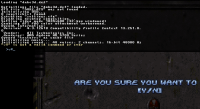
This has been pissing me off for some time now and it's related to the SDL 2.0 bug (that still doesn't allow us to select sectors without tapping LeftCtrl, plus it also almost always gives the wrong tile when Left Clicking the mouse in the tile selector, hopefully these can be fixed one day). Anyway, whenever I open the console I get this:

Attached Image: console.png

Basically it adds those characters to the console (although opening it fine). If I hit the console key to toggle it multiple times, I just get a bunch of these characters. It's super annoying having to hit backspace twice or more times every time I need to do something with the console (which is quite often for debuggin mods etc.).

The log inputs different character:

"ยง" is not a valid command or cvar


Cheers.
0

User is offline   Helixhorned 

  • EDuke32 Developer

#4664

View PostMetHy, on 23 May 2014 - 02:21 PM, said:

So you're fixing it even if it was like that in the original game?

The subway sound glitch looks like a genuine bug and nothing except a curious quirk is lost by fixing it. I'm less sure about tackling the turret issue. Original game functionality is better left as-is, IMO, unless a problem is extraordinarily severe (for example because C undefined behavior is invoked, in which case the "effect" is just mere coincidence).

View PostDaedolon, on 23 May 2014 - 09:00 PM, said:

This has been pissing me off for some time now and it's related to the SDL 2.0 bug (that still doesn't allow us to select sectors without tapping LeftCtrl, plus it also almost always gives the wrong tile when Left Clicking the mouse in the tile selector, hopefully these can be fixed one day). Anyway, whenever I open the console I get this: (...)

These issues are not something I can reproduce, so unfortunately you're mostly on your own. It seems that other users experienced the RAlt one, so maybe this new one always appears together with it? Would you be willing to give debugging your console key bug a shot? It'll better be away from this thread to avoid spamming it, though.

By the way: there's still an open request for running SDL2's checkkeys.exe and pressing RAlt. If that one turns out to reflect what we've seen in the logs from Mapster32, we could report that to the SDL devs.
0

User is offline   MetHy 

#4665

View PostHelixhorned, on 24 May 2014 - 01:57 AM, said:

These issues are not something I can reproduce, so unfortunately you're mostly on your own. It seems that other users experienced the RAlt one, so maybe this new one always appears together with it? Would you be willing to give debugging your console key bug a shot? It'll better be away from this thread to avoid spamming it, though.


You mean you're able to use the "select sector" functions with right-alt? Everybody I know can't use it. Also yes, I also do get those weird symbols when checking the console, but only in mapster. When I check the console in game, instead there are a few blank spaces.
1

User is offline   Helixhorned 

  • EDuke32 Developer

#4666

View PostMetHy, on 24 May 2014 - 06:04 AM, said:

You mean you're able to use the "select sector" functions with right-alt?

It was about keyboard layouts after all (NY00123 was right). Fixed in r4482.

Sermon: I had repeatedly said that the reason may be due to keyboard layouts and even recommended to switch to US before starting Mapster32. All I needed would have been a "yes, I checked both <my own> and US, the bug appears only when my local one is selected." [Counter-sermon: then again, I failed to notice that when I attempted to play with a German layout, Windows would switch to US when the setup window appeared, probably due to it being the "primary" one on my setup.]

Edit: this is now an issue on OSes other than Windows. Make sure to manually follow the above advice there.
0

User is offline   MetHy 

#4667

To be honest I thought about that when you mentioned you didn't have the issue, so what I did i switched to "US" keyboard layout by clicking on that button near the clock on the start bar (i'm using windows 7 pro 64bit if that matters somehow) but was still unable to select sectors with rAlt in mapster. I tried switching before launching mapster, as well as switching once mapster has already been launched, in both case with no success.

This post has been edited by MetHy: 24 May 2014 - 07:51 AM

0

User is offline   Mark 

#4668

Darn. I was hoping the fix would also have restored function back to being able to use the Rshift key when panning wall textures. It works for fine tuning slopes but not the wall textures. Not a big deal, I just have to go back to remapping that key. BTW, my cntrl buttons were never an issue either.
0

User is offline   MetHy 

#4669

Oh! Remapping the key works for right-alt. Now I'll just have to find a non-used key to remap it to. Thanks for tip
0

User is offline   Mark 

#4670

I ended up using KP0 for my Rshift
0

User is offline   MetHy 

#4671

Weird, if I do "remap = KP0-B8" and save, whenever I launch mapster, that doesn't work and gets automatically deleted in the .cfg.
It works if I do "remap=31-B8" for example though
0

User is offline   Mark 

#4672

KP0 is actually 52
0

User is offline   MetHy 

#4673

I derped. Thank you that worked. Sorry for the spamming, just trying to help and find a solution.
0

User is offline   Helixhorned 

  • EDuke32 Developer

#4674

View PostMark., on 24 May 2014 - 08:18 AM, said:

Darn. I was hoping the fix would also have restored function back to being able to use the Rshift key when panning wall textures. It works for fine tuning slopes but not the wall textures. Not a big deal, I just have to go back to remapping that key. BTW, my cntrl buttons were never an issue either.

Actually, there's a workaround for Shift+KP5+KP2/4/6/8 since r1788: just use Alt insead. Back then, it was coded since the combination with KP5 is blocked at the keyboard level, but with the Windows SDL2 builds, I can in fact confirm that plain Shift+KP2/4/6/8 doesn't work either, but this time for a different reason.

View PostMetHy, on 24 May 2014 - 08:37 AM, said:

Oh! Remapping the key works for right-alt. Now I'll just have to find a non-used key to remap it to.

Wait, do you mean that r4482 didn't fix the RAlt sector selection issue?
0

User is offline   MetHy 

#4675

View PostHelixhorned, on 24 May 2014 - 10:08 AM, said:

Wait, do you mean that r4482 didn't fix the RAlt sector selection issue?


Sorry, it did, I thought you meant that even before r4482, switching to US keyboard was enough to make rAlt work.

btw thank you for fixing the helicopter thing

This post has been edited by MetHy: 24 May 2014 - 11:05 AM

0

Share this topic:


  • 213 Pages +
  • « First
  • 154
  • 155
  • 156
  • 157
  • 158
  • Last »
  • You cannot start a new topic
  • You cannot reply to this topic


All copyrights and trademarks not owned by Voidpoint, LLC are the sole property of their respective owners. Play Ion Fury! ;) © Voidpoint, LLC

Enter your sign in name and password


Sign in options