Duke4.net Forums: EDuke32 2.0 and Polymer! - Duke4.net Forums

Jump to content

  • 213 Pages +
  • « First
  • 152
  • 153
  • 154
  • 155
  • 156
  • Last »
  • You cannot start a new topic
  • You cannot reply to this topic

EDuke32 2.0 and Polymer!  "talk about the wonders of EDuke32 and the new renderer"

User is offline   Fox 

  • Fraka kaka kaka kaka-kow!

#4586

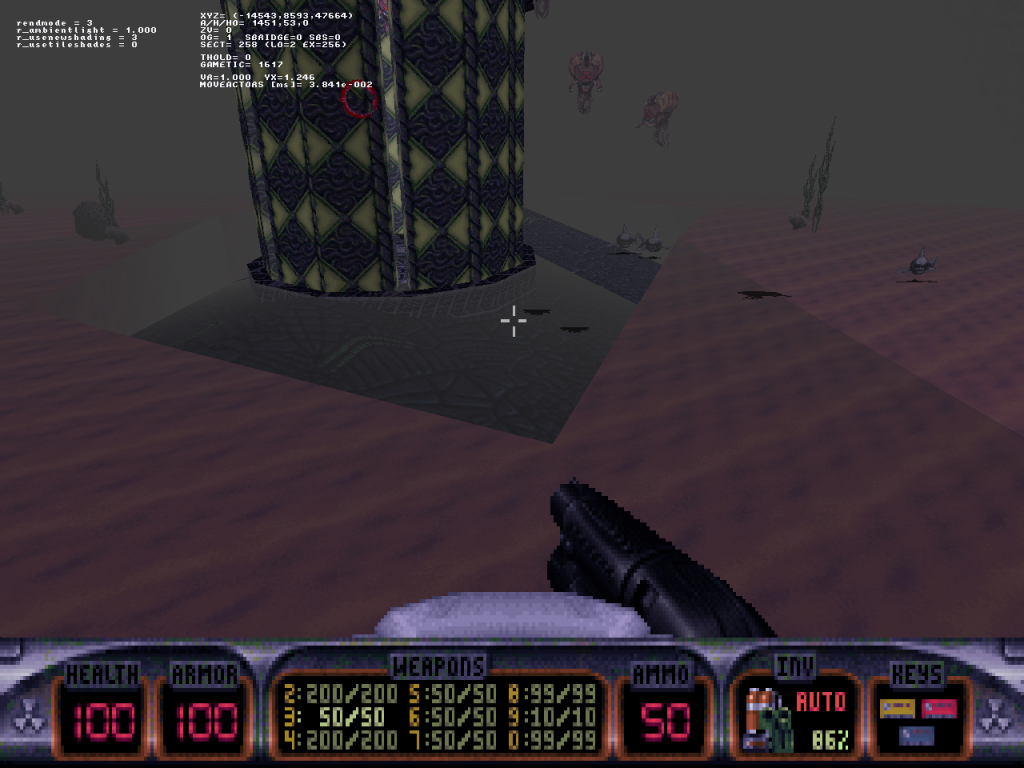
There is a problem with .fogpal, pitch black textures (shade > 31) are unaffected by the fog.

Off-topic (sorta): What music formats Megaton supports? Only .mid?

This post has been edited by Fox: 17 April 2014 - 06:38 PM

0

User is offline   Jblade 

#4587

Quote

What music formats Megaton supports? Only .mid?

Actually it only uses OGG files.
1

User is offline   Fox 

  • Fraka kaka kaka kaka-kow!

#4588

Oh, so I guess it's gonna be okay for PSX mod.
1

User is offline   Helixhorned 

  • EDuke32 Developer

#4589

View PostFox, on 17 April 2014 - 04:49 PM, said:

There is a problem with .fogpal, pitch black textures (shade > 31) are unaffected by the fog.

Can't reproduce. They behave the same as if they were given a corresponding "normal" fog pal number here. As usual, posting a screenshot comparing the two (all else being equal) with cl_showcoords 2 may point out the issue.
0

User is offline   Danukem 

  • Duke Plus Developer

#4590

Sometimes the framerate drops to 0 but things keep happening in the game. For example, the player often ends up facing the opposite direction by the time the game unfreezes, because the game continues to accept input while frozen. For me, this is an issue when my mods use the CON save command (to save the game in the middle of gameplay), or when new textures are being loaded.

Is it possible to make the game pause while it is frozen? It's a source of player death and frustration.
0

User is offline   Jblade 

#4591

EDIT: quoting Dan's post since I knocked it off page:

View PostTrooper Dan, on 18 April 2014 - 04:16 PM, said:

Sometimes the framerate drops to 0 but things keep happening in the game. For example, the player often ends up facing the opposite direction by the time the game unfreezes, because the game continues to accept input while frozen. For me, this is an issue when my mods use the CON save command (to save the game in the middle of gameplay), or when new textures are being loaded.

Is it possible to make the game pause while it is frozen? It's a source of player death and frustration.


On a related note, when using the command save the game saves and you load it back up again, it immediately saves again because it takes you to the very moment before the save command triggers. I can imagine a con workaround easily, but that doesn't seem like intended behaviour (correct me if I'm wrong though!) since that means you couldn't really use the command without a workaround as well. I just tested it myself now to make sure I wasn't going crazy and the game definitly re-saved when I loaded up the autosaved slot. This is the code I used, the actor is coded to be deleted straight afterwards so there's no way it's looping or anything like that:
Spoiler


EDIT: also a small request...could we gain access to whatever moveflag the current 'move' the actor is set to? I can't see if it's possible on the wiki, if I could gain access to that than instead of having to code case specific stuff for every actor I can just check to see if an actor is moving with a new flag and then do whatever I need to do (in this instance, move towards a target other than the player)

This post has been edited by James: 19 April 2014 - 02:13 AM

0

User is offline   Micky C 

  • Honored Donor

#4592

That resave from the save point bug also occurs in WGRealms 2 in case that's significant.
0

User is offline   Fox 

  • Fraka kaka kaka kaka-kow!

#4593

View PostHelixhorned, on 18 April 2014 - 02:53 AM, said:
Can't reproduce. They behave the same as if they were given a corresponding "normal" fog pal number here. As usual, posting a screenshot comparing the two (all else being equal) with cl_showcoords 2 may point out the issue.

Okay, here is an example. Notice how the shadows are fullbright:

Posted Image

(I checked the source, and shadows have shade 127)
0

User is offline   Helixhorned 

  • EDuke32 Developer

#4594

View PostTrooper Dan, on 18 April 2014 - 04:16 PM, said:

Is it possible to make the game pause while it is frozen? It's a source of player death and frustration.

Yup, see r4450. "Paused" is a slightly wrong term here, but that's just nitpicking.

View PostJames, on 19 April 2014 - 12:01 AM, said:

EDIT: also a small request...could we gain access to whatever moveflag the current 'move' the actor is set to?

Implemented in r4448. Actually, in the non-Lua build, the current movement flags are stored in a member that you can already access, but the new 'movflags' member is preferred as it will write you code that will also run properly in the Lunatic build: there, a new member actor[].movflags is used on the C side.

View PostFox, on 19 April 2014 - 01:57 PM, said:

Okay, here is an example.

Thanks! I missed it because I was running Mapster32 with r_usenewshading 2. Fixed in 4452.
2

User is offline   TerminX 

  • el fundador

  #4595

View PostJames, on 19 April 2014 - 12:01 AM, said:

EDIT: quoting Dan's post since I knocked it off page:


On a related note, when using the command save the game saves and you load it back up again, it immediately saves again because it takes you to the very moment before the save command triggers. I can imagine a con workaround easily, but that doesn't seem like intended behaviour (correct me if I'm wrong though!) since that means you couldn't really use the command without a workaround as well. I just tested it myself now to make sure I wasn't going crazy and the game definitly re-saved when I loaded up the autosaved slot. This is the code I used, the actor is coded to be deleted straight afterwards so there's no way it's looping or anything like that:
Spoiler


EDIT: also a small request...could we gain access to whatever moveflag the current 'move' the actor is set to? I can't see if it's possible on the wiki, if I could gain access to that than instead of having to code case specific stuff for every actor I can just check to see if an actor is moving with a new flag and then do whatever I need to do (in this instance, move towards a target other than the player)

Your problem there is one of logic, not EDuke32 errors. You're saving based on a condition you don't control yourself... of course the code is going to loop if you save this condition in your state. Change it so that checkactivatormotion sets a var that triggers the save (and only modifies that var when the condition you want is true) and then change that var back to 0 immediately after checking it but before actually executing the save command. Place your checkactivatormotion AFTER this point so that it is essentially flagging it to save on the next tic. You should no longer have a problem.
1

User is offline   Jblade 

#4596

Alright, I thought it could be fixed with CON stuff instead of hardcoding, I'll see what I can do. Cheers!
0

User is offline   Helixhorned 

  • EDuke32 Developer

#4597

View PostMickey C, on 22 March 2014 - 07:39 PM, said:

In the classic renderer, textures on highly sloped surfaces at a distance become (...) fullbright.

Fixed in r4453.
2

User is offline   Micky C 

  • Honored Donor

#4598

Incredible work! Thanks!

Although there's the slight drawback that all sloped ceilings everywhere are permanently fullbright Posted Image Probably just a typo somewhere.
0

User is offline   Helixhorned 

  • EDuke32 Developer

#4599

View PostMickey C, on 21 April 2014 - 09:50 PM, said:

Incredible work! Thanks!

Although there's the slight drawback that all sloped ceilings everywhere are permanently fullbright Posted Image Probably just a typo somewhere.

Embarassing... it was more of a thinko. I did notice something, but it escaped my attention because that test map had gray fog instead of darkness visibilty. Fixed for real now B).
0

User is offline   Helixhorned 

  • EDuke32 Developer

#4600

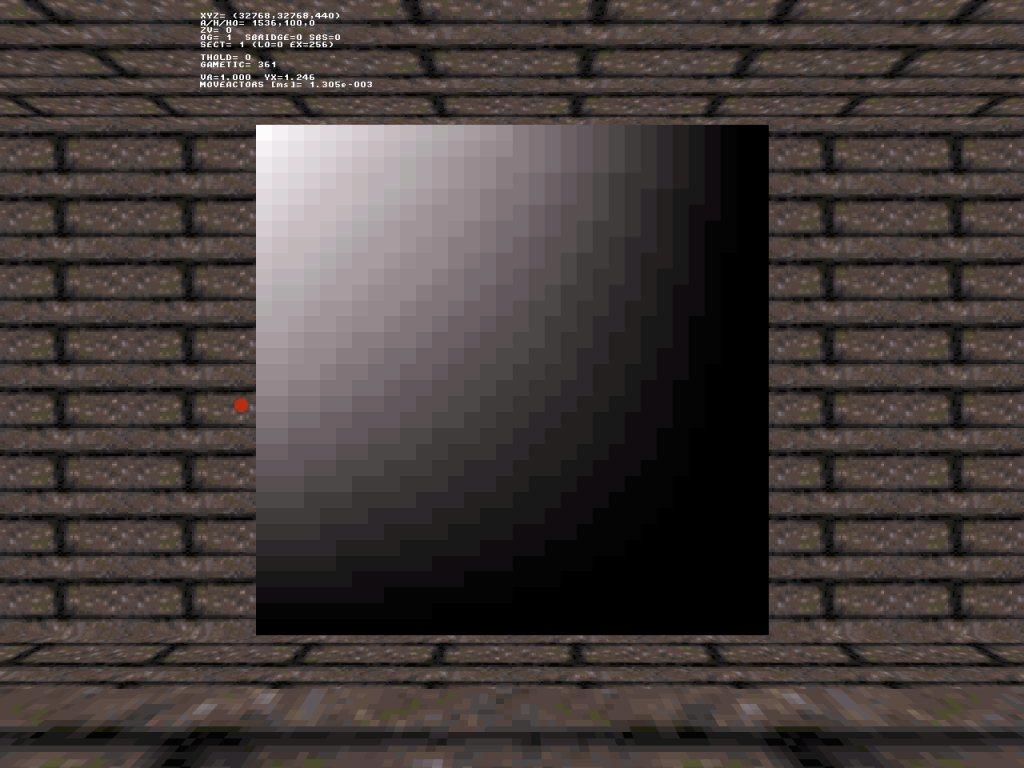
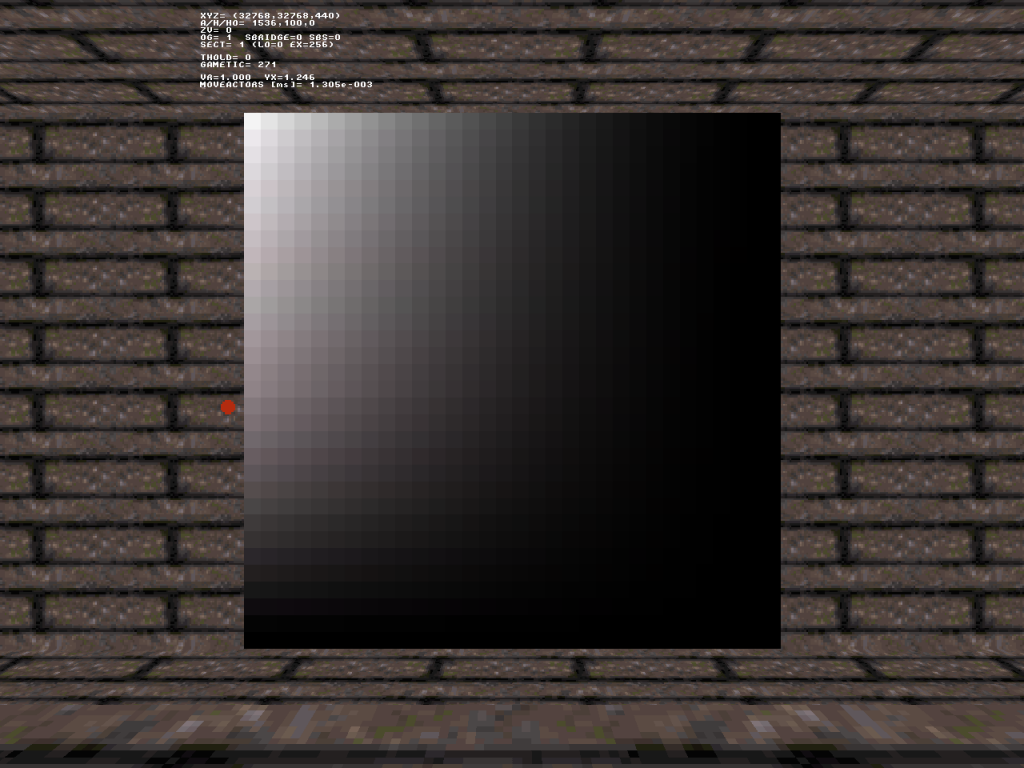
To pick up the issue of reproducing classic shading in the OpenGL modes: here are six screenshots of the air duct leading from the restroom of E1L1 taken with different renderes and/or settings. That scene makes quite a nice test case, having both shade and visibility darkening.

Attached Image: vis_reprod_1.png
Attached Image: vis_reprod_2.png

All in all, I think the situation can be summarized as follows.

- Polymer with ART mapping is the closest to classic (set 2, right).
- IMO, Polymost with r_usenewshading=3 and r_usetileshades=2 comes in second (set 2, middle). Currently, r_usetileshades=1 is the default, but
- Polymost with r_usetileshades=1 (set 2, left) clearly suffers from having too little black fog here.

This leaves the Polymost modes that don't use the lookup table for shading the textures, that is, r_usetileshades=0.
- With r_usenewshading=2, the scene is too dark overall.
- With r_usenewshading=3, the scene is too bright overall.

This post is purely observational and doesn't explain why some modes exhibit such undesirable differences to classic. I'll try to address the various factors in a later post and attempt to Fox's question posed a few pages ago, but for now I'd only like to hear whether you agree with what I said above. Also, for some reason the Poymost screenshots appear brighter than in-game to me. So, in case of disagreement, I'd like to ask you to check out these modes in the actual game/editor yourself.
0

User is offline   Plagman 

  • Former VP of Media Operations

#4601

It's weird that ART mapping even exhibits such a visible difference; it should be identical except for the smooth transitions.
0

User is offline   Fox 

  • Fraka kaka kaka kaka-kow!

#4602

View PostHelixhorned, on 24 April 2014 - 01:18 PM, said:

- With r_usenewshading=2, the scene is too dark overall.

I seems fine for me, actually it's really good.
0

User is offline   Helixhorned 

  • EDuke32 Developer

#4603

View PostPlagman, on 24 April 2014 - 01:23 PM, said:

It's weird that ART mapping even exhibits such a visible difference; it should be identical except for the smooth transitions.

I think the major factor is the different notion of fragment depth/distance in both renderers: it's "ortho" in classic but the common Euclidean distance in Polymer. This is especially noticeable where wide open maps have visibility/fog: in Polymer, a lot less of the scene is visible then.

View PostFox, on 24 April 2014 - 01:32 PM, said:

I seems fine for me, actually it's really good.

I suggest running the following experiment then. First, set gamma to 1.0 or F11-brightness to 0 in the editor, to exclude one potential source for differences. Next, using the same vent scene (or any other scene containing shaded regions), bump the visibility to infinity, again to exclude its effect. Would you now agree to the statement that as far as overall brightness is concerned, classic is in between the Polymost modes with r_usetileshades=0 (both) and r_usenewshading=2 on the one and r_usenewshading=3 on the other hand?

So what basically happens is with r_usenewshading=2 is that shading is too steep, but visibility is too flat (referring to the slope of the function "darkening factor vs. shade and distance, respectively"). That the overall scene with darkness visibilty appears to match classic rather well is due to these two offsetting each other -- in that particular scene!
0

User is offline   Fox 

  • Fraka kaka kaka kaka-kow!

#4604

I see. The average of the gray colors is indeed darker.

Spoiler

Attached File(s)


0

User is offline   TerminX 

  • el fundador

  #4605

I've always admitted that my particular contributions to the lighting have been more or less complete bullshit... I plug in random things until I find something that feels right to me based on almost 2 decades of Duke3D. And then you make it accurate. B)
2

User is offline   Jenz/Amaka 

#4606

Is there a way to start the game with "r_pr_lighting 0"?
0

User is offline   Hendricks266 

  • Weaponized Autism

  #4607

autoexec.cfg
0

User is offline   MetHy 

#4608

In the version of mapster I'm using (says Mapster32 2.0.0devel r4128 Compiled Nov 2 2013 21:10:46), when manually editing sprites or sectors coordinates with F7 or F8 in 2Dmode, I can't set a "minus" coordinate because it won't register the minus key. I even tried remapping the minus key to another key but that didn't help.

I wanted to check if there was a newer version of mapster (perhaps the issue got fixed) but to be honest I can't even find it here http://dukeworld.duk...ke32/synthesis/

Help please! I'm doing ants work with small sectors, so manually editing sector Z coordinates in 2D mode would be very convenient.

This post has been edited by MetHy: 29 April 2014 - 07:51 AM
0

User is offline   Fox 

  • Fraka kaka kaka kaka-kow!

#4609

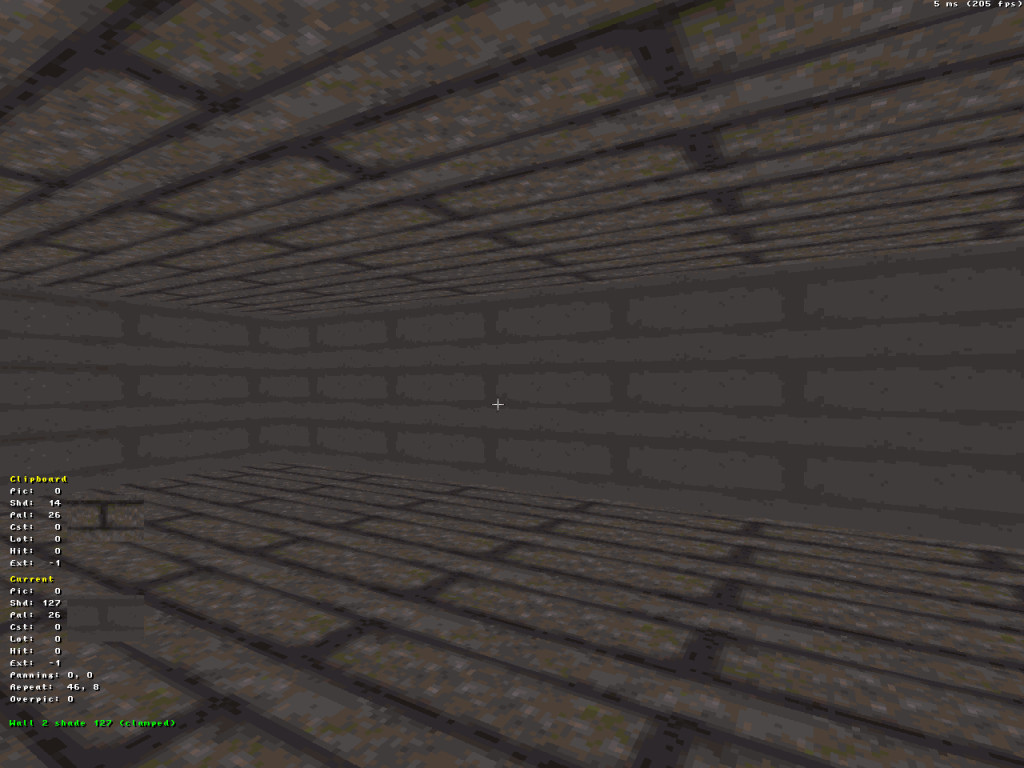
There is an old bug with fogpal, which in Classic mode the pixels are never 100% the color of the fog.

I believe this is because the game stores 32 tables each fog, while the algorithm for shading assumes you have 32+1.

Posted Image
0

User is offline   MetHy 

#4610

View PostMetHy, on 29 April 2014 - 07:50 AM, said:

In the version of mapster I'm using (says Mapster32 2.0.0devel r4128 Compiled Nov 2 2013 21:10:46), when manually editing sprites or sectors coordinates with F7 or F8 in 2Dmode, I can't set a "minus" coordinate because it won't register the minus key. I even tried remapping the minus key to another key but that didn't help.

I wanted to check if there was a newer version of mapster (perhaps the issue got fixed) but to be honest I can't even find it here http://dukeworld.duk...ke32/synthesis/

Help please! I'm doing ants work with small sectors, so manually editing sector Z coordinates in 2D mode would be very convenient.


I Derped. You have to hit the number and THEN hit the minus key...
0

User is offline   Hendricks266 

  • Weaponized Autism

  #4611

View PostMetHy, on 29 April 2014 - 07:50 AM, said:

I wanted to check if there was a newer version of mapster (perhaps the issue got fixed) but to be honest I can't even find it here http://dukeworld.duk...ke32/synthesis/

Every binary package contains Mapster.
0

User is offline   Fox 

  • Fraka kaka kaka kaka-kow!

#4612

Is it possible to make windowx-y1-2 variables not read-only? It would be usefull to edit these values.
0

User is offline   Helixhorned 

  • EDuke32 Developer

#4613

View PostFox, on 29 April 2014 - 08:07 AM, said:

There is an old bug with fogpal, which in Classic mode the pixels are never 100% the color of the fog.

I believe this is because the game stores 32 tables each fog, while the algorithm for shading assumes you have 32+1.

That's just a consequence of how the fogpal shade tables are constructed. For the last shade index 31, the entries shtab[31][i] (for color indices i) are color indices whose colors are close to the following linear blend: 1/32 * basePaletteColor[i] + 31/32 * fogColor. Thus, the last entry isn't completely the fog color by construction. That's not so noticeable for the colored fogs because those are a lot less represented in the base palette, and the nearest neighbors of all linear blends boil down to the same color. In contrast, grays are represented by a whole 32-entry ramp in the base palette.
Anyhow, see r4456 for a workaround.

View PostFox, on 29 April 2014 - 11:17 AM, said:

Is it possible to make windowx-y1-2 variables not read-only? It would be usefull to edit these values.

No, not directly. Various other internal variables have values derived from these. What you really want is an interface to the engine function setview().
1

User is offline   Fox 

  • Fraka kaka kaka kaka-kow!

#4614

It's not so noticeable in other colors, but it is there. Can't you extend that to all colors?
0

User is offline   Helixhorned 

  • EDuke32 Developer

#4615

You're right, it's there. I was only testing the ugly brown brick texture and therefore hadn't noticed it. Committed to r4457 and feeling bad spamming synthesis with such mini-changes now.
1

Share this topic:


  • 213 Pages +
  • « First
  • 152
  • 153
  • 154
  • 155
  • 156
  • Last »
  • You cannot start a new topic
  • You cannot reply to this topic


All copyrights and trademarks not owned by Voidpoint, LLC are the sole property of their respective owners. Play Ion Fury! ;) © Voidpoint, LLC

Enter your sign in name and password


Sign in options