Help
Help
 Duke4.net
 DNF #1
 Duke 3D #1




I've already mentioned this glitch in another thread and I found a way to 'fix" the problem but the 'fix' I found doesn't work anymore.
Here is the thing, some textures get misaligned when switching to 32bit mode.
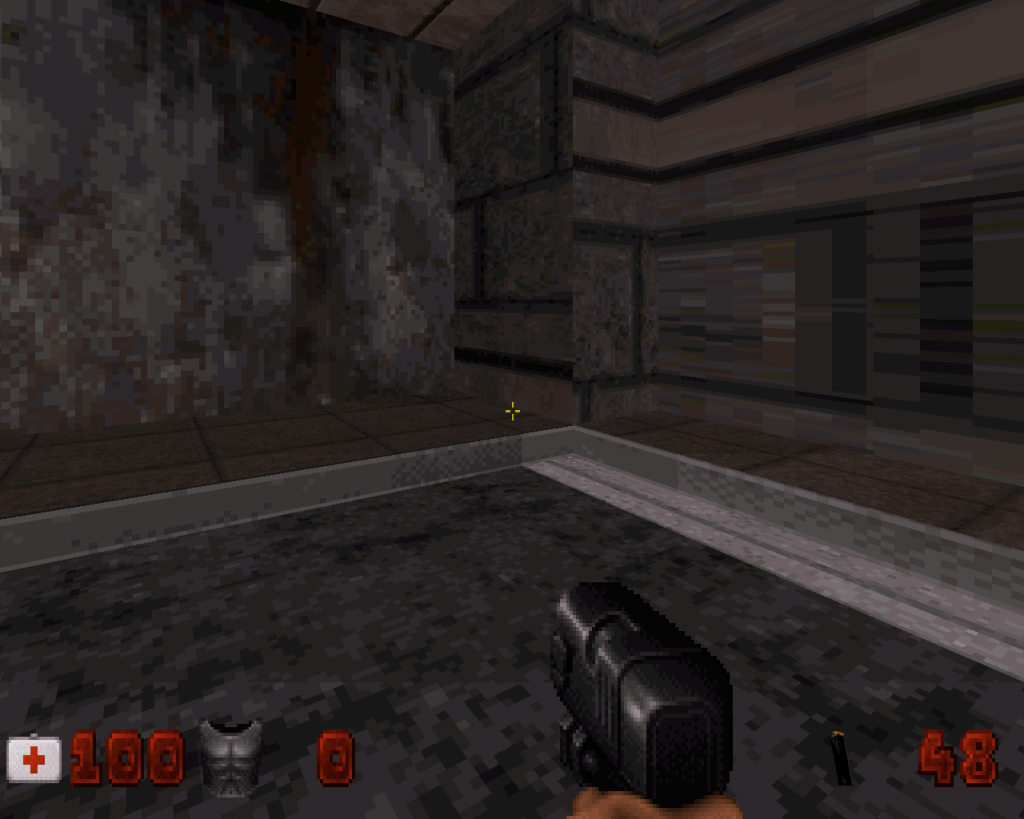
Check the metal texture against the pavement at the bottom, here is how it looks in 8bit (how I built it) :
http://i101.photobuc...zps49113ec7.png
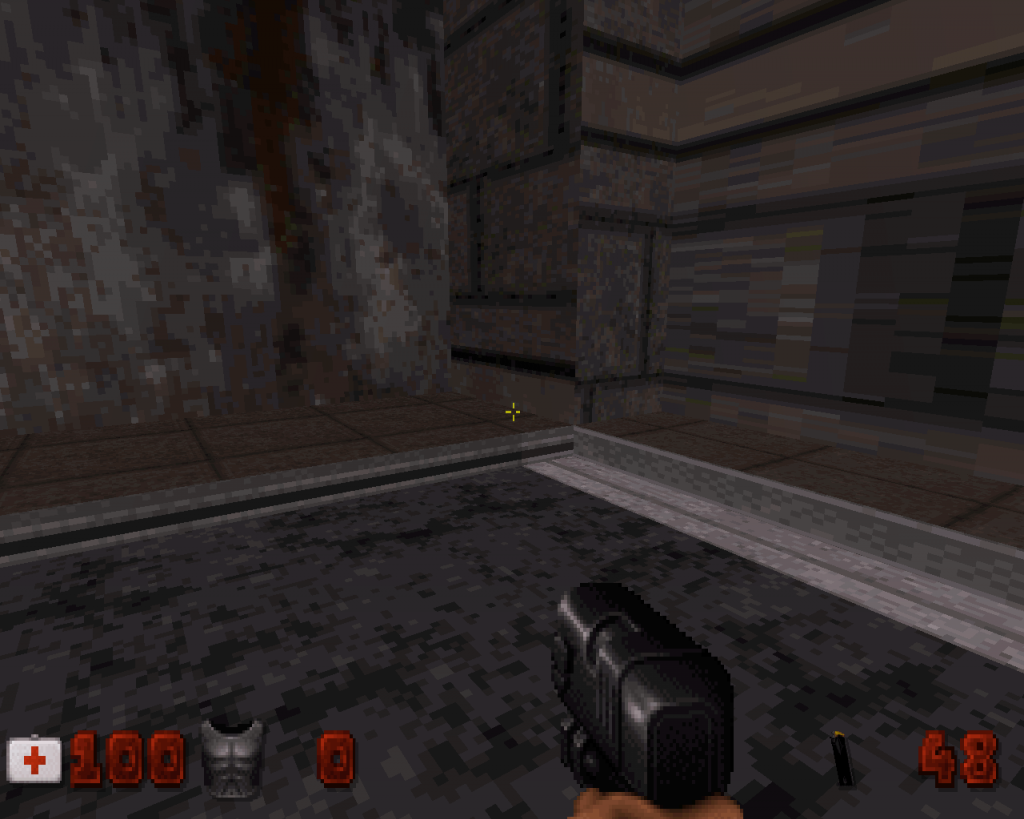
and here is how it looks in 32bit:
http://i101.photobuc...zpsd51a4eaf.png
That's the 3rd time this happens to me, I used to 'fix' this issue simply by pasting a non glitchy texture (in this example, the same texture on the right doesn't glitch) onto the glitchy ones; however that doesn't even work anymore, or at least not in this case.
Any idea ? That trimming texture is actually around almost all of this map and now it's glitchy most of the times in 32bit so it's pretty bad in this case for me...
Joined is an example map with the glitch occuring. All I know is that it's "32-bit" specific, and not just Eduke32, it also appears glitchy in Megaton. Meanwhile I'll try to find another way to get around the issue...
Edit: forgot to mention but obviously, if you align those textures so that they look right in 32bit, it will be the contrary and they'll look off in 8bit
Attached File(s)
-
 ALIGNGLITCH.rar (575bytes)
Number of downloads: 386