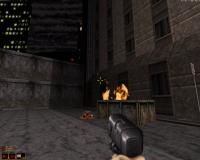
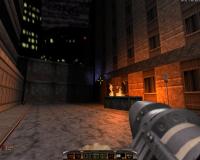
EDuke32 2.0 and Polymer! "talk about the wonders of EDuke32 and the new renderer"
#1915 Posted 20 November 2010 - 10:11 PM
Issuing a restartvid command when the sector problem happens seems to work for now.
This post has been edited by Tetsuo: 21 November 2010 - 05:56 AM
#1916 Posted 21 November 2010 - 01:52 AM
Mblackwell, on Nov 21 2010, 05:59 AM, said:
I'll start jumping back versions and see which one doesn't crash. So far I've tried the October 18th debug version and it crashes on that with pretty much the same thing:
0x5a92bb : D:\AMCTHETC\eduke32.debug.exe : codebook.c 0x59ecb8 : D:\AMCTHETC\eduke32.debug.exe : info.c 0x5971d9 : D:\AMCTHETC\eduke32.debug.exe : vorbisfile.c 0x598e95 : D:\AMCTHETC\eduke32.debug.exe : vorbisfile.c 0x599ae9 : D:\AMCTHETC\eduke32.debug.exe : vorbisfile.c 0x588efe : D:\AMCTHETC\eduke32.debug.exe : Z:\var\www\synthesis\eduke32\eduke32\source\ jaudiolib/src/vorbis.c (341) : in function (MV_PlayLoopedVorbis) 0x588e15 : D:\AMCTHETC\eduke32.debug.exe : Z:\var\www\synthesis\eduke32\eduke32\source\ jaudiolib/src/vorbis.c (287) : in function (MV_PlayVorbis) 0x588dbb : D:\AMCTHETC\eduke32.debug.exe : Z:\var\www\synthesis\eduke32\eduke32\source\ jaudiolib/src/vorbis.c (258) : in function (MV_PlayVorbis3D) 0x585894 : D:\AMCTHETC\eduke32.debug.exe : Z:\var\www\synthesis\eduke32\eduke32\source\ jaudiolib/src/fx_man.c (1042) : in function (FX_PlayAuto3D) 0x4defc3 : D:\AMCTHETC\eduke32.debug.exe : Z:\var\www\synthesis\eduke32\eduke32/source/sounds.c (520) : in function (S_PlaySound3D) 0x4df4ad : D:\AMCTHETC\eduke32.debug.exe : Z:\var\www\synthesis\eduke32\eduke32/source/sounds.c (616) : in function (A_PlaySound) 0x46a865 : D:\AMCTHETC\eduke32.debug.exe : Z:\var\www\synthesis\eduke32\eduke32/source/gameexec. c (1019) : in function (VM_Execute) 0x4696d3 : D:\AMCTHETC\eduke32.debug.exe : Z:\var\www\synthesis\eduke32\eduke32/source/gameexec. c (668) : in function (VM_DoConditional) 0x477302 : D:\AMCTHETC\eduke32.debug.exe : Z:\var\www\synthesis\eduke32\eduke32/source/gameexec. c (4710) : in function (VM_Execute) 0x46bc73 : D:\AMCTHETC\eduke32.debug.exe : Z:\var\www\synthesis\eduke32\eduke32/source/gameexec. c (1386) : in function (VM_Execute) 0x4696d3 : D:\AMCTHETC\eduke32.debug.exe : Z:\var\www\synthesis\eduke32\eduke32/source/gameexec. c (668) : in function (VM_DoConditional) 0x4711e7 : D:\AMCTHETC\eduke32.debug.exe : Z:\var\www\synthesis\eduke32\eduke32/source/gameexec. c (2790) : in function (VM_Execute) 0x47792b : D:\AMCTHETC\eduke32.debug.exe : Z:\var\www\synthesis\eduke32\eduke32/source/gameexec. c (4862) : in function (A_Execute) 0x43e3b2 : D:\AMCTHETC\eduke32.debug.exe : Z:\var\www\synthesis\eduke32\eduke32/source/actors.c (4809) : in function (G_MoveActors) 0x449fcf : D:\AMCTHETC\eduke32.debug.exe : Z:\var\www\synthesis\eduke32\eduke32/source/actors.c (7950) : in function (G_MoveWorld) 0x427015 : D:\AMCTHETC\eduke32.debug.exe : Z:\var\www\synthesis\eduke32\eduke32/source/game.c (10256) : in function (G_DoMoveThings) 0x4268b8 : D:\AMCTHETC\eduke32.debug.exe : Z:\var\www\synthesis\eduke32\eduke32/source/game.c (10122) : in function (G_MoveLoop) 0x4265dc : D:\AMCTHETC\eduke32.debug.exe : Z:\var\www\synthesis\eduke32\eduke32/source/game.c (10042) : in function (app_main) 0x55af94 : D:\AMCTHETC\eduke32.debug.exe : Z:\var\www\synthesis\eduke32\eduke32\build/src/ winlayer.c (494) : in function (WinMain@16) 0x5b2a16 : D:\AMCTHETC\eduke32.debug.exe : main.c 0x4010db : D:\AMCTHETC\eduke32.debug.exe : crt1.c 0x401158 : D:\AMCTHETC\eduke32.debug.exe : crt1.c Failed to init bfd from (C:\WINDOWS\system32\kernel32.dll) 0x7c816fe7 : C:\WINDOWS\system32\kernel32.dll : RegisterWaitForInputIdle
It also did the same on the 30th of September and 31st of August snapshot, but they didn't come with a debug version. From what I just saw it seems to be caused by an actor using findnearspritez. This is the code I'm using snipped from the actor:
findnearspritez CHOPPER_WAYPOINT 1024 16000 WAYPOINT
ifvarn WAYPOINT -1
{
getactor[WAYPOINT].pal TEMP4
ifvare TEMP4 4 ifvare OWNERSAVED 0 break // If it has no troops, don't take this path
ifvare TEMP4 3 { getactor[WAYPOINT].z TEMP7 setactor[THISACTOR].z TEMP7 }
ifvare TEMP9 0
{
getactor[WAYPOINT].ang TEMP6
setactor[THISACTOR].ang TEMP6
getactorvar[WAYPOINT].ZVELSAVED TEMP2 ifvarn TEMP2 0 setvarvar ZVELSAVED TEMP2 // Set it's troop type
getactorvar[WAYPOINT].HITAGSAVED HITAGSAVED // Set it's ascend rate
getactorvar[WAYPOINT].LOTAGSAVED LOTAGSAVED // Set it's descend rate
getactorvar[WAYPOINT].XVELSAVED XVELSAVED // Set it's stopping time
getactorvar[WAYPOINT].YVELSAVED YVELSAVED // Set it's movement rate
ifvarl OWNERSAVED 1 getactorvar[WAYPOINT].OWNERSAVED OWNERSAVED // Set the number of troops!
setvar TEMP9 1
}
}
else ifvare WAYPOINT -1 setvar TEMP9 0I'm gonna see if using just findnearsprite crashes it (or maybe findnearactor)
EDIT: Nope, it still crashes with findnearsprite - I'll try findnearactor3d next.
EDIT2: And that caused it to crash as well.
This post has been edited by James: 21 November 2010 - 01:56 AM
#1917 Posted 21 November 2010 - 10:41 AM
#1918 Posted 21 November 2010 - 12:51 PM
#1919 Posted 21 November 2010 - 03:33 PM
#1920 Posted 22 November 2010 - 03:31 AM
#1921 Posted 26 November 2010 - 10:23 PM
#1922 Posted 26 November 2010 - 11:04 PM
Latest version is always at the top.
Or do you mean the HRP, that can be downloaded here.
http://hrp.duke4.net/download.php
#1923 Posted 29 November 2010 - 10:38 PM

For those that don't know what they are looking at, it's E1L1 but in a angled view.
#1926 Posted 30 November 2010 - 08:40 AM
Tea Monster, on Nov 30 2010, 08:27 AM, said:
If you want to view the level in all its glory, just use the full 3D mode.
#1927 Posted 30 November 2010 - 09:17 AM
If you want textures, I believe you can use the Polymer renderer and clip outside the map.
This post has been edited by Hendricks266: 30 November 2010 - 09:18 AM
#1928 Posted 30 November 2010 - 09:52 AM
#1931 Posted 30 November 2010 - 01:46 PM
Is it just me or are people unable to edit anything in this mode? Although I'm aware that this feature is still in its early stages and has much potential for the future as it becomes more complex.
Edit:
Hendricks266, on Dec 1 2010, 02:47 AM, said:
That thing is so useful for so many reasons. I made my avatar with an external render in mapster
This post has been edited by Micky C: 30 November 2010 - 01:48 PM
#1932 Posted 30 November 2010 - 09:07 PM
Would it be possible to start building truly 3D maps???
#1933 Posted 01 December 2010 - 04:49 AM
This post has been edited by Micky C: 01 December 2010 - 04:49 AM
#1934 Posted 01 December 2010 - 07:42 AM
Is there a donwloadable Polymer version, or is only available for delopers?
Thanks for everything folks!
#1935 Posted 01 December 2010 - 08:49 AM
Although you deserve being called a lazy noob for not finding the solution on this very page, I'd suggest DT to edit the top posting of this thread and add an obvious download link.
#1936 Posted 01 December 2010 - 09:01 AM
LeoD, on Dec 1 2010, 05:49 PM, said:
Although you deserve being called a lazy noob for not finding the solution on this very page, I'd suggest DT to edit the top posting of this thread and add an obvious download link.
Thanks for the information.
I downloaded eduke with that links this morning
This post has been edited by herejex: 01 December 2010 - 09:04 AM
#1937 Posted 01 December 2010 - 09:13 AM
#1938 Posted 01 December 2010 - 09:19 AM
High Treason, on Dec 1 2010, 06:13 PM, said:
I my good! It's true! Thank you!
#1939 Posted 01 December 2010 - 09:22 AM
But you can tell if polymer works for you without that:
#1940 Posted 01 December 2010 - 12:04 PM
#1941 Posted 01 December 2010 - 12:18 PM
ctrl + p is your freind here
#1942 Posted 01 December 2010 - 12:44 PM
Micky C, on Nov 30 2010, 10:46 PM, said:
Yes, for the time being various editing keys are disabled in side-view mode. The problem here is that it would be potentially confusing since you need to map a (x, y) mouse position to a position in 3D space. I intend to disambiguate the controls by having the middle mouse button have a special function: for example, when dragging a sprite, without MMB it's drag in BUILD (x, y) plane and with MMB, in the plane that corresponds to the screen.
Piano Man, on Dec 1 2010, 06:07 AM, said:
Would it be possible to start building truly 3D maps???
I'm not sure what you mean by "building on different axes" but there are no new inherent capabilities -- all you can do with the new mode you also could do before. The main goal is simply convenience for architecture that spreads wide in the z direction, for spritework, and the like.
Tea Monster, on Dec 1 2010, 09:04 PM, said:
A crashlog would help
edit: Shift-A/Z tilts the side-view up and down. Forgot to mention that in the commit message...

#1943 Posted 01 December 2010 - 12:48 PM
Also few vidrestarts make mapster and eduke crash which is really annoying since I need to vidrestart to compare classic and polymer textures. The crashlog of eduke32_debug executable is something like this:
Failed to init bfd from (C:\Windows\system32\atioglxx.dll) 0x1db58eea : C:\Windows\system32\atioglxx.dll : DrvPresentBuffers Failed to init bfd from (C:\Windows\system32\atioglxx.dll) 0x1e00a3c7 : C:\Windows\system32\atioglxx.dll : atiPS 0x5661ed : D:\Games\Duke3D Polymer\eduke32.debug.exe : Z:\var\www\synthesis\eduke32\eduke32\build/src/ polymer.c (775) : in function (polymer_loadboard) 0x565d29 : D:\Games\Duke3D Polymer\eduke32.debug.exe : Z:\var\www\synthesis\eduke32\eduke32\build/src/ polymer.c (620) : in function (polymer_init) 0x5182a6 : D:\Games\Duke3D Polymer\eduke32.debug.exe : Z:\var\www\synthesis\eduke32\eduke32\build/src/ engine.c (8260) : in function (setgamemode) 0x4d9c53 : D:\Games\Duke3D Polymer\eduke32.debug.exe : Z:\var\www\synthesis\eduke32\eduke32/source/osdcmds. c (364) : in function (osdcmd_restartvid) 0x54ef21 : D:\Games\Duke3D Polymer\eduke32.debug.exe : Z:\var\www\synthesis\eduke32\eduke32\build/src/ osd.c (1776) : in function (OSD_Dispatch) 0x54ebbd : D:\Games\Duke3D Polymer\eduke32.debug.exe : Z:\var\www\synthesis\eduke32\eduke32\build/src/ osd.c (1619) : in function (OSD_DispatchQueued) 0x426452 : D:\Games\Duke3D Polymer\eduke32.debug.exe : Z:\var\www\synthesis\eduke32\eduke32/source/game.c (10017) : in function (app_main) 0x55df94 : D:\Games\Duke3D Polymer\eduke32.debug.exe : Z:\var\www\synthesis\eduke32\eduke32\build/src/ winlayer.c (494) : in function (WinMain@16) 0x5b5a16 : D:\Games\Duke3D Polymer\eduke32.debug.exe : main.c 0x4010db : D:\Games\Duke3D Polymer\eduke32.debug.exe : crt1.c 0x401158 : D:\Games\Duke3D Polymer\eduke32.debug.exe : crt1.c Failed to init bfd from (C:\Windows\syswow64\kernel32.dll) 0x75d43677 : C:\Windows\syswow64\kernel32.dll : BaseThreadInitThunk Failed to init bfd from (C:\Windows\SysWOW64\ntdll.dll) 0x77259d72 : C:\Windows\SysWOW64\ntdll.dll : RtlInitializeExceptionChain Failed to init bfd from (C:\Windows\SysWOW64\ntdll.dll) 0x77259d45 : C:\Windows\SysWOW64\ntdll.dll : RtlInitializeExceptionChain
This post has been edited by Roma Loom: 01 December 2010 - 12:53 PM

Help
Duke4.net
DNF #1
Duke 3D #1