Duke4.net Forums: EDuke32 Scripting - Duke4.net Forums

Jump to content

  • 124 Pages +
  • « First
  • 87
  • 88
  • 89
  • 90
  • 91
  • Last »
  • You cannot start a new topic
  • You cannot reply to this topic

EDuke32 Scripting  "CON coding help"

User is offline   Reaper_Man 

  • Once and Future King

#2628

 Sangman, on 13 December 2020 - 03:53 PM, said:

In situations where a while loop isn't appropriate I use a control variable that I set to a certain value, and only execute the code in the loop if the variable is not set to that value... Not quite the same as breaking the for loop but it works :P

eg

Spoiler


Thanks. I was doing basically this as well. I decided to swap them out for while loops, since I wanted to remove as many loop iterations as possible when possible. Even if the for loop is doing nothing, it's still using a non-zero amount of CPU time. Each node only has 8 neighbors, so after all 8 neighbors have been found, I know I can safely exit the loop. Under normal, sane conditions this wouldn't matter, but when I'm trying to reduce hundreds of thousands of total iterations on a given game tic, every CPU cycle counts.

 Sangman, on 13 December 2020 - 03:53 PM, said:

Yup, I had a similar situation a while ago and I spread the workload out by giving each actor a random chance to execute its code depending on a tic count (that I reset back to 0 after calculating). Like first 30 tics have a 10% chance of calculating, next 30 have a 20% chance etc until finally at 120 tics the calculation is forced.

You could also account for player distance/visibility.. An easy performance improvement is to restrict the amount of times calculations are run against/by things that the player can't see.

But I don't know how compatible all of that would be with the A* stuff.

The A* system is locked to a single actor each tic, partially for performance reasons, but also because gamearrays are global only and actors can't share the path data that is stored in the arrays. Also as mentioned previously, they aren't trying to run A* on every single tic, they only do it once every "occasionally", and they store their path data locally as well to reduce the number of calls they need to make to the expensive A* functions.

There's also a lot of other AI considerations and A* is just one part of their overall behavior - an AI doesn't need to pathfind if they have direct line-of-sight with the player, for example. It's not a magic bullet, it's just one tool in the toolbox, and is meant to replace any instance of "seekplayer" to keep them from getting stuck in rooms or running into walls and sprites more than anything else.

So anyway, after working on this the past few days, I've been able to drastically improve the performance of the search. I've cut the number of iterations down from 500k to 11k, and the number of expensive operations down from 258k to just over 1000. There's still some minor things I want to try and improve, and of course there's lots of real-world testing that needs to be done, but I think I've found just about all of the shortcuts that can reasonably be found. Thank you everyone for the feedback and suggestions!

This post has been edited by Reaper_Man: 13 December 2020 - 06:15 PM

0

User is offline   Reaper_Man 

  • Once and Future King

#2629

Not sure where else to post this, but wanted to share some findings of mine digging into AI and pathfinding.

You can theoretically hack "seekplayer" to navigate towards any other actor, due to how it interacts with HoloDuke. From VM_AlterAng:

int const spriteAngle    = vm.pSprite->ang;
int const holoDukeSprite = vm.pPlayer->holoduke_on;

// NOTE: looks like 'owner' is set to target sprite ID...

vm.pSprite->owner = (holoDukeSprite >= 0
					 && cansee(sprite[holoDukeSprite].x, sprite[holoDukeSprite].y, sprite[holoDukeSprite].z, sprite[holoDukeSprite].sectnum,
							   vm.pSprite->x, vm.pSprite->y, vm.pSprite->z, vm.pSprite->sectnum))
  ? holoDukeSprite
  : vm.pPlayer->i;

int const goalAng = (sprite[vm.pSprite->owner].picnum == APLAYER)
		  ? getangle(vm.pActor->lastv.x - vm.pSprite->x, vm.pActor->lastv.y - vm.pSprite->y)
		  : getangle(sprite[vm.pSprite->owner].x - vm.pSprite->x, sprite[vm.pSprite->owner].y - vm.pSprite->y);

This bit of code sets goalAng to the angle to face the target, where the target is either the player or the HoloDuke, specifically the actor stored on "holoduke_on" player member. Meaning you can do this:

// holoduke_on resets to -1 when holoduke_amount hits 0, so always keep the holoduke_amount at full
setplayer[THISACTOR].holoduke_amount 2400

ifaction 0
{
	findnearsprite 100 32768 ACTOR_TARGET
	
	ifvare ACTOR_TARGET -1
		killit

	setplayer[THISACTOR].holoduke_on ACTOR_TARGET

	action A_ACTOR
	move M_ACTOR seekplayer
	break
}


This actor now is using "seekplayer" to seek out something other than the player.

Unfortunately, the catch is the "cansee" check, meaning that this only works if there's already line of sight between the actor calling this and the faked HoloDuke, rendering this mostly useless.
2

User is offline   Reaper_Man 

  • Once and Future King

#2630

Another question I'm sure has a simple answer... How do I draw into widescreen screen space using screentext? By that I mean, how do I properly use screentext (and rotatesprite) to draw an element the full width of the screen, regardless of the aspect ratio?

For example, I have a text element that I want to take up 70% of the screen width. In 4:3 this would be ~716 pixels, but widescreen this would be ~896 pixels. What am I looking for to run that math?

Or a more simple example, I have some HUD icons that I want to appear at the left or right edge of the screen. A value of 0 for x in screentext/rotatesprite will properly draw it at the edge of the screen in 4:3 aspect ratios, but in widescreen it's floating in the middle of the screen (where the edge of the 4:3 space would be).

What am I missing?
0

User is offline   Hendricks266 

  • Weaponized Autism

  #2631

Use orientation flag 1024.
1

User is offline   jimbob 

#2632

How do i set an owner to an actor, basically i want an actor do go through its routine but only if an enemy is nearby and alive, concrete i want an enemy to be alive and closeby a stationary machinegun wich should obvious stop shooting if the enemy has died.
0

User is offline   Danukem 

  • Duke Plus Developer

#2633

That was confusing. I'm not sure if you are asking about the machinegun itself or some other actor. If I was going to code a friendly turret AI but didn't have any of the AI infrastructure that I have added for my mods... I would probably have it loop through statnum 1 sprites of the enemy picnums, then target only ones with .extra > 0 and in line of sight.
0

User is offline   Sangman 

#2634

 Reaper_Man, on 18 December 2020 - 11:17 AM, said:

Not sure where else to post this, but wanted to share some findings of mine digging into AI and pathfinding.

You can theoretically hack "seekplayer" to navigate towards any other actor, due to how it interacts with HoloDuke. From VM_AlterAng:

int const spriteAngle    = vm.pSprite->ang;
int const holoDukeSprite = vm.pPlayer->holoduke_on;

// NOTE: looks like 'owner' is set to target sprite ID...

vm.pSprite->owner = (holoDukeSprite >= 0
					 && cansee(sprite[holoDukeSprite].x, sprite[holoDukeSprite].y, sprite[holoDukeSprite].z, sprite[holoDukeSprite].sectnum,
							   vm.pSprite->x, vm.pSprite->y, vm.pSprite->z, vm.pSprite->sectnum))
  ? holoDukeSprite
  : vm.pPlayer->i;

int const goalAng = (sprite[vm.pSprite->owner].picnum == APLAYER)
		  ? getangle(vm.pActor->lastv.x - vm.pSprite->x, vm.pActor->lastv.y - vm.pSprite->y)
		  : getangle(sprite[vm.pSprite->owner].x - vm.pSprite->x, sprite[vm.pSprite->owner].y - vm.pSprite->y);

This bit of code sets goalAng to the angle to face the target, where the target is either the player or the HoloDuke, specifically the actor stored on "holoduke_on" player member. Meaning you can do this:

// holoduke_on resets to -1 when holoduke_amount hits 0, so always keep the holoduke_amount at full
setplayer[THISACTOR].holoduke_amount 2400

ifaction 0
{
	findnearsprite 100 32768 ACTOR_TARGET
	
	ifvare ACTOR_TARGET -1
		killit

	setplayer[THISACTOR].holoduke_on ACTOR_TARGET

	action A_ACTOR
	move M_ACTOR seekplayer
	break
}


This actor now is using "seekplayer" to seek out something other than the player.

Unfortunately, the catch is the "cansee" check, meaning that this only works if there's already line of sight between the actor calling this and the faked HoloDuke, rendering this mostly useless.


lol that's cool - but it also sounds like something unintended that's definitely going to break in some future eduke32 version :D
0

User is offline   Danukem 

  • Duke Plus Developer

#2635

View PostSangman, on 20 December 2020 - 03:18 PM, said:

that's definitely going to break in some future eduke32 version :D


Why wait, it's already pre-broken because seekplayer is garbage and the hack also depends on line of sight.
1

User is offline   Reaper_Man 

  • Once and Future King

#2636

I'm actually not sure if it would break in future versions of EDuke, unless how the HoloDuke item works changes. I believe the philosophy for EDuke is to not make changes that affect the gameplay of the original game, even if IMO the fact that the HoloDuke only works with line-of-sight at all seems like a design oversight. It would be one thing if this was a typo or some other human error, but the way it works is pretty clear, even if kinda useless.

View PostDanukem, on 20 December 2020 - 03:23 PM, said:

Why wait, it's already pre-broken because seekplayer is garbage and the hack also depends on line of sight.

seekplayer is garbage. For anyone who has never looked in the source code, all it essentially does is change the angle of the actor by a random value between -128 and +128 degrees to the nearest direction of the target every few tics. That's it. Doom's target search was even more advanced than this, where enemies would walk until they hit a wall, and then trace the walls in the direction nearest the target. This is why Doom's enemies can manage to get themselves out of rooms that Duke's can't. I highly recommend a custom approach for target search when writing your own enemy AI, and use seekplayer only as a worst case fallback.

This post has been edited by Reaper_Man: 20 December 2020 - 06:27 PM

1

User is offline   jimbob 

#2637

View PostDanukem, on 20 December 2020 - 02:48 PM, said:

That was confusing. I'm not sure if you are asking about the machinegun itself or some other actor. If I was going to code a friendly turret AI but didn't have any of the AI infrastructure that I have added for my mods... I would probably have it loop through statnum 1 sprites of the enemy picnums, then target only ones with .extra > 0 and in line of sight.

I have a machinegun, wich is stationary that shoots bursts if the player is close and in its line of sight, but this works on its own and looks silly as a result, so i want an enemy to 'operate' it meaning that the machinegun only fires if the enemy is close and alive. If it was the player i could use ifpdistl and ifpalive or something but afaik there is no such command for enemies.

I could make it into one large sprite and cactor enemy if the machinegun is destroyed but that would make the sprite very large and cause clipping issues
0

User is offline   Sangman 

#2638

In that case you still have to do the loop Dan mentioned but instead use dist or ldist for the distance check. However that will cause the gun to start shooting even if the enemy is in front of it, so you'd also need to account for the proper angle somehow.
0

User is offline   jimbob 

#2639

I can look at the code for the tank actor in the atomic edition and see how they programmed the button on the back of the tank, and use that. Ill look into that loop of danukem and see if i can get that to work
0

User is offline   Mark 

#2640

Wait a minute...After all these years I never knew there was a usable button on the back of a pigtank. :blink:

Make a small sector behind the machine gun and put a stayput version of the enemy in that sector. Then use the findnearactor feature in the gun actor so that if the enemy gets killed first it is no longer found and the gun stops shooting. And if the gun gets "killed" first have that cactor the enemy into the non-stayput version. The only problem is if you need the gun to fire in any direction and not just mostly forward. It would still work but the enemy won't follow the gun direction. Also you would have to tag this enemy somehow different from the rest so they don't all get affected. Maybe a different pal.

This post has been edited by Mark: 21 December 2020 - 06:50 AM

0

User is offline   jimbob 

#2641

View PostMark, on 21 December 2020 - 06:35 AM, said:

Wait a minute...After all these years I never knew there was a usable button on the back of a pigtank. :blink:

Make a small sector behind the machine gun and put a stayput version of the enemy in that sector. Then use the findnearactor feature in the gun actor so that if the enemy gets killed first it is no longer found and the gun stops shooting. And if the gun gets "killed" first have that cactor the enemy into the non-stayput version. The only problem is if you need the gun to fire in any direction and not just mostly forward. It would still work but the enemy won't follow the gun direction. Also you would have to tag this enemy somehow different from the rest so they don't all get affected. Maybe a different pal.

yeah, you can press the nuke symbol and the tank will auto destruct ;) saving much ammo
i was thinking allong those line, but most eduke programming is beyond my capabilities at the moment.. for now i have a small sector and an stayput enemy, and made the gun destructable. placed a small wall crack and use that to blow the entire area killing everything. a cop out but for the moment it looks half decent. in the future i will make a custom dedicated machine gunner so the game can look for that actor and ignore all others. making the gun shoot in a 45 degree arc relative to the original angle is something to be added.

so how would i implement the findnearactor, something like findnearactor myactor 1, if 1 run code if 0 dont?

right now i have this coded, basically i hacked the floofflame code.
define MG42NPC		3951
define MG42ANPC		3952 // the a is for ambience, this gun is placed outside the playable areas to make the world seem bigger than it really is. 

action MG42STAND		0 1 5 1 0
action MG42FIRES		5 1 5 1 0
action MG42ASTAND		-1 1 5 1 0 
action MG42AFIRE		4 1 5 1 0

useractor notenemy MG42NPC 100 MG42STAND
  ifaction MG42FIRES
  {
 	ifactioncount 2 
	shoot SHOTSPARK1
	sound MG42FIRE
	ifrnd 64
	{
	shoot FIRELASER
	}
    ifactioncount 16
      action MG42STAND
  }
  ifaction MG42STAND
    ifrnd 8 // was 4
  {
    action MG42FIRES
    resetactioncount
else action MG42STAND
  }
  ifhitweapon       
  {
    debris SCRAP1 2 
    ifdead 
    {           
   sound VENT_BUST
      debris SCRAP1 10
      killit
    }

  }
enda

useractor notenemy MG42ANPC 100 MG42ASTAND // and the ambience version, basically the same but wont require an owner to run.
  ifaction MG42AFIRE
  {
 	ifactioncount 2 
	sound MG42FIRE
	ifrnd 64
	{
	shoot FIRELASER
	}
    ifactioncount 16
      action MG42ASTAND
  }
  ifaction MG42ASTAND
 ifcansee  ifp palive ifcanshoottarget
    ifrnd 16 // was 4
   {
    action MG42AFIRE
    resetactioncount
else action MG42ASTAND
  }
  ifhitweapon       
  {
    debris SCRAP1 2 
    ifdead 
    {           
      sound VENT_BUST
      debris SCRAP1 10
      killit
    }

  }
enda


so i'd probably add something like

gamevar MGNEAR 0 0

findnearactor MGGUNNER 512 MGNEAR

onevent MGNEAR 1

run code ( action MGSTAND, wich will loop in intervalls  )
else

action MGABANDONED or something ( same action as MGSTAND but wont run the shooting code )


i could also run a check if the gun is still 'alive' and if not callactor MGgunner roaming or something so he can abandon his position and change to a regular soldier.

This post has been edited by jimbob: 22 December 2020 - 10:48 AM

0

User is offline   Mark 

#2642

There are multiple ways of accomplishing the same thing and past experience has shown my way of coding can be sloppy or inefficient. I've only used findnearactor once early this year. If nobody else comes to the rescue with a better example I'll post my embarrassing blocks of code. Mine was a boombox and a gangster. The boombox detected if the gangster was nearby and alive. If he wasn't because he got shot and killed, the rest of the boombox code would not run. Also, if the gangster could not detect the boombox because it got "killed" the rest of the gangster code would not run. The problem with posting mine is that the findnearactor stuff is mingled in with music, dialog, sound effects, pal changes, quotes, etc... Its messy. :yucky:

This post has been edited by Mark: 22 December 2020 - 03:19 PM

0

User is offline   jimbob 

#2643

No worries, ill figure out how to make it work i just need to know how to properly set up and use findnearactor
0

User is offline   Danukem 

  • Duke Plus Developer

#2644

I recommend against using findnearactor because it has too many limitations. It's going to find the actor with the lowest sprite ID of the specified picnum within the specified range. So it doesn't allow you to narrow down a list of targets. For example, if an actor of that picnum is right behind the turret, and another is in front, findnearactor might find the one behind that it can't shoot anyway, and then the turret won't be able to shoot the one in front. Or, it can find an actor that is already dead and not a viable target.
0

User is offline   Reaper_Man 

  • Once and Future King

#2645

I can't follow your code and what you're trying to do exactly. As Dan said, findnearactor really sucks because it just finds A near actor, not the nearest actor. I use this code to find the actual nearest actor a lot:

setvar DISTANCE 2147483647 // Maximum integer value, you should use some sort of realistic maximum range
setvar ACTORTARGET -1

setvar ACTORI 0
for ACTORI sprofstat 1
{
	ifvare sprite[ACTORI].picnum MYACTOR
	{
		ldist ACTORCHECK THISACTOR ACTORI
		ifvarvarl ACTORCHECK DISTANCE
		{
			setvarvar DISTANCE ACTORCHECK
			setvarvar ACTORTARGET ACTORI
		}
	}
}

ifvare ACTORTARGET -1
	killit // Couldn't find a valid target, goodbye


This post has been edited by Reaper_Man: 22 December 2020 - 06:33 PM

0

User is offline   Danukem 

  • Duke Plus Developer

#2646

But you should use "spritesofstatus 1" instead of "allsprites" because currently that searches through every single sprite in the game, whereas statnum 1 is just a linked list of actors which will be a small fraction of that number.
1

User is offline   Reaper_Man 

  • Once and Future King

#2647

Good catch, I should pay more attention to which code I'm copying!
0

User is offline   jimbob 

#2648

View PostReaper_Man, on 22 December 2020 - 04:29 PM, said:

I can't follow your code and what you're trying to do exactly. As Dan said, findnearactor really sucks because it just finds A near actor, not the nearest actor. I use this code to find the actual nearest actor a lot:

setvar DISTANCE 2147483647 // Maximum integer value, you should use some sort of realistic maximum range
setvar ACTORTARGET -1

setvar ACTORI 0
for ACTORI allsprites
{
	ifvare sprite[ACTORI].picnum MYACTOR
	{
		ldist ACTORCHECK THISACTOR ACTORI
		ifvarvarl ACTORCHECK DISTANCE
		{
			setvarvar DISTANCE ACTORCHECK
			setvarvar ACTORTARGET ACTORI
		}
	}
}

ifvare ACTORTARGET -1
	killit // Couldn't find a valid target, goodbye

that bit of code was mostly mental note for myself, basically i wanted to create a variable MGNEAR and set that to one for yes, zero for no

If no, do nothing by calling an idle action

If yes, run active action wich runs/triggers the shooting code.
And if the operator dies, i planned on using callactor to call a different actor to lower the MGNEAR flag to zero.
0

User is offline   Sangman 

#2649

View PostDanukem, on 22 December 2020 - 04:49 PM, said:

But you should use "spritesofstatus 1" instead of "allsprites" because currently that searches through every single sprite in the game, whereas statnum 1 is just a linked list of actors which will be a small fraction of that number.


Another option, if it's only one specific enemy type that you want to check for, is to appendevent EVENT_SPAWN and add it to an array if it is that actor type. Then loop that array... it's a micro optimization in jimbob's scenario I'm guessing but just throwing that out there.
0

User is offline   jimbob 

#2650

i still cant make heads or tails of this :') i suck at this :P

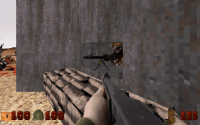
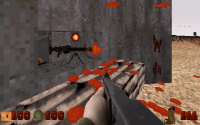
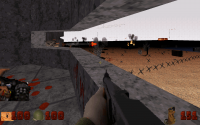
yes, there wil be one dedicated enemy that occupies the fixed MG position, and will be in various positions on itself ( prone, standing, crouching ) wich means i cant make it one large sprite, given the size of the machinegun, and the size of the enemy it would make more than half of the sprite seethrough causing lots of clipping issues and a ton of useless data being wasted.

Attached thumbnail(s)

  • Attached Image: mg1.png
  • Attached Image: mg2.png
  • Attached Image: mg3.png

0

User is offline   jimbob 

#2651

well, i seem to have fixed it, now the gunner has to be alive, and on the MG for it to shoot

state checkoccupied
findnearsprite MGGUNNERSTAND ONMGDIST ONMG
ifvarn ONMG -1 { action MG42ASTAND break }  // run code as normal
else { action MG42ADONOTHING break }

ends

useractor notenemy MG42ANPC 100 MG42ASTAND
ifaction MG42AFIRE 
  {
 	ifactioncount 2 
	state checkoccupied
	shoot SHOTSPARK1
	sound MG42FIRE
	ifrnd 64
	{
	shoot FIRELASER
	}
    ifactioncount 16
      action MG42ASTAND
  }
ifaction MG42ASTAND state checkoccupied
  ifcansee  ifp palive ifcanshoottarget // only fire if can see the player
    ifrnd 16 // was 4
   {
ifvarn ONMG -1   
	 action MG42AFIRE
    resetactioncount
else
ifvarn ONMG -1  action MG42ASTAND
else action MG42ADONOTHING
  }
  ifhitweapon       
  {
    debris SCRAP1 2 
    ifdead 
    {           
      sound VENT_BUST
      debris SCRAP1 10
      killit
    }

  }
ifaction MG42ADONOTHING 
	{ 
	}
enda

added a few checks, for whatever reason it occasionally still went to the fire action and fire once or twice.

This post has been edited by jimbob: 08 January 2021 - 12:40 PM

0

User is offline   jimbob 

#2652

how do i make weapons 'shoot' my custom shells, right now i have them set up as projectiles in combination with useractor, but they dont show up when i use them with the weaponX_spawns customshell
and i also dont know how to make a gun eject a clip, an actual clip this time, i want my M1 garand to eject the enbloc clip at the start of the reload. any help would be very much appericiated :)

i have my MG42 shells set up as this

define MG42SHELL	3650
define MG42FS		3651
action MG42SFLY		0 4 1 1 4
action MG42FS1		-1 1 1 


useractor notenemy MG42SHELL 0 MG42SFLY // ejected brass
enda

useractor notenemy MG42FS 0 MG42FS1 0 randomangle // shells on the floor
fall
sizeat 3 3
cstat 32
ifcount 300 killit
enda

defineprojectile 3650 PROJ_WORKSLIKE 6210
defineprojectile 3650 PROJ_XREPEAT 3
defineprojectile 3650 PROJ_YREPEAT 3
defineprojectile 3650 PROJ_VEL 150
defineprojectile 3650 PROJ_DROP -100
defineprojectile 3650 PROJ_BOUNCES -1
defineprojectile 3650 PROJ_CLIPDIST 0
defineprojectile 3650 PROJ_HITRADIUS -1
defineprojectile 3650 PROJ_BSOUND -1
defineprojectile 3650 PROJ_ISOUND -1
// defineprojectile 3650 PROJ_TOFFSET -30
// defineprojectile 365 PROJ_CSTAT 130
// defineprojectile 365 PROJ_RANGE 40
defineprojectile 3650 PROJ_SPAWNS MG42FS
defineprojectile 3650 PROJ_EXTRA 0
defineprojectile 3650 PROJ_OFFSET 240


This post has been edited by jimbob: 30 January 2021 - 01:57 PM

0

User is offline   Danukem 

  • Duke Plus Developer

#2653

The player or whatever actor is ejecting the shell needs to fire the shell at the same time as the bullet. I would try firing it a bit upward and to whichever side the shell comes out of the gun. If this is for the player, then I would use EVENT_DOFIRE on the relevant weapons. So for example:

gamevar TEMPANG 0 0
onevent EVENT_DOFIRE

ife player[].curr_weapon CHAINGUN_WEAPON
{
  ezshoot -1024 MG42SHELL
  geta[].ang TEMPANG
  sub TEMPANG 512
  seta[RETURN].ang TEMPANG
}

endevent


In a non-player actor, you don't use an event. Use shoot CHAINGUN or whatever bullet they are shooting, followed by the angle stuff. I deliberately used "geta[].ang" instead of "getp[].ang" to avoid any errors if you port it to other actors.
0

User is offline   jimbob 

#2654

Thanks a lot, im going to mess around with that untill i get it right, for now i only use it for the player, but who knows.

it seems to work, just changed the angle to 1536 ( 3 * 512 ) to make the shells fly off to the right, wuch works. but it doesnt fire, and immediatly goed to the reload animation :/

This post has been edited by jimbob: 31 January 2021 - 10:07 AM

0

User is offline   Danukem 

  • Duke Plus Developer

#2655

View Postjimbob, on 31 January 2021 - 08:42 AM, said:

it seems to work, just changed the angle to 1536 ( 3 * 512 ) to make the shells fly off to the right, wuch works. but it doesnt fire, and immediatly goed to the reload animation :/


Oh whoops! I forgot that setting RETURN in that event messes with the actual gun firing. Set RETURN to 0 at the end of the event code and that should fix it:

gamevar TEMPANG 0 0
onevent EVENT_DOFIRE

ife player[].curr_weapon CHAINGUN_WEAPON
{
  ezshoot -1024 MG42SHELL
  geta[].ang TEMPANG
  sub TEMPANG 1536
  seta[RETURN].ang TEMPANG
  set RETURN 0
}

endevent

0

User is offline   jimbob 

#2656

yes, that works like a charm :) thanks a lot, i'll add a credit aswell
0

#2657

Good to be back; How do I remove the tint completely that comes from using the nightvision goggles, while still lighting up opponents and tripmines in mode 2? (if other things lights up its ok, it's more the walls, floor and ceiling I want to look normal). I want the goggles to be nice to have on for a longer period of time :D

Another question: Can I change pal and stuff of LASERLINE that active/placed tripmines shoot out?

And: Will a pal change of something cause a desync in multiplayer if it only happens for one of the players? I'm considering changing how stuff LOOKS depending on what player ID you have.

Thanks in advance!
0

Share this topic:


  • 124 Pages +
  • « First
  • 87
  • 88
  • 89
  • 90
  • 91
  • Last »
  • You cannot start a new topic
  • You cannot reply to this topic


All copyrights and trademarks not owned by Voidpoint, LLC are the sole property of their respective owners. Play Ion Fury! ;) © Voidpoint, LLC

Enter your sign in name and password


Sign in options