Help
Help
 Duke4.net
 DNF #1
 Duke 3D #1


 Plagman, on Jul 20 2009, 04:51 AM, said:
There shouldn't be any issues with a 2900XT. Please post your normal maps and the definitions you used. Note that plain normal maps won't look any different unless the surface is lit. You need a height map in the alpha channel for them to add a parallaxing effect and for the parallax override variables/definitions to do anything.
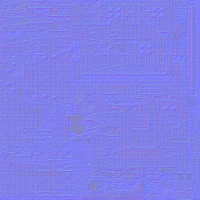
Not a problem. Attached is a downsized version of my normal map (simply downsizing won't compromise it, right? Didn't want to post a 5mb PNG if I could help it). The def code I'm using on the model is as follows;
// Battlestar Galactica (9990)
model "highres/sprites/props/BSG.md3" {
   scale 20 shade 10
   skin { pal 0 surface 0 file "highres/sprites/props/BSG.png" nocompress nodownsize }
   normal { pal 0 surface 0 file "highres/sprites/props/BSG_N.png" parallaxbias 0 parallaxscale 0.1 }
   skin { pal 0 surface 1 file "highres/sprites/props/BSG2.png" nocompress nodownsize }
   skin { pal 0 surface 2 file "highres/sprites/props/BSG3.png" nocompress nodownsize }
   frame { name "Frame0" tile 9990 }
}
I added the 'surface 0' to the normal code recently just to see if it was being applied wrongly elsewhere, it made no difference. The thing is, it's not just my model. Even those textures in the HRP with their normals defined and present don't have any applied ingame... At the moment I'm using Nvidias normalmap generation plugin for Photoshop. My texture has the 3 RGB channels and a seperate ALPHA channel (solid black). I set the plugin to generate height data to the normal map via the alpha channel (sorry I'm being rather simplistic here), so I can only assume it's generating things correctly at that point.
It just seems that everything except the normal mapping works fine. Oh and the water as in the ROR map, not sure what's up there, it looks like this for me;

If I recall correctly, it's supposed to be transparent... I believe it was TX that originally posted a screenshot of it somewhere.