Duke4.net Forums: EDuke32 2.0 and Polymer! - Duke4.net Forums

Jump to content

  • 213 Pages +
  • « First
  • 168
  • 169
  • 170
  • 171
  • 172
  • Last »
  • You cannot start a new topic
  • You cannot reply to this topic

EDuke32 2.0 and Polymer!  "talk about the wonders of EDuke32 and the new renderer"

User is offline   Helixhorned 

  • EDuke32 Developer

#5060

View PostMicky C, on 04 January 2015 - 03:46 AM, said:

I can provide example pics if needed

Please do.

0

User is offline   Micky C 

  • Honored Donor

#5061

Ah the joy of avoiding spoilers.
Running both mapster and eduke from r4873.


Mapster, view-alligned sprite sharing x-y coords with a floor-alligned sprite. Perfection.
Posted Image

In-game, floor-alligned sprite gets drawn over the top one, including the lens flair sprite that's positioned higher up on the z axis (everything candle-related disappears completely when looking down enough).
Posted Image

Voxel in mapster. Uses a separate floor-alligned sprite as a shadow. So far so good.
Posted Image

In-game same thing as before, the floor-alligned sprite is drawn on-top. This happens both when the voxel is wall-alligned and view-alligned.
Edit: When the voxel is floor-alligned the shadow sprite starts to show through in mapster too, however less consistently than it does in-game (where it is drawn on top from all angles).
Posted Image

This post has been edited by Micky C: 04 January 2015 - 04:57 AM

0

User is offline   TerminX 

  • el fundador

  #5062

Pretty sure that's related to my flawed attempts at fixing z fighting issues with wall and floor sprites. I have something that revises it in my tree that I'll commit soon.
2

User is offline   Helixhorned 

  • EDuke32 Developer

#5063

View PostTerminX, on 04 January 2015 - 06:24 AM, said:

I have something that revises it in my tree that I'll commit soon.

Oh. Me too. I just removed that sort-by-statnum, which is not very meaningful. That's since Duke3D though, so maybe we're not conflicting?

Edit:

Quote

Pretty sure that's related to my flawed attempts at fixing z fighting issues with wall and floor sprites.

Ah, that was in polymost.c, so it looks like we shouldn't step on each other's toes. My changes are mostly in engine.c.

EDIT2: Congrats for deceiving me into initially thinking that the first one is a Polymer shot BTW, Micky!
0

User is offline   TerminX 

  • el fundador

  #5064

View PostHelixhorned, on 04 January 2015 - 06:37 AM, said:

Oh. Me too. I just removed that sort-by-statnum, which is not very meaningful. That's since Duke3D though, so maybe we're not conflicting?

Edit:

Ah, that was in polymost.c, so it looks like we shouldn't step on each other's toes. My changes are mostly in engine.c.

I'd be careful removing that, I think I tried it once and ended up with oddities involving the sprites that spawn when shooting things.
0

User is offline   Helixhorned 

  • EDuke32 Developer

#5065

View PostTerminX, on 04 January 2015 - 06:49 AM, said:

I'd be careful removing that, I think I tried it once and ended up with oddities involving the sprites that spawn when shooting things.

That's interesting. Maybe an upcoming bug report will shed light about what purpose that code served then :). I find the way it's written strange though: as far as I can see it overrides the preceding sort-by-z-difference, which is definitely not a good thing.
0

User is offline   Helixhorned 

  • EDuke32 Developer

#5066

View PostLeoD, on 02 January 2015 - 03:30 PM, said:

I'm quite tolerant to rendering issues.

Yeah, there's quite a number of glitches across all renderers. What I meant were deal-breakers like your monsters turning up faceless like reported earlier. Speaking of which, I first had the suspicion of it being related to AMD graphics hardware, but could not reproduce it on such a system either.

View PostFox, on 29 December 2014 - 07:07 PM, said:

Is it possible to add an .htflags so enemies are not eaten by Protozoid Slimers like the bosses?

I began looking through the GREENSLIME-related code but found it hard to read. Would you know where to find that condition check ("can facehug") in the source code?
0

User is offline   Fox 

  • Fraka kaka kaka kaka-kow!

#5067

From actors.c:
            //Check randomly to see of there is an actor near
            if (rnd(32))
            {
                for (SPRITES_OF_SECT(sect, j))
                {
                    switch (DYNAMICTILEMAP(sprite[j].picnum))
                    {
                    case LIZTROOP__STATIC:
                    case LIZMAN__STATIC:
                    case PIGCOP__STATIC:
                    case NEWBEAST__STATIC:
                        if (ldist(s,&sprite[j]) < 768 && (klabs(s->z-sprite[j].z)<8192))   //Gulp them
                        {
                            t[5] = j;
                            t[0] = -2;
                            t[1] = 0;
                            goto BOLT;
                        }
                    }
                }
            }

Not sure if I understand why it eats new useractors.

This post has been edited by Fox: 04 January 2015 - 12:29 PM

0

#5068

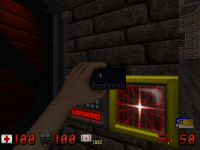
Hi! I don't know if this is anything to do with eduke32, but I was testing the newest built and I seem to be having issues with the colour blue.

1- When I have HRP on, whenever I unlock a door, Duke's hand ALWAYS uses the blue card even if it's a yellow or red slot.
Attached Image: duke0000.png

2- Are the Assault Troopers and Captains supposed to all be wearing blue?

BTW, are the crosshairs supposed to be white?

This post has been edited by darkprince227: 04 January 2015 - 01:51 PM

0

User is offline   Fox 

  • Fraka kaka kaka kaka-kow!

#5069

View Postdarkprince227, on 04 January 2015 - 01:51 PM, said:

BTW, are the crosshairs supposed to be white?

Yes, Eduke has a feature to remap the crosshair color.
0

#5070

View PostFox, on 04 January 2015 - 02:22 PM, said:

Yes, Eduke has a feature to remap the crosshair color.

Can you tell me how? I'm not sure how to use the 'crosshaircolor' thing in the console, I type 'crosshaircolor 252' or 'crosshaircolor r' etc but nothing seems to work.
Maybe I'm typing it wrong?
0

User is offline   Fox 

  • Fraka kaka kaka kaka-kow!

#5071

In eduke32.cfg there is CrosshairColor = "255,255,255"
0

#5072

View PostFox, on 04 January 2015 - 02:56 PM, said:

In eduke32.cfg there is CrosshairColor = "255,255,255"

Okay..... so, how can I change it's color?

I've tried configuring the numbers cfg file, but nothing seems to be working at all :)

Sorry if I'm being a nuisance, this kind of configuring is kind of new to me
1

User is offline   Tea Monster 

  • Polymancer

#5073

The numbers are for red, green and blue between 1 and 255. Open any graphics app and if you pick the colour you want, it should give you the RGB (red, green blue) numbers. Enter those numbers into the configuration file, save and close the file.

This post has been edited by Tea Monster: 04 January 2015 - 04:32 PM

0

User is offline   Micky C 

  • Honored Donor

#5074

Voxels seem to have a draw distance, at least in classic. Is there any way to increase this distance (or remove it? I don't think the performance hit would be that massive).
1

User is offline   LeoD 

  • Duke4.net topic/3513

#5075

View Postdarkprince227, on 04 January 2015 - 01:51 PM, said:

Hi! I don't know if this is anything to do with eduke32, but I was testing the newest built and I seem to be having issues with the colour blue.

1- When I have HRP on, whenever I unlock a door, Duke's hand ALWAYS uses the blue card even if it's a yellow or red slot.
Attachment duke0000.png

2- Are the Assault Troopers and Captains supposed to all be wearing blue?

BTW, are the crosshairs supposed to be white?
All these things happen when you run the Polymer HRP but use the Polymost renderer, The Polymer HRP has no alternate palette/colour versions for many items, since it relies on the Polymer renderer's highpal feature.
0

#5076

View PostTea Monster, on 04 January 2015 - 04:31 PM, said:

The numbers are for red, green and blue between 1 and 255. Open any graphics app and if you pick the colour you want, it should give you the RGB (red, green blue) numbers. Enter those numbers into the configuration file, save and close the file.

I've tried changing the numbers in the 'cfg' file like you suggested (I typed '255,255,0' to get the classic yellow) but the damn thing just stays white :)

It might be something to do with the colour bug that I mentioned earlier (all the assault troopers/ captains being blue, as well as all the HRP access cards held by duke)
0

User is offline   Micky C 

  • Honored Donor

#5077

The floor sprite issue I mentioned recently is fixed, thankyou.

View PostMicky C, on 05 January 2015 - 04:31 AM, said:

Voxels seem to have a draw distance, at least in classic. Is there any way to increase this distance (or remove it? I don't think the performance hit would be that massive).


To make matters worse, the draw distance seems to depend on the scale of the voxel. So the more you shrink it, the quicker it disappears from view. I've got voxels disappearing in the same room as the player Posted Image

It doesn't necessarily need to be a source code fix, is there some way to do it with con? Is there even any need to have this limitation in this day and age? I would have thought that any map with enough voxels to have a framerate problem would simply not have the voxels drawn when the sectors aren't in view, along with everything else.

Edit: I'm also having trouble getting the rotate and duplicate sprite feature to work in a.m32. I've included the script and enabled all events, but nothing's happening when I point at the central sprite or press space on it. Also, I have no idea what that "sh" term on the sign is meant to be.
Posted Image

This post has been edited by Micky C: 05 January 2015 - 07:38 PM

0

User is offline   Fox 

  • Fraka kaka kaka kaka-kow!

#5078

A while ago I made a request for unused gamevars to not be compiled. Was this applied or I still should delete all unused gamevars?
0

#5079

View PostLeoD, on 05 January 2015 - 05:26 AM, said:

All these things happen when you run the Polymer HRP but use the Polymost renderer, The Polymer HRP has no alternate palette/colour versions for many items, since it relies on the Polymer renderer's highpal feature.


Okay. Things are starting to make a bit more sense now.

I took the duke3d_hrp_polymost.def from the polymost.zip file, put it in my eduke32 folder and renamed it duke3d_hrp.def. Now everything is working as it should except the $@!*£^! crosshair is still white!
I've tried modifying the numbers in the eduke.cfg file like TeaMonster suggested but that doesn't work. I try configuring it in the console, but still nothing works and it just goes to R:0 G:0 B:0 and stays there no matter
what I type next. :)

This post has been edited by darkprince227: 06 January 2015 - 08:26 AM

0

User is offline   Hendricks266 

  • Weaponized Autism

  #5080

View PostFox, on 06 January 2015 - 01:03 AM, said:

A while ago I made a request for unused gamevars to not be compiled. Was this applied or I still should delete all unused gamevars?

LunaCON has switches to display warnings for unused and set-but-not-used gamevars.
0

User is offline   Helixhorned 

  • EDuke32 Developer

#5081

View PostMicky C, on 05 January 2015 - 04:31 AM, said:

Voxels seem to have a draw distance, at least in classic. Is there any way to increase this distance (or remove it? I don't think the performance hit would be that massive).

Bumped that to twice the distance in r4881. The limitation is "arbitrary". Pretty much all classic Build code that conceptually operates on fractional numbers uses "scaled integers" instead, implying certain limits.

View PostMicky C, on 05 January 2015 - 07:02 PM, said:

Edit: I'm also having trouble getting the rotate and duplicate sprite feature to work in a.m32. I've included the script and enabled all events, but nothing's happening when I point at the central sprite or press space on it. Also, I have no idea what that "sh" term on the sign is meant to be.

Glad it's of use to you! It simply has collected so much dust and didn't work for a variety of reasons. Check out the updated map in r4880. "Sh" refers to the pivot sprite's shade.
1

User is offline   Fox 

  • Fraka kaka kaka kaka-kow!

#5082

Is it possible to make CON read subdirectories? That way I can organize the files in folders without disgracefully adding paths to CON.

This post has been edited by Fox: 07 January 2015 - 02:39 AM

0

User is offline   Jblade 

#5083

Utilizing mapster script, is there a way to make custom monsters appear with rotatings and/or animations similar to how the default Duke monsters are?

This post has been edited by Jblade: 08 January 2015 - 03:10 PM

0

User is offline   Fox 

  • Fraka kaka kaka kaka-kow!

#5084

Yes. But is it worth the effort to load a script each time?
0

User is offline   delMar 

#5085

Hi guys,

awesome work with EDuke32, HRP, Polymer and all the stuff going on... Thanks a lot!
It's a project really worth supporting, so I hope you received my donation.

Question:
What's the recommended hardware for Polymer with HRP running in 1680x1050?
I was looking for the answer but only found out that a "badass" videocard is required...

I have an Phenom II X4 965, a Radeon 7770 (stock overclocked) and 8 GB of RAM. (Windows 7 x64)
Running the game in the resolution mentioned above is nearly impossible.
It runs smooth at times (above 30 fps I think, just really smooth) but especially when making fast turns, or jumping down the tube right at the beginning of the first episode the framerate drops to about 5 fps.

Is this a known issue of the renderer? Or an issue with AMD cards? Or do I just suck?

Thanks guys,
keep up the great work!
0

User is offline   Micky C 

  • Honored Donor

#5086

AMD cards generally don't do as well with nvidia cards due to the way it they handle openGL. Don't forget, polymer is unfinished and optimized, so it's bound to be a bit slow at times.

It tends to run pretty well for me though, even though my computer isn't particularly powerful.

This post has been edited by Micky C: 08 January 2015 - 11:54 PM

0

User is offline   delMar 

#5087

View PostMicky C, on 08 January 2015 - 11:53 PM, said:

It tends to run pretty well for me though, even though my computer isn't particularly powerful.


Could you please elaborate a bit on your hardware and the resolution you're playing at?

I guessed that there's some issue with AMD... Maybe I should try my old 9800GT just for comparison
0

User is offline   Mark 

#5088

I run at that resolution on an Intel dual core 3 ghz and 9800gtx+ card and I get about 40 FPS after dropping down the chute in the first map. I think Mickey has the same card.
0

User is offline   Micky C 

  • Honored Donor

#5089

I used to have the 9800GT as well, and that worked pretty good before it broke down. I have 8gb of ram and an intel quad core @ 2.33ghz. I'd definitely recommend trying your 9800GT then.

Btw since you have a 64-bit version of windows, you should use the 64-bit version of eduke32, which should give you a small framerate boost when using openGL renderers (but might slow the classic renderer slightly).
0

Share this topic:


  • 213 Pages +
  • « First
  • 168
  • 169
  • 170
  • 171
  • 172
  • Last »
  • You cannot start a new topic
  • You cannot reply to this topic


All copyrights and trademarks not owned by Voidpoint, LLC are the sole property of their respective owners. Play Ion Fury! ;) © Voidpoint, LLC

Enter your sign in name and password


Sign in options