Duke4.net Forums: EDuke32 2.0 and Polymer! - Duke4.net Forums

Jump to content

  • 213 Pages +
  • « First
  • 122
  • 123
  • 124
  • 125
  • 126
  • Last »
  • You cannot start a new topic
  • You cannot reply to this topic

EDuke32 2.0 and Polymer!  "talk about the wonders of EDuke32 and the new renderer"

User is offline   Micky C 

  • Honored Donor

#3680

The change in visibility when firing a weapon is much more noticeable in polymer with the classic shade tables. It's like every single texture becomes fullbright, and it doesn't look very good. Fire the chaingun and it's like midday. That reminds me, are there still plans to get rid of this effect altogether in polymer, at least when lights are enabled? It's just so redundant and atmosphere-breaking, and weapon-spawned firing lights do the job so much better.
1

User is offline   DavoX 

  • Honored Donor

#3681

I can, I thought there had to be a difference between the 2nd and 3rd.
0

User is offline   Mateos 

#3682

The BloodTC guys also posted a comparison here:
http://www.moddb.com...able-comparison

I think made this way it is easier to compare, as you can have all the 3 at once on screen ;)
0

User is offline   Micky C 

  • Honored Donor

#3683

It's definitely a lot closer, but how come that sprite on the wall on the left is yellow-ish when it should be maroon like in the bottom pic. And the floor texture has splashes of yellow when that colour isn't present in the original floor texture.
0

User is offline   Mblackwell 

  • Evil Overlord

#3684

View PostMicky C, on 08 May 2013 - 02:11 AM, said:

The change in visibility when firing a weapon is much more noticeable in polymer with the classic shade tables. It's like every single texture becomes fullbright, and it doesn't look very good. Fire the chaingun and it's like midday. That reminds me, are there still plans to get rid of this effect altogether in polymer, at least when lights are enabled? It's just so redundant and atmosphere-breaking, and weapon-spawned firing lights do the job so much better.


Sure, reprogram the weapons and don't call "flash".
0

User is offline   fgsfds 

#3685

View PostMicky C, on 08 May 2013 - 04:16 AM, said:

how come that sprite on the wall on the left is yellow-ish when it should be maroon like in the bottom pic. And the floor texture has splashes of yellow when that colour isn't present in the original floor texture.

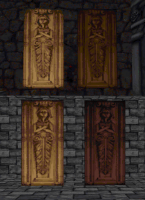
Probably, some blood engine feature. This is how the same texture with shade 0 and 33 looks in eduke and blood. In eduke, it's still yellow when in blood all the yellow is gone.

Attached thumbnail(s)

  • Attached Image: capt0000.png

0

User is offline   Paul B 

#3686

View PostMicky C, on 08 May 2013 - 02:11 AM, said:

The change in visibility when firing a weapon is much more noticeable in polymer with the classic shade tables. It's like every single texture becomes fullbright, and it doesn't look very good.


Even when not firing a weapon in Polymer, the textures further away look like they're being lit by a candle until you get close. The closer you get the darker the textures become. I'd say the lighting aspect still needs some work when using the Polymer renderer.

Well I tried classic mode on my laptop and the shading looks good. However in Classic mode I noticed that Duke doesn't see his reflection in the mirror. He is a ghost.

This post has been edited by Paul B: 08 May 2013 - 08:41 AM

0

User is offline   Player Lin 

#3687

Wow, that's looking so cool for OpenGL renderer, more like the classic renderer colors...too bad it's polymer only... ;)
0

User is online   NightFright 

  • The Truth is in here

#3688

Folks, latest EDuke32 builds apparently broke the animated logo during startup (and possibly also the cutscenes, couldn't check that), it's just the first frame now. Using r3741 (with Polymer @ 32bpp).

This post has been edited by NightFright: 08 May 2013 - 11:23 AM

0

User is offline   Plagman 

  • Former VP of Media Operations

#3689

Yeah, I think I know what's going on, and how to fix it. I believe I know what the problem is with global visibility changes on shooting a gun as well, I probably just forgot to change the scale of the visibility when I changed it internally in the effect. I'll look at it tonight.

fgsfds: the issue you're talking about is the "doesn't save known good geometry" in the Polymer bugs wiki page. I'll get to it eventually, but it's definitely not first on my list.
0

User is offline   Gambini 

#3690

changelog says:

Quote

Revert to spherical shading; it's not like you could look up in classic anyway.


What was the problem with the first implemented vis method? I thought it worked great. You can look up in software and even if you dont do so, tall buildings being seen from certain distance are going to look different. I´m gonna do some visual tests but so far I don´t understand why changing it if it was working great.
0

User is offline   Plagman 

  • Former VP of Media Operations

#3691

If you read my post about it earlier, I did explain that it costs more performance to compute it cylindrically. If you have a certain scene in mind that you think especially suffers from it you can maybe convince me to add a toggle..
0

User is offline   DavoX 

  • Honored Donor

#3692

This is a weird question so please bear with me:

Is there a way to convert a wall into a "window" to another *.map file? for example in map1.map you tag a wall with 201 so you can see map2.map from it through a wall with the same tag, or something like that. This could be for "looking into" another map but I think it could also be to travel from one map to another seamlessly. Is it possible?
0

#3693

View PostFox, on 05 May 2013 - 08:53 PM, said:

Here is my WIP for the CON based Polymer lights.

There are some limitations in CON, i.e. tspr is unavaiable for an SE sprite, so I could't include a light for the Shrinker crystal ammo. Also the Expander projectile doesn't work like others, so I could't code it properly.


How would you implement this into a map, TC, or the entire Eduke32 build? As the effect looks amazing!
0

User is offline   Plagman 

  • Former VP of Media Operations

#3694

View PostDavoX, on 08 May 2013 - 07:05 PM, said:

This is a weird question so please bear with me:

Is there a way to convert a wall into a "window" to another *.map file? for example in map1.map you tag a wall with 201 so you can see map2.map from it through a wall with the same tag, or something like that. This could be for "looking into" another map but I think it could also be to travel from one map to another seamlessly. Is it possible?


You wouldn't be able to look into another map, so you'd have to duplicate the passage between maps, but then you can just make it a transition using hub maps, yes. It works pretty much exactly like you would do it in Half-Life / Source if you're familiar with that.
0

User is offline   Fox 

  • Fraka kaka kaka kaka-kow!

#3695

View PostDavoX, on 08 May 2013 - 07:05 PM, said:

This is a weird question so please bear with me:

Is there a way to convert a wall into a "window" to another *.map file? for example in map1.map you tag a wall with 201 so you can see map2.map from it through a wall with the same tag, or something like that. This could be for "looking into" another map but I think it could also be to travel from one map to another seamlessly. Is it possible?

That's not possible at all, because a map goes through many changes when it is loaded. For example, the SE sprites are given a cstat of -32768 which makes them invisible, so you would end up seeing them (as you do in Build) through the "window".
0

User is offline   Plagman 

  • Former VP of Media Operations

#3696

I fixed the problem with ANMs, like the intro logo, but the visibility thing when you shoot is still off. It's not an obvious problem on my part, my formula is just wrong; I think I got the per-sector visibility right, but not how the global visibility affects it. I need to run more experiments later, but maybe Helix can help with that as he's dealt with that code a lot in the past.
1

User is offline   Diaz 

#3697

View PostDavoX, on 08 May 2013 - 07:05 PM, said:

This is a weird question so please bear with me:

Is there a way to convert a wall into a "window" to another *.map file? for example in map1.map you tag a wall with 201 so you can see map2.map from it through a wall with the same tag, or something like that. This could be for "looking into" another map but I think it could also be to travel from one map to another seamlessly. Is it possible?


Why don't you just copy the visible architecture from the second map to the first? That's how it's done in every game...
0

User is offline   Helixhorned 

  • EDuke32 Developer

#3698

Crazy shit Plagman, I like the looks of your "cancer" mode!

View PostPlagman, on 08 May 2013 - 11:33 PM, said:

I fixed the problem with ANMs, like the intro logo, but the visibility thing when you shoot is still off. It's not an obvious problem on my part, my formula is just wrong; I think I got the per-sector visibility right, but not how the global visibility affects it. I need to run more experiments later, but maybe Helix can help with that as he's dealt with that code a lot in the past.

For reference, here's the classic visibility formula solved for the start and ending distances. It's implemented in the r_usenewshading=2 branch of fogcalc().
1

User is offline   DavoX 

  • Honored Donor

#3699

I wasnt reslly thinking about level transitions but mostly for visual purposes. Like viewing a scene that yove already been at without adding it to the wall count etc. I am familiar with the hub system but as i said thst isnt what im seeking. Imagine you cant do it with another map... but can it be done with another section in the same map? Imagine two windows in different buildings that look into the same room.
0

User is offline   Kyanos 

#3700

That could be done using con. In knee deep I used the effect, dt coded it. I'll look into it when I get a chance and show you. It involves a "broadcast" se and a "camera like" se that are tagged to connect. The broadcaster will put the cams image up on any blank walls in its sector.
2

User is offline   Kyanos 

#3701

That could be done using con. In knee deep I used the effect, dt coded it. I'll look into it when I get a chance and show you. It involves a "broadcast" se and a "camera like" se that are tagged to connect. The broadcaster will put the cams image up on any blank walls in its sector.
1

User is offline   Jblade 

#3702

View PostDrek, on 09 May 2013 - 09:27 AM, said:

That could be done using con. In knee deep I used the effect, dt coded it. I'll look into it when I get a chance and show you. It involves a "broadcast" se and a "camera like" se that are tagged to connect. The broadcaster will put the cams image up on any blank walls in its sector.

What he's asking for is to project an image from another map, which isn't possible.
0

User is offline   Plagman 

  • Former VP of Media Operations

#3703

View PostHelixhorned, on 09 May 2013 - 03:41 AM, said:

For reference, here's the classic visibility formula solved for the start and ending distances. It's implemented in the r_usenewshading=2 branch of fogcalc().


Ah, yes. That's exactly what I was looking for, thanks. I'll try applying it whenever I get a chance to see how that goes. Is rotatesprite always considered at mindist, or does Z affect the "distance"?
0

User is offline   Helixhorned 

  • EDuke32 Developer

#3704

View PostPlagman, on 09 May 2013 - 10:09 AM, said:

Is rotatesprite always considered at mindist, or does Z affect the "distance"?

It's always the minimum distance. From dorotatesprite():
    palookupoffs = FP_OFF(palookup[dapalnum]) + (getpalookup(0, dashade)<<8);

0

User is offline   DavoX 

  • Honored Donor

#3705

View PostJames, on 09 May 2013 - 10:01 AM, said:

What he's asking for is to project an image from another map, which isn't possible.


At first, then I asked if it could be done within the same map. ;)
0

#3706

View PostNightFright, on 03 May 2013 - 12:59 PM, said:

Well, for now I can provide you with some kinda "starter bundle". It is a bunch of groupfiles I am using by myself right now. Many groupfiles have been edited to include external con files (or to group them together in general since they had been a bunch of lose files before, e.g. "The Final Confrontation" or the "Roch Series") so that your installation folder doesn't get too bloated.

EDuke32 Grpinfo Addon Pack (58 MB)
MD5: D7FACE95D975D523DF08AFC72E3026C5

Included are the following addons:
- DaikariN
- Infinity: Secrets of the Acropolis
- Last Reaction & Water Bases
- Metropolitan Mayhem
- MSSP3 Episode
- New York Rebellion & Orbital Oblivion (FM2X)
- Pray Your Prayers
- Roch Series
- Starship Troopers TC (EDuke32 release)
- The Final Confrontation
- The Gate
- The Lost Duke Episodes
- Vermin Clearance (2010 re-release)
- WGSpace Episode

Just unzip this into your EDuke32 dir, that's already it. Should keep you busy for a while, btw.

[Credit goes to the creators of these awesome addons/TCs, of course. Right now there is no readme included, it's rather meant for testing purposes, to get started with building up your own collection - and to see how the grpinfo thing works maybe.]


I guess since it's posted here I'll detail my problems here. I can't get this package to work at all for some reason. I did exactly as instructed and extracted it inside of my Eduke32 folder but the mods/TC's won't show up in the games list. Do I extract the package directly into the root folder or do I have to extract them into a separate folder? As they will not show up in the "games list." Below is the message log from Eduke32. The only game that shows up in the games list is Duke3D of course. I didn't even bother to put in the Atomic edition as I wanted to test from a fresh copy of Eduke32+HRP. I would greatly appreciate some help. Thanks!'

EDIT: Also I did extract the files into the root directory. Plus I tried in a separate directory. I didn't alter the addons.grpinfo either. So I have no idea why it's not working.

EDIT2: Also when starting Eduke32 again it doesn't even search for the game data like it did on the first run. I'll put that log below as well. Also I did verify the hash. It matches. So I'm stumped lol.

This is what I get in the message log of Eduke32.
EDuke32 2.0.0devel r3308 
Compiled Dec 20 2012 04:21:13
Using G:/Downloads/Games/PC Games/Duke3D Games/Duke3D HRP collection Test/ for game data
Checking for updates...
Connecting to http://eduke32.sourceforge.net
Current version is 0... no updates available
Windows 7 Service Pack 1 (build 6.1.7601)
Initializing DirectDraw...
Searching for game data...

 Checksumming daikarin.grp... Done
 Checksumming fm2x.grp... Done
 Checksumming lostduke.grp... Done
 Checksumming lrwb.grp... Done
 Checksumming metromay.grp... Done
 Checksumming mssp3.grp... Done
 Checksumming prayers.grp... Done
 Checksumming roch.grp... Done
 Checksumming sota.grp... Done
 Checksumming ssttc.grp... Done
 Checksumming tfc.grp... Done
 Checksumming thegate.grp... Done
 Checksumming vermin.grp... Done
 Checksumming wgs.grp... Done


Second message log when I ran it the second time.
EDuke32 2.0.0devel r3308 
Compiled Dec 20 2012 04:21:13
Using G:/Downloads/Games/PC Games/Duke3D Games/Duke3D HRP collection Test/ for game data
Checking for updates...
Connecting to http://eduke32.sourceforge.net
Current version is 0... no updates available
Windows 7 Service Pack 1 (build 6.1.7601)
Initializing DirectDraw...
Searching for game data...


This post has been edited by xPreatorianx: 09 May 2013 - 09:18 PM

0

User is offline   Mateos 

#3707

You may update it, the hang was fixed some versions ago:
http://dukeworld.duk.../20130509-3742/
0

User is online   NightFright 

  • The Truth is in here

#3708

While we are at the grpinfo topic again:

Besides the other idea to add a "grpdir" parameter to launch groupfiles from specific dirs, it would be great if EDuke32 could parse more than just one grpinfo file. Currently, it seems that more than just one is ignored, it's just loading the first one.
If that was implemented, you could add more groupfiles by just copying them with any custom grpinfo (which could ideally be provided directly with the download), not having to add the new data to your main file all the time.

I am currently compiling a huge ~28 addon pack, and those two features would make things a lot easier (basically, I am only waiting for this xD).

This post has been edited by NightFright: 10 May 2013 - 03:09 PM

0

User is offline   Diaz 

#3709

Problem with art mapping and Polymer lights: when a light affects a texture with the transparent pink, it blends as pink instead of transparent.

Attached thumbnail(s)

  • Attached Image: capt0000.jpg

1

Share this topic:


  • 213 Pages +
  • « First
  • 122
  • 123
  • 124
  • 125
  • 126
  • Last »
  • You cannot start a new topic
  • You cannot reply to this topic


All copyrights and trademarks not owned by Voidpoint, LLC are the sole property of their respective owners. Play Ion Fury! ;) © Voidpoint, LLC

Enter your sign in name and password


Sign in options