EDuke32 2.0 and Polymer! "talk about the wonders of EDuke32 and the new renderer"
#3560 Posted 04 April 2013 - 03:49 AM
#3561 Posted 04 April 2013 - 09:14 AM
James, on 04 April 2013 - 03:49 AM, said:
Either that or exposing to CON the array which determines which sectors have been automapped, so that it can be manipulated directly.
#3562 Posted 04 April 2013 - 09:39 AM

I suppose a work-around would be to convert the player id to a bitfield, since it is only for a true or false check. If the sector is visible for player n, add 2ⁿ to the sector structure or array.
===//===//===
Is it possible to add a display respawn toggle in Mapster?
This post has been edited by Fox: 05 April 2013 - 07:27 AM
#3563 Posted 05 April 2013 - 08:18 AM
Fox, on 04 April 2013 - 09:39 AM, said:
It's already there, coded in a.m32, but you have to "lock" onto the RESPAWN sprite with SPACE unless you set the showrespawn_always gamevar to 1. Also, it sometimes doesn't work due to an m32-script interpreter bug.
#3564 Posted 05 April 2013 - 09:32 AM
Hendricks266, on 29 March 2013 - 02:05 PM, said:
http://hendricks266....est_20130329.7z
Yeah, it runs far faster for me as well with Polymer. It's about a 75% increase for me in a steady frame rate... It'd be cool to have 64 bit Windows binaries in the synthesis. It seems according to the wiki that a 64 bit binary can be compiled with MinGW-w64, is this right?
#3565 Posted 05 April 2013 - 09:37 AM
#3566 Posted 08 April 2013 - 10:35 AM
#3568 Posted 08 April 2013 - 11:15 AM
TerminX, on 08 April 2013 - 10:35 AM, said:
Nice update TX.
#3569 Posted 08 April 2013 - 04:49 PM
#3570 Posted 08 April 2013 - 08:31 PM
Helixhorned, on 05 April 2013 - 08:18 AM, said:
I remember suggesting that idea and being happy to know it was implemented. But I never managed to make it work.
Just tried with "include a" in the console but nothing happened. Tried that showrespawn 1 but nothing happened. Tried pressing space on a respawn but nothing agian.
Would you give detailed instructions to make it work?
#3571 Posted 09 April 2013 - 07:41 AM
Gambini, on 08 April 2013 - 08:31 PM, said:
What did the log say after that? It should report which "states" were defined and so on, or bail with an error, for example if names.h couldn't be found. After loading it, the given instructions apply. It could of course be that the m32-interpreter bug is a BAD BUG (C undefined behavior), in which case I merely had "luck" that it worked at all in some cases.
#3572 Posted 09 April 2013 - 02:56 PM
BTW, it shows "4 warnings" in the console when run, but since it enables the recently added player SE light thats all I care about for now.
#3575 Posted 10 April 2013 - 08:54 AM
TerminX, on 10 April 2013 - 08:35 AM, said:
Pretty much at this part:
EDuke32 2.0.0devel r3636 Compiled Apr 3 2013 10:31:08 Application parameters: /gAMCTC.grp /map test.map Using C:/AMCTHETC/ for game data Windows 7 Service Pack 1 (build 6.1.7601) Initialized nedmalloc Initializing DirectDraw... Searching for game data...
I thought it was megaton related so I deleted that but it didn't change anything. I've set the def files to load the AMCTC grp so it shouldn't really matter since it has everything it needs to run.
EDIT: that log is from a version that runs, but the point is that it gets to 'Searching for game data...' and then stops going any further on the latest snapshot.
This post has been edited by James: 10 April 2013 - 08:54 AM
#3576 Posted 10 April 2013 - 11:17 PM
I've also got another modification of the startup window game selector coming up that allows arbitrary GRPs to be added to the selector (finally!).
It's already programmed, but I want to play with it a bit before I commit it to make sure it doesn't screw anything up. Currently, it scans the root dir for any file with a "grpinfo" extension and loads as many additional entries from that as are defined in the file, in this format:
Quote
The first field is the GRP's friendly name, the second field is the CRC (take it from grpfiles.cache, it's the last field there), the third is the filesize of the GRP, the fourth defines what type of GRP it is (currently just GAMETYPE_DUKE or GAMETYPE_ADDON), the fifth is the CRC of the main GRP an add-on GRP requires to operate (current predefined values are DUKE15_CRC, DUKE13_CRC, and DUKEDC_CRC/DUKECB_CRC/DUKENW_CRC representing the GRPs distributed with the Megaton Edition), and the sixth field is of course the name of the CON file the GRP needs to load to function. I plan on adding an additional field for the DEF file name before I commit this, so the syntax will change a little bit, but that should be enough information to give everyone an idea of how it works and how simple it is to use.

#3577 Posted 10 April 2013 - 11:47 PM
#3578 Posted 11 April 2013 - 01:10 AM
Personally, I haven't encountered any major issues with the 64bit binary that Hendricks266 posted. I haven't played though with the HRP. I only played the Attrition mod v1.50 beta 2.
This post has been edited by supergoofy: 11 April 2013 - 01:16 AM
#3579 Posted 17 April 2013 - 12:48 PM
Player Lin, on 18 February 2013 - 04:41 AM, said:
EDIT: OK, I found two other one, both are still above the TROR sector so maybe still not useful too? The -4 one don't needed jetpack but jump on the shelf.
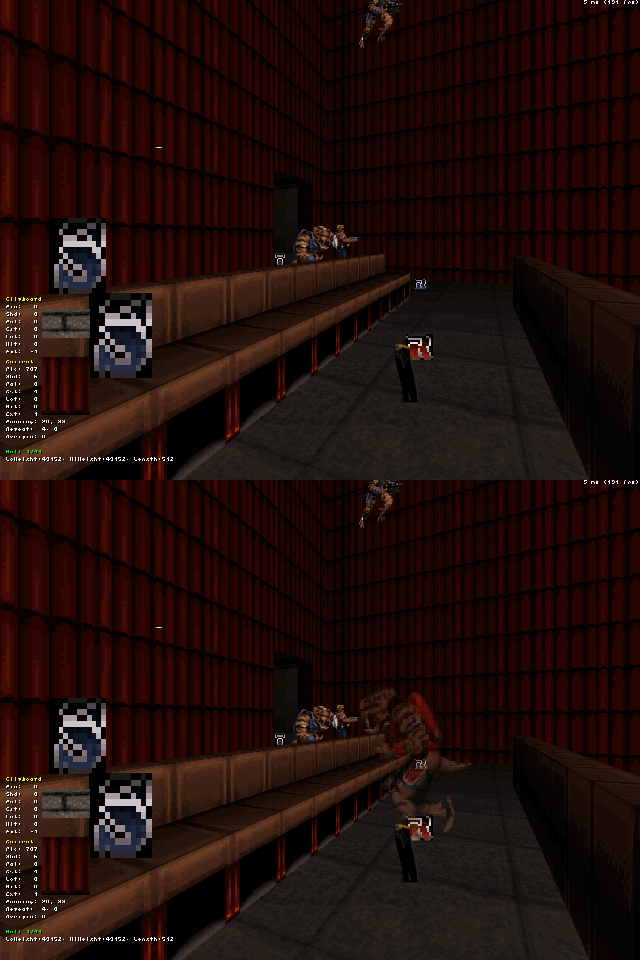
About this TROR problem in Polymost. When I tried running that map on the AMD/AMD system again, I couldn't reproduce the wild flickering any more (both synthesis and self-compiled builds). However, the no-draw issue seen in the first screenshot of Player Lin's post can be easily reproduced in Mapster32, where it will appear as black area instead. Since I have no intention of improving TROR rendering on Polymost, I guess this issue is closed then?
#3580 Posted 18 April 2013 - 09:35 AM
Hope TROR will not over-using by mappers before I buy new one.
#3581 Posted 20 April 2013 - 09:11 AM
Some time ago I posted about a bug that was bothering me quite a bit. It looked as if there was some sort of memory leak in Polymer that caused performance to degrade exponentially with time, until it reached an unplayable state and a restartvid was needed.
Well, today I've coded a small flame burst actor that happens to have twenty frames of animation, all of them defined with a glow map in the .def.
I placed a lot of these actors in a big lava area and.. BOOM! performance started degrading like a bitch. So I thought something weird was going on. I went ahead and deleted the glow map definitions and instead set the shade manually to -127 on the actor code. Guess what... performance increased again!
So there you have it. The exponential performance degradation was due to animated, glow mapped sprites. I deleted all animated glow map definitions from my .def files and instead set the actors to have a constant fullbright shade, and performance has increased dramatically, specially after running the game for some time. Not sure if it's related to the sprites being animated or being transparent, which they all were. But it works. I FUCKING FOUND IT AT LAST. Seriously, this thing was driving me nuts.
So, beware of glow maps.
This post has been edited by Diaz: 20 April 2013 - 09:20 AM
#3582 Posted 20 April 2013 - 01:58 PM
#3583 Posted 20 April 2013 - 04:29 PM
#3584 Posted 22 April 2013 - 10:04 AM
Helixhorned, on 05 April 2013 - 08:18 AM, said:
OK, that interpreter bug has been fixed. What it did was to wrongly clamp all set tsprite z values to [-524288 .. 524288], so it's no wonder that the RESPAWN preview didn't work as expected when those sprites were outside that range.
#3585 Posted 22 April 2013 - 12:20 PM
What I mean is, something like the frame-rate counter but it displays how many sprites are onscreen? I think it would be useful for complex sprite work as I often worry that I'm going to go past the drawing limit.
Don't know if there'd be much call for such a thing or how easy it would be to implement if at all possible, it's just a suggestion and I can work without it.
#3587 Posted 25 April 2013 - 03:43 AM
#3588 Posted 25 April 2013 - 09:04 AM
James, on 25 April 2013 - 03:43 AM, said:
That's a good question. And on a related note, I wonder if there is a simple way to disable the pistol's ability to hit any enemy under the crosshair regardless of range.
#3589 Posted 25 April 2013 - 09:15 AM
I swear I've run hundreds of times through my APLAYER code, comparing it with my old Fusion APLAYER code, and with the newer one, the running animations for the player don't work. They do on the older code, which is identical.
To debug, I've tried to print different quotes depending on whether the player is pwalking, pwalkingback, prunning and prunningback - only pwalking and prunning display the quote. Yet, "ifp prunning action PRUN" doesn't work - it doesn't switch to the PRUN action, but rather keeps the previous action. Weird.
This is driving me nuts...
This post has been edited by Diaz: 25 April 2013 - 09:30 AM

Help
Duke4.net
DNF #1
Duke 3D #1