EDuke32 2.0 and Polymer! "talk about the wonders of EDuke32 and the new renderer"
#3410 Posted 13 February 2013 - 04:58 PM
This is not sorcery. There has to be something to do in order to make all the rest see what I see.
#3411 Posted 13 February 2013 - 05:10 PM
#3412 Posted 13 February 2013 - 05:52 PM
The other guys, i didnt ask. But they are active users. And I myself have tried with older versions, a couple of them, and the no-problem stood there. I even took the map off this folder and tried it in my vanilla duke folder with a much older snapshot (from august of last year i think). Still the same.
Just take this example, to take away some speculation (since the map of discussion isnt released). I can wander around the whole Retailation map by loke in Polymost and i dont see a damn glitch. Parkade instead, looks quite glitched.
This post has been edited by Gambini: 13 February 2013 - 05:54 PM
#3413 Posted 13 February 2013 - 06:02 PM
#3414 Posted 13 February 2013 - 06:34 PM
So could look at it either in Mapster or ingame, using Polymost, and see what happens!
#3415 Posted 13 February 2013 - 06:52 PM
#3416 Posted 15 February 2013 - 05:06 PM
#3417 Posted 16 February 2013 - 01:01 PM
#3418 Posted 16 February 2013 - 04:35 PM
- Post your test map
- Ask your tester to take a shot of the glitched area
- Have him post his full log
- Do the same thing yourself
#3419 Posted 16 February 2013 - 05:26 PM
EDuke32 2.0.0devel r3492 Compiled Feb 16 2013 10:56:08 Using C:/Juegos/DUKE/ for game data Windows XP Service Pack 3 (build 5.1.2600) Initialized nedmalloc Initializing DirectDraw... Searching for game data... Using "DUKE3D.GRP" as main game data file. Compiling: GAME.CON (151190 bytes) Including: DEFS.CON (35992 bytes) Including: USER.CON (45482 bytes) GAME.CON: In actor `ORGANTIC': GAME.CON:3967: warning: found `else' with no `if'. GAME.CON: In state `pigshootenemystate': GAME.CON:5890: warning: found `else' with no `if'. Found 2 warning(s), 0 error(s). Resizing code buffer to 16189*4 bytes Relocating compiled code from to 0x7fb40010 to 0x890be88 Script compiled in 37ms, 16181*4b, version 1.4+ 2006/11264 labels, 322/2048 variables, 2/512 arrays 125 quotes, 207 actors Initialized 24.0M cache RTS file "DUKE.RTS" was not found Initializing OSD... Switching kb layout from 0000040A to 00000409 Initializing DirectInput... - Enumerating attached game controllers - No game controllers found Uninitializing DirectInput... Executing "settings.cfg" Executing "autoexec.cfg" Setting video mode 1280x1024 (8-bit windowed) Initializing music... Initializing sound... 96 voices, 2 channels, 16-bit 44100 Hz Cache time: 80ms E1L8: USER MAP Setting video mode 1280x1024 (32-bit windowed) OpenGL Information: Version: 3.3.0 Vendor: NVIDIA Corporation Renderer: GeForce 9600 GT/PCIe/SSE2 Opened "textures" as cache file Rendering method changed to polygonal OpenGL Saved screenshot to duke0000.png SCREEN SAVED Wrote eduke32.cfg Wrote settings.cfg Uninitializing DirectDraw...
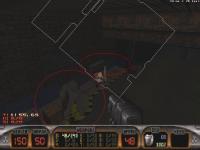
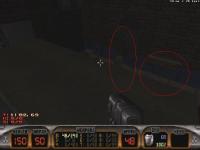
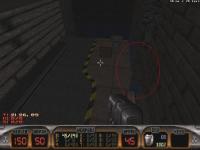
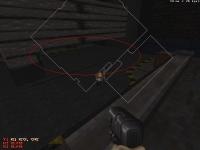
and here an screenshot of how it looks:
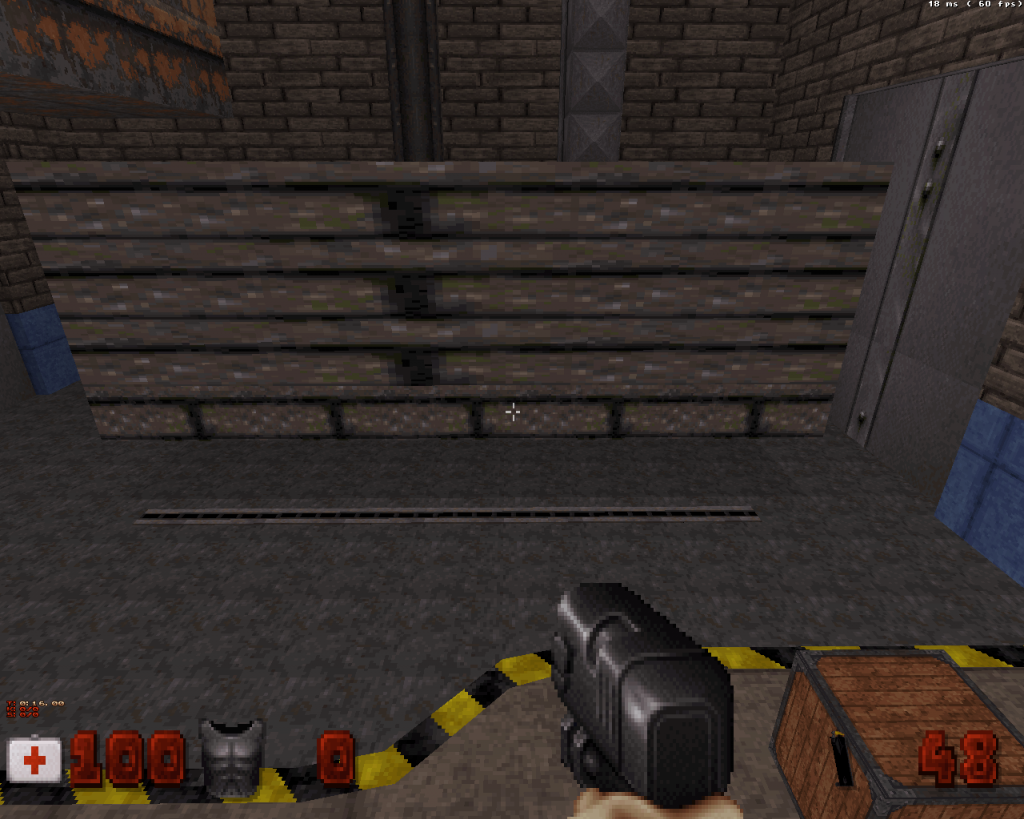
Now it will take a time for my tester to come back with his log. but in the meantime one of them already sent shots:
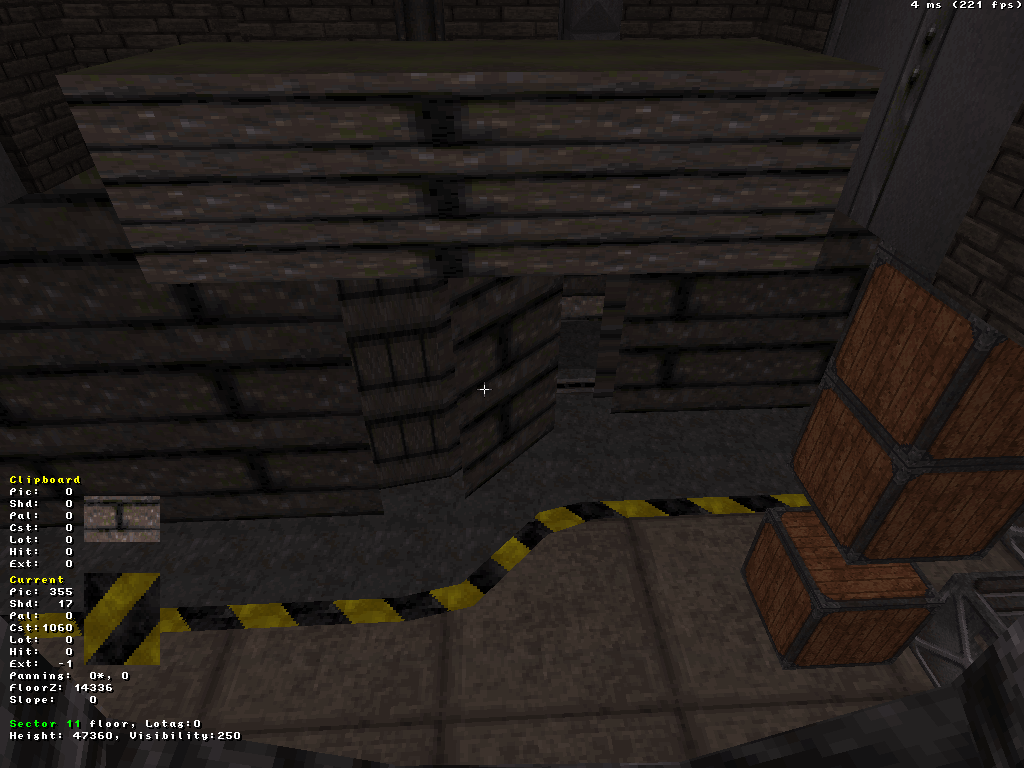
Gonna come with the tester´s log back later.

Attached File(s)
-
trortest.rar (2.74K)
Number of downloads: 686
#3420 Posted 16 February 2013 - 05:53 PM
EDuke32 2.0.0devel r3105 Compiled Oct 31 2012 08:20:59 Application parameters: -game_dir extclut Using E:/Games/Duke3D (Old)/Editor/ for game data Using extclut/ for game data Windows 7 Service Pack 1 (build 6.1.7601) Initialized nedmalloc Initializing DirectDraw... Searching for game data... Using E:/Games/Duke3D (Old)/Editor/extclut/ for game data Using "DUKE3D.GRP" as main game data file. Compiling: GAME.CON (151190 bytes) Including: DEFS.CON (35992 bytes) Including: USER.CON (45482 bytes) GAME.CON: In actor `ORGANTIC': GAME.CON:3967: warning: found `else' with no `if'. GAME.CON: In state `pigshootenemystate': GAME.CON:5890: warning: found `else' with no `if'. Found 2 warning(s), 0 error(s). Resizing code buffer to 16189*4 bytes Script compiled in 55ms, 16181*4b, version 1.4+ 2006/11264 labels, 322/2048 variables 125 quotes, 207 actors Initialized 24.0M cache RTS file "DUKE.RTS" was not found Initializing OSD... Switching kb layout from 00000809 to D0010809 Initializing DirectInput... - Enumerating attached game controllers - No game controllers found Uninitializing DirectInput... Executing "settings.cfg" Disabling desktop composition... Setting video mode 1920x1080 (32-bit fullscreen) Enabling ATI FBO color attachment workaround. OpenGL Information: Version: 4.2.11931 Compatibility Profile Context Vendor: ATI Technologies Inc. Renderer: AMD Radeon HD 6900 Series Opened "extclut/textures" as cache file Initializing music... Initializing sound... 32 voices, 2 channels, 16-bit 44100 Hz Cache time: 53ms E1L8: USER MAP Wrote eduke32.cfg Wrote settings.cfg Uninitializing DirectDraw...
It makes no difference whether a new or old snapshot it used seems. Also these testers own ATIs and Nvidias, so discard the GPU compatibility thing,
#3421 Posted 16 February 2013 - 06:24 PM
Here's my log file: http://pastebin.com/raw.php?i=E5pfcS5B
#3422 Posted 16 February 2013 - 07:42 PM
This post has been edited by Mark.: 16 February 2013 - 08:02 PM
#3423 Posted 16 February 2013 - 08:34 PM
#3424 Posted 16 February 2013 - 08:54 PM
Attached File(s)
-
eduke32.zip (1.23K)
Number of downloads: 773
#3425 Posted 17 February 2013 - 09:42 PM
Mark., on 16 February 2013 - 08:54 PM, said:
Mark. eduke32 log said:
Compiled Jan 21 2013 13:21:07
Using D:/EDUKE3423/ for game data
Windows Vista Service Pack 2 (build 6.0.6002)
Initialized nedmalloc
Initializing DirectDraw...
Searching for game data...
Using "DUKE3D.GRP" as main game data file.
Using group file "autoload/polymer_hrp.zip".
Compiling: EDUKE.CON (3116 bytes)
Including: GAME.CON (151281 bytes)
Including: DEFS.CON (35992 bytes)
Including: USER.CON (42939 bytes)
...
I guess that autoload one is not needed, isn't it? When we're testing polymost...
==============
I got some visual glitches like attachments, also my log and cfg file.
(I'm using my custom CONs so the player stat and some game string is differ from default but I guess it's not matter with this test...right?
Attached File(s)
-
eduke32_r3480_log&cfgs.zip (4.99K)
Number of downloads: 693
This post has been edited by Player Lin: 17 February 2013 - 09:52 PM
#3426 Posted 17 February 2013 - 10:16 PM
#3427 Posted 18 February 2013 - 04:41 AM
Gambini, on 17 February 2013 - 10:16 PM, said:
I can only get that glitch happens on that position, other points are just looking fine as well. I may try again later...
EDIT: OK, I found two other one, both are still above the TROR sector so maybe still not useful too? The -4 one don't needed jetpack but jump on the shelf.
This post has been edited by Player Lin: 18 February 2013 - 06:45 AM
#3429 Posted 18 February 2013 - 01:28 PM
#3430 Posted 18 February 2013 - 02:21 PM
And I don´t see the need of posting screenshots of the exact same spot. This is not a trial. If they say seeing it all glitchy/glitchs free we can trust them.
EDIT: I can keep performing as many tests as you want to get to the bottom of this issue. Just tell me what to do and I´ll do it.
This post has been edited by Gambini: 18 February 2013 - 02:24 PM
#3431 Posted 18 February 2013 - 02:54 PM
EDIT: That's assuming The Big Cheese is Micky.
#3432 Posted 18 February 2013 - 02:58 PM
http://pastebin.com/raw.php?i=GsTdAMte
This post has been edited by The Big Cheese: 18 February 2013 - 02:59 PM
#3433 Posted 18 February 2013 - 03:02 PM
#3434 Posted 18 February 2013 - 03:34 PM
#3435 Posted 18 February 2013 - 03:37 PM
Anybody reading this, that uses those cheaper video cards, is more than encouraged to try the test map. And if it looks all smooth, in Polymost, come here to tell us and we may gift you a Nvidia, Plagman´s courtesy.
#3436 Posted 18 February 2013 - 04:27 PM
#3437 Posted 18 February 2013 - 04:40 PM
I'll try updating to the latest driver and see if that changes anything.
Unless I should wait for something first?
This post has been edited by The Big Cheese: 18 February 2013 - 04:42 PM
#3438 Posted 18 February 2013 - 05:07 PM
#3439 Posted 19 February 2013 - 02:10 AM
The latest one for my system is 314.07 WHQL, will try it and see any differences or not...
EDIT: No, it still totally the same at all.
This post has been edited by Player Lin: 19 February 2013 - 03:54 AM

Help
Duke4.net
DNF #1
Duke 3D #1