Duke4.net Forums: EDuke32 2.0 and Polymer! - Duke4.net Forums

Jump to content

  • 213 Pages +
  • « First
  • 94
  • 95
  • 96
  • 97
  • 98
  • Last »
  • You cannot start a new topic
  • You cannot reply to this topic

EDuke32 2.0 and Polymer!  "talk about the wonders of EDuke32 and the new renderer"

User is offline   Diaz 

#2840

What the hell, lol....

I was suspecting you could have loads of Polymer lights as long as their radius was small and the number of objects affected low, but I wasn't expecting it to be true to this extent...

Just look at the number of lights and the framerate....

Attached thumbnail(s)

  • Attached Image: manylightshighfps.jpg


This post has been edited by Diaz: 22 April 2012 - 02:16 PM

1

User is offline   Tea Monster 

  • Polymancer

#2841

Holy crap! So what has everyone else been doing wrong then?
0

User is offline   Diaz 

#2842

View PostTea Monster, on 22 April 2012 - 02:36 PM, said:

Holy crap! So what has everyone else been doing wrong then?


I guess using higher radius lights, which causes many objects to be redrawn for each light; that's assuming I'm understanding how lights work, of course.
0

User is offline   Danukem 

  • Duke Plus Developer

#2843

View PostDiaz, on 22 April 2012 - 02:40 PM, said:

I guess using higher radius lights, which causes many objects to be redrawn for each light; that's assuming I'm understanding how lights work, of course.


In that shot you have a simple map area with some models (the arcade machines). My understanding is that the complexity of the map, and especially having lots of child sectors, greatly reduces performance and increases the amount of light calculations. On the other hand, Polymer handles models very well. So my guess is that the good performance there has more to do with the map than the radius of the lights.
0

User is offline   Fox 

  • Fraka kaka kaka kaka-kow!

#2844

But the map itself is converted in a model of sort. But I guess a detailed map is a complex 3D structure no matter what.
0

User is offline   Mblackwell 

  • Evil Overlord

#2845

Note: The number of objects visible across sectors slows the engine down regardless of the number of polygons in them. 1024 objects with 10k polys will be slower than 100 objects with 102,400 polys. Sounds strange maybe but the engine (Polymer) is a beast when it comes to rendering each polygon, it's the separate objects that make more of a difference in speed.
1

User is offline   Tea Monster 

  • Polymancer

#2846

Is there any way to run some kind of "pre-compile" on the map while the level is loading? Maybe you could run this as a seperate process before hand?
0

User is offline   Danukem 

  • Duke Plus Developer

#2847

View PostTea Monster, on 22 April 2012 - 05:03 PM, said:

Is there any way to run some kind of "pre-compile" on the map while the level is loading? Maybe you could run this as a seperate process before hand?


BUILD maps don't ever get compiled. It's one of the best features of the engine and allows for great versatility and ease of mapping. The ability to change things on the fly in-game is also pretty awesome. When you realize that all the Polymer lights have to be completely dynamic with nothing compiled, it makes the performance challenges a little less surprising, no?
0

User is offline   Diaz 

#2848

View PostTrooper Dan, on 22 April 2012 - 02:47 PM, said:

In that shot you have a simple map area with some models (the arcade machines). My understanding is that the complexity of the map, and especially having lots of child sectors, greatly reduces performance and increases the amount of light calculations. On the other hand, Polymer handles models very well. So my guess is that the good performance there has more to do with the map than the radius of the lights.


I believe that every object needs to be drawn once for each light that hits it. So if an object is hit by 10 lights it will have to be rendered 10 times.
A light with a large radius means more objects will be affected, and several lights with a large radius means you're redrawing the entire scene several times. So it doesn't depend on either the amount of objects or the radius of lights, but rather a combination of both. I have several more complex scenes where the framerate still stays above 60.

And yes, when you notice how fast Polymer is drawing models (which are the basic building block of today's engines) and you realize that every light is dynamic, the renderer doesn't look to be badly optimized at all!

This post has been edited by Diaz: 22 April 2012 - 09:48 PM

0

User is offline   Fox 

  • Fraka kaka kaka kaka-kow!

#2849

I wonder, is there any planning to include all the Sector Effectors from Shadow Warrior in EDuke32?
0

User is offline   Master Fibbles 

  • I have the power!

#2850

I think all of the tags were at some point integrated but it is kind of moot. TROR makes the system in Shadow Warrior useless (and it was buggy).
0

User is offline   TerminX 

  • el fundador

  #2851

View PostFox, on 23 April 2012 - 06:04 AM, said:

I wonder, is there any planning to include all the Sector Effectors from Shadow Warrior in EDuke32?

Nope. The code is completely different and it would frankly be easier to re-implement the Shadow Warrior features using CON scripts than it would be to try and hack the stuff in as additional hard coded effects.
0

#2852

currently getting a strange issue with Eduke32 (latest from site) on Win7 with a Nvidia GTX 550. keeps saying my drivers don't support OpenGL or something and won't let me choose the graphics modes for polymer and the like. what gives?
0

User is offline   Diaz 

#2853

I'm not sure if this is a known bug or a problem with the renderer itself, but I'll post here...

Today I noticed I was getting quite poor Polymer performance in one of my mods, and it seemed to get worse the more time I played. It was strange. I double checked my 3D video driver settings and all and everything seemed to be OK... then I tried to do a restartvid in the game, and voila, the framerate magically doubled. I kept playing for some time and the framerate started to slowly descend again, then I did another restartvid, and full performance was restored.

Quite weird, but looks like a memory leak of some kind...
0

User is offline   The Commander 

  • I used to be a Brown Fuzzy Fruit, but I've changed bro...

#2854

I know using "restartvid" isn't very stable on the ATI card end and can cause a crash.
But I shouldn't have these problems soon when my GeForce GTX570 turns up. (Thanks DanM)
1

User is offline   Hendricks266 

  • Weaponized Autism

  #2855

View PostCody, on 29 April 2012 - 09:47 PM, said:

But I shouldn't have these problems soon when my GeForce GTX570 turns up. (Thanks DanM)

Envy.

This post has been edited by Hendricks266: 30 April 2012 - 12:31 AM

0

#2856

View PostCody, on 29 April 2012 - 09:47 PM, said:

I know using "restartvid" isn't very stable on the ATI card end and can cause a crash.
But I shouldn't have these problems soon when my GeForce GTX570 turns up. (Thanks DanM)

Dude, why didn't you wait one or two more months to get a 660 or a 670 instead?

View PostHendricks266, on 30 April 2012 - 12:31 AM, said:

Envy.

Don't you mean, Nvi.?

This post has been edited by Mr.Deviance: 02 May 2012 - 12:43 AM

0

User is offline   The Commander 

  • I used to be a Brown Fuzzy Fruit, but I've changed bro...

#2857

View PostMr.Deviance, on 02 May 2012 - 12:42 AM, said:

Dude, why didn't you wait one or two more months to get a 660 or a 670 instead?

Because if you knew the cost of Nvidia cards in New Zealand you would have already answered your own question.
Retail for a GTX570 in NZ around $700 NZD
Cost of getting it from DanM $250 AUD.
You work the maths out.

Edit:
Oh and a 580 costs a $1000 here.
Hence this is the other reason I have stuck with ATI as they have always been "A LOT" more cheaper.

This post has been edited by Cody: 02 May 2012 - 03:57 AM

0

User is offline   Stabs 

#2858

cause it will still be more than that

mind you $250 + plus shipping which was $41

bargain!
0

User is offline   Jblade 

#2859

movement_lock still stops players from surfacing if they're underwater whilst it's active. Was there any fix for that?
0

User is offline   TerminX 

  • el fundador

  #2860

View PostJames, on 04 May 2012 - 03:15 AM, said:

movement_lock still stops players from surfacing if they're underwater whilst it's active. Was there any fix for that?

Are you sure? Looking at the source, that doesn't appear possible.
0

User is offline   Jblade 

#2861

View PostTX, on 06 May 2012 - 12:36 PM, said:

Are you sure? Looking at the source, that doesn't appear possible.

Well the issue was reported by someone else, I'll look into it and see if I can recreate the issue he encountered.
0

User is offline   Tea Monster 

  • Polymancer

#2862

View PostDanM, on 02 May 2012 - 05:10 AM, said:
cause it will still be more than that

mind you $250 + plus shipping which was $41

bargain!

And as the commercial says: "Running Polymer, Crysis and anything else you can throw at it at improbable framerates....Priceless"
0

User is offline   Jblade 

#2863

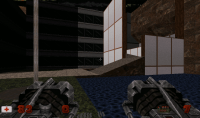
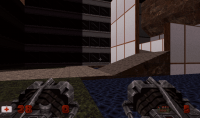
Just noticed an issue with palfrom stuff, I'm guessing related to the fixes you've done lately - the screentint doesn't seem to completely fade away. If you go into a level like E3L1, grab the devistator and then hurt yourself with it you'll notice that the tint won't fade away completely. It seems to vary depending on how severe it is I think, but I took these 2 shots to show you that there's definitly something remaining:

Attached thumbnail(s)

  • Attached Image: BEFORE.png
  • Attached Image: AFTER.png

0

User is offline   Diaz 

#2864

View PostJames, on 07 May 2012 - 10:01 AM, said:

Just noticed an issue with palfrom stuff, I'm guessing related to the fixes you've done lately - the screentint doesn't seem to completely fade away. If you go into a level like E3L1, grab the devistator and then hurt yourself with it you'll notice that the tint won't fade away completely. It seems to vary depending on how severe it is I think, but I took these 2 shots to show you that there's definitly something remaining:


I can confirm this as well. When picking up items the tinting doesn't disappear completely.
0

User is offline   Helixhorned 

  • EDuke32 Developer

#2865

Oink.

Spoiler

2

User is offline   Jblade 

#2866

View PostHelixhorned, on 07 May 2012 - 01:23 PM, said:

Oink.
Spoiler


Nice work, thanks for the quick response and fix <_<
0

User is offline   Fox 

  • Fraka kaka kaka kaka-kow!

#2867

May I ask... why highpalookup doesn't work with Polymost? Is it because of Polymost being discontinued, or because of technical limitation?
0

User is offline   Micky C 

  • Honored Donor

#2868

Yes, it's a technical limitation. Highpalookup uses polymer's pixel shaders, however polymost has no such shaders, so it can't work there.
0

User is offline   Fox 

  • Fraka kaka kaka kaka-kow!

#2869

Anyway, I got a little problem with highpal: it doesn't completely override tint values. Apparently it has something to do with the tint flag values?
0

Share this topic:


  • 213 Pages +
  • « First
  • 94
  • 95
  • 96
  • 97
  • 98
  • Last »
  • You cannot start a new topic
  • You cannot reply to this topic


All copyrights and trademarks not owned by Voidpoint, LLC are the sole property of their respective owners. Play Ion Fury! ;) © Voidpoint, LLC

Enter your sign in name and password


Sign in options