EDuke32 2.0 and Polymer! "talk about the wonders of EDuke32 and the new renderer"
#2750 Posted 17 March 2012 - 12:38 PM
#2751 Posted 17 March 2012 - 01:17 PM
#2752 Posted 17 March 2012 - 01:27 PM
#2753 Posted 17 March 2012 - 01:41 PM
Trooper Tom, on 17 March 2012 - 12:38 PM, said:
Yeah, as I said on IRC alt-pals override highpal (as they should), so if there are any defined pals for the green live liztroop but none for the painskin, you'll see highpal kick in then. Highpal output should be visually validated before removing any alt-pal skin, cause glitches might happen. They should be moved to the polymost directories rather than simply removed, I think LeoD can help you with that since he came up with that design.
Tea Monster, on 17 March 2012 - 01:27 PM, said:
It's feasible and planned, but in the end it should be integrated with the sprites system rather than just something bolted on the side. Eg. you should have a completely alternate class of sprites that's purely for display purposes, that bypasses most of the stuff that make sprites so slow, the sprite limit should be lifted, etc. But right now you can achieve the exact same thing with point sprites.
#2754 Posted 17 March 2012 - 02:33 PM
Plagman, on 17 March 2012 - 01:41 PM, said:
That sounds great, and of course it would be useful for making modifications. As you know, some mods (e.g. DukePlus) already have "particles" that are full-blown sprites. Are you saying that the planned system is going to be spawning hardcoded display-only particles in addition to whatever mods are coded to do? If so, that concerns me. A hardcoded system would need to make assumptions that would be true for the standard tileset using the HRP, but would be false in many other contexts. For example, if it's going to spawn metallic sparks when metal surfaces are impacted, then that depends on specific tile numbers being identified as metal.
#2755 Posted 17 March 2012 - 03:34 PM
#2756 Posted 17 March 2012 - 03:49 PM
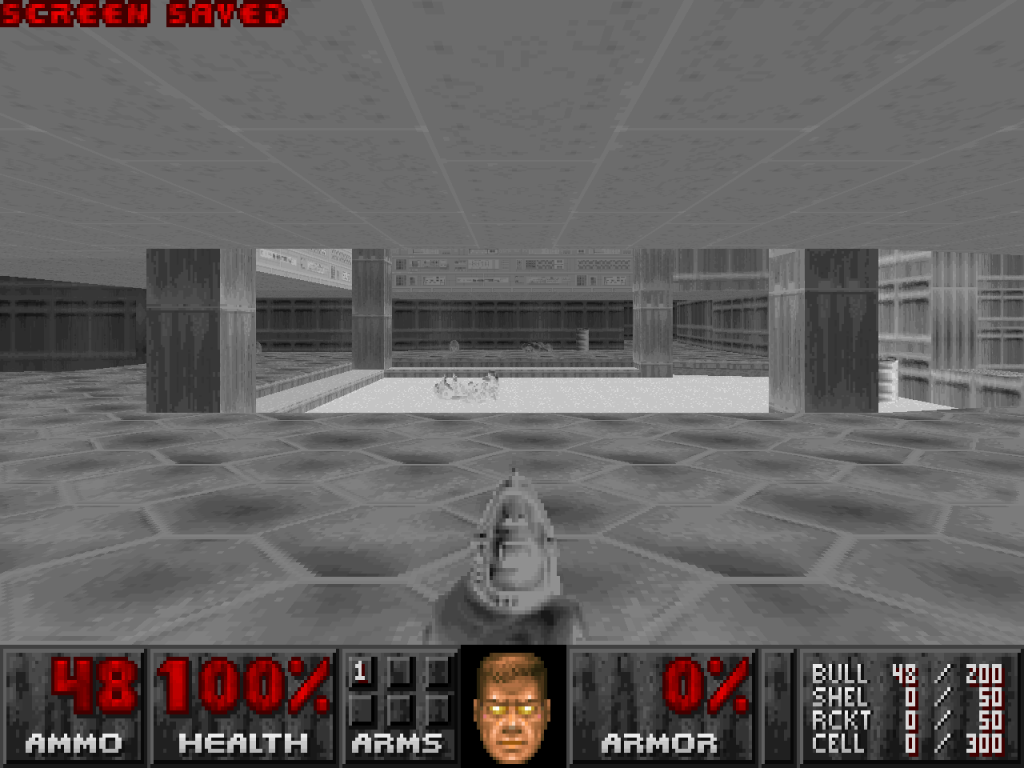
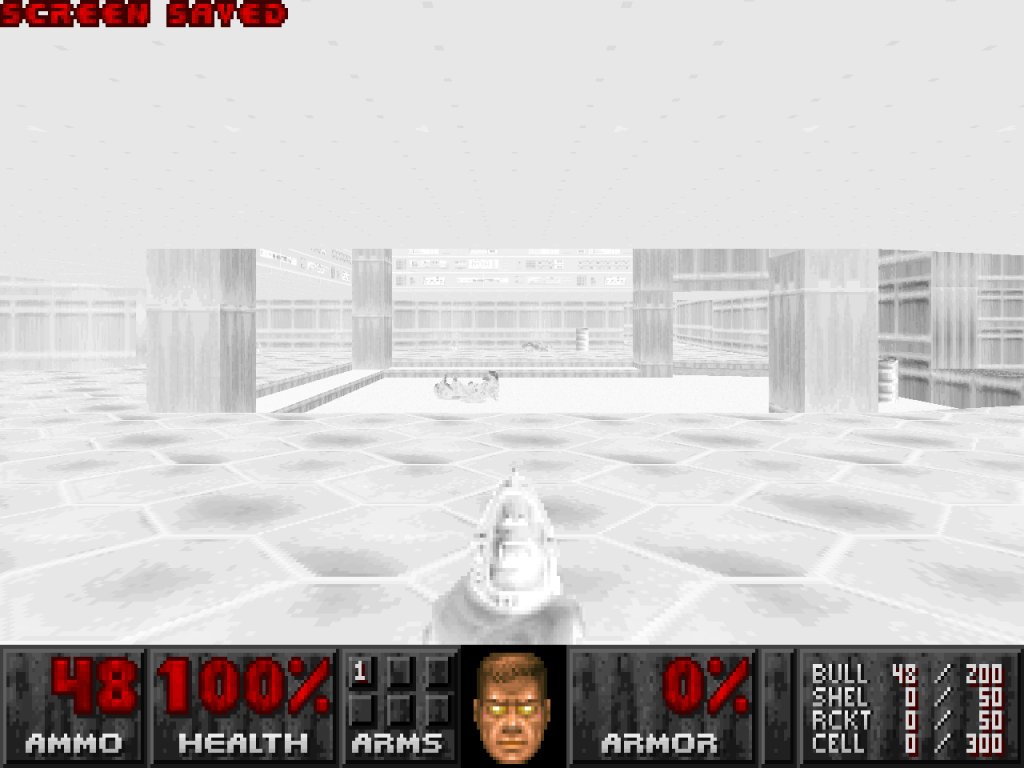
Essentially I am trying to make this:

Looks like this:
However the second picture is a mock-up, I can't actually make the fog work in conjunction with a pallette.
This post has been edited by Fox: 17 March 2012 - 03:50 PM
#2758 Posted 17 March 2012 - 04:35 PM
#2759 Posted 17 March 2012 - 05:02 PM
Trooper Tom, on 17 March 2012 - 12:38 PM, said:
#2760 Posted 17 March 2012 - 09:50 PM
Trooper Tom, on 17 March 2012 - 12:38 PM, said:
The image files for all alt-skins must stay in place, except the Polymer trooper like LeoD mentioned. Removing the defs is a different story, but that would best be left to LeoD.
#2761 Posted 18 March 2012 - 01:18 AM
Quote
Buildtools: Add "unpackssi" and "Build Customization Suite" [Palette Importer/Extractor] (bsuite), both by JonoF. I have rewritten bsuite to use command-line arguments rather than a 16-bit real mode DOS UI. Both programs have had all warnings fixed and whitespace corrected.
New complete set of buildtools: http://hendricks266....dtools_r2495.7z
Quote
New "-clipmap" command-line switch to specify sector collision clip maps. This switch works in an additive fashion like -mx and -mh. _clipshape0.map through
_clipshape9.map remain loaded by default.
Also, a very minor change in the con/def module code. (int --> int32_t)
Please let me know if there are any problems with this.
This post has been edited by Hendricks266: 18 March 2012 - 01:19 AM
#2762 Posted 18 March 2012 - 05:11 AM
Or should shut up and go look for an included readme file that explains it all?
This post has been edited by Marked: 18 March 2012 - 05:14 AM
#2763 Posted 18 March 2012 - 05:36 AM
Marked, on 18 March 2012 - 05:11 AM, said:
Or should shut up and go look for an included readme file that explains it all?
Polymer HRP is the default like before, no matter if you check Polymer renderer on startup or not. (This might change with future EDuke32 versions.) The Polymost HRP contents is activated by either by the command line parameter -hduke3d_hrp_polymost.def (not recommended though and not compatible with mods like DukePlus) or by putting the Polymost Override Pack into the autoload folder.
EDIT: Update to r326.
This post has been edited by LeoD: 18 March 2012 - 11:07 AM
#2764 Posted 18 March 2012 - 02:07 PM
setplayer[THISACTOR].movement_lock 12
in my code and the player can still strafe. Any ideas?
#2766 Posted 20 March 2012 - 01:23 AM
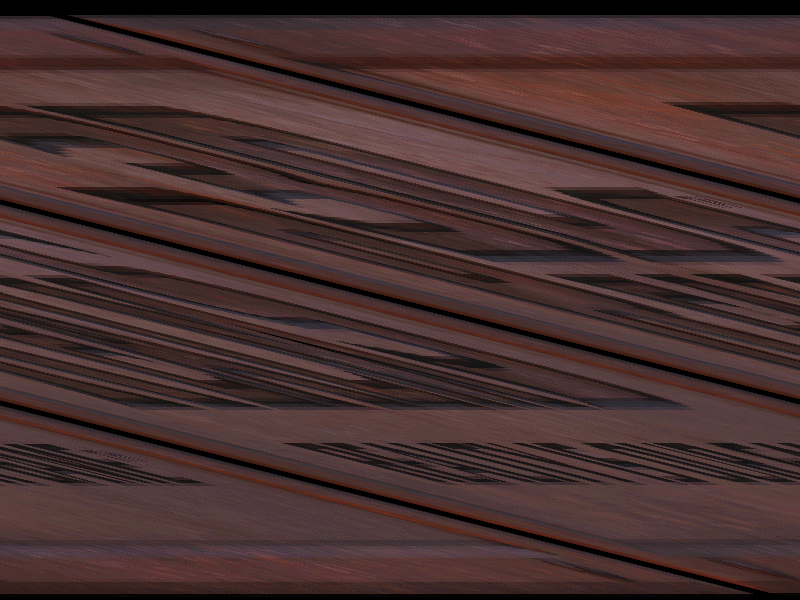
I compiled EDuke32 with USE_LIBPNG=1 having changed the Makefile to link to libz and having compiled and installed the libraries and headers for the latest libpng and libz and the resulting PNGs appear problematic in all classic resolutions, windowed at least (Polymost is fine):
#2767 Posted 20 March 2012 - 10:36 AM
#2768 Posted 20 March 2012 - 12:20 PM
Fox, on 17 March 2012 - 03:49 PM, said:
DEF's fogpal is just a wrapper around makepalookup(), which creates palette lookups that can either be remap-only (black "visibility fog"), or ones that blend to a particular color with increasing distance. Note though, that the 256 colors of the currently active base palette is all you have with palookups; creating a fogpal with a color that isn't well represented by the palette will be accompanied with ugly quantization and/or hue artifacts. You're overwriting old pals because that's how the system works: there's no real distinction between colored and black-fogged ones.
What you'd want instead is to create a new base palette like those used for the other full-screen tinting effects (goggles, underwater, under-slime). Currently, this involves editing lookup.dat and replacing one of the non-game palettes: for the title, 3D Realms logo, or ending. I'm sure Lezing has some experience with this.
While I'm on the subject, this post shows that there's room to allow for more user-friendly modding: one thing is that it should be possible to specify base palettes more easily. Another is that a while ago, the question of different blending modes came up. With classic, it should be possible to have an arbitrary blending table in the place of the translucency one, since all it does is to take two color indices and return the result index. This would even be a somewhat exclusive features to 8-bit lovers, since OpenGL only has a couple of hard-specified blending modes (not counting anything you could do with shaders, of course).
edit: don't mind the horrible Ynglish.

#2769 Posted 20 March 2012 - 02:09 PM
#2770 Posted 20 March 2012 - 02:17 PM
#2771 Posted 22 March 2012 - 01:12 AM
I'm working on a map here and the polymer lights aren't reacting how I expect them to. I've created a structure with "window" frames on the ceiling and walls. However, I didn't use the glass texture. I used a orangeish texture to give the appearance of dirty glass and made it transparent. I realize that polymer lights work consistently and properly with textures with the transparency colour (255,0,255), but I was wondering if it were possible, per my example, to allow polymer spotlights to shine through a texture (ceiling, floor, or wall) if it has a transparency setting. Perhaps even the intensity of which is proportionate to the level of transparency setting. Is this possible? Below is an image of my example map where the light is shining down through the semi-transparent ceiling and through the semi-transparent wall as well but the shadow that is cast is completely solid when light "should" be shining through to the inside of the structure and also through to the outside area around the structure as well. I could probably get around this problem by creating an alternate semi-transparent alpha-channel texture, could I not?

I've also discovered the inverse problem with polymer point lights. The point light will shine through a ceiling or floor whether it is transparent or not, though I reckon this might be intended behaviour to some degree?
#2773 Posted 22 March 2012 - 02:00 PM
James, on 22 March 2012 - 01:23 PM, said:
Oh, you are still having this problem?
setplayer[THISACTOR].movement_lock 31
Apparently, some of the locking bits are not documented in the wiki.
Protip for others who make suggestions: Check to see if they work!
#2774 Posted 22 March 2012 - 03:12 PM
#2775 Posted 24 March 2012 - 01:41 AM
MusicallyInspired, on 22 March 2012 - 01:12 AM, said:
I'm working on a map here and the polymer lights aren't reacting how I expect them to. I've created a structure with "window" frames on the ceiling and walls. However, I didn't use the glass texture. I used a orangeish texture to give the appearance of dirty glass and made it transparent. I realize that polymer lights work consistently and properly with textures with the transparency colour (255,0,255), but I was wondering if it were possible, per my example, to allow polymer spotlights to shine through a texture (ceiling, floor, or wall) if it has a transparency setting. Perhaps even the intensity of which is proportionate to the level of transparency setting. Is this possible? Below is an image of my example map where the light is shining down through the semi-transparent ceiling and through the semi-transparent wall as well but the shadow that is cast is completely solid when light "should" be shining through to the inside of the structure and also through to the outside area around the structure as well. I could probably get around this problem by creating an alternate semi-transparent alpha-channel texture, could I not?

I've also discovered the inverse problem with polymer point lights. The point light will shine through a ceiling or floor whether it is transparent or not, though I reckon this might be intended behaviour to some degree?
From what I've seen, the light cast by spot lights will either be completely blocked, or not blocked at all. And it also seems that even the most transparent textures will still completely block the light. A good example of what I'm talking about is trying to shine a spot light through the standard glass texture.
About point lights, if a sector can 'see' the SE sprite, and is within the hitag distance, it will be affected by the light. This means it will bleed through most walls and ceilings and things. In order to stop the light bleeding, there needs to be some white walled invalid player space between the SE and the sector you don't want the light to shine on, so that if you imagine a straight line from the SE, it should never be able to touch the sector without first touching void player space. If you look at Duke Nukem Eternity, DanM has used this to his advantage in order to make columns cast shadows from point lights, as well as door frames.
The same also applies to TROR. If you create an extension, then make a sector above (or below) your current sector, and have a light in your current sector, the light will not enter the other sector. Here's an example of this in an old abandoned map that I posted in that thread helixhorned created: http://i734.photobuc...15-50-25-82.jpg
#2776 Posted 24 March 2012 - 03:49 AM
This is only in polymer.
#2777 Posted 25 March 2012 - 02:45 PM
Helixhorned, on 20 March 2012 - 12:20 PM, said:
What you'd want instead is to create a new base palette like those used for the other full-screen tinting effects (goggles, underwater, under-slime). Currently, this involves editing lookup.dat and replacing one of the non-game palettes: for the title, 3D Realms logo, or ending. I'm sure Lezing has some experience with this.
While I'm on the subject, this post shows that there's room to allow for more user-friendly modding: one thing is that it should be possible to specify base palettes more easily. Another is that a while ago, the question of different blending modes came up. With classic, it should be possible to have an arbitrary blending table in the place of the translucency one, since all it does is to take two color indices and return the result index. This would even be a somewhat exclusive features to 8-bit lovers, since OpenGL only has a couple of hard-specified blending modes (not counting anything you could do with shaders, of course).
edit: don't mind the horrible Ynglish.
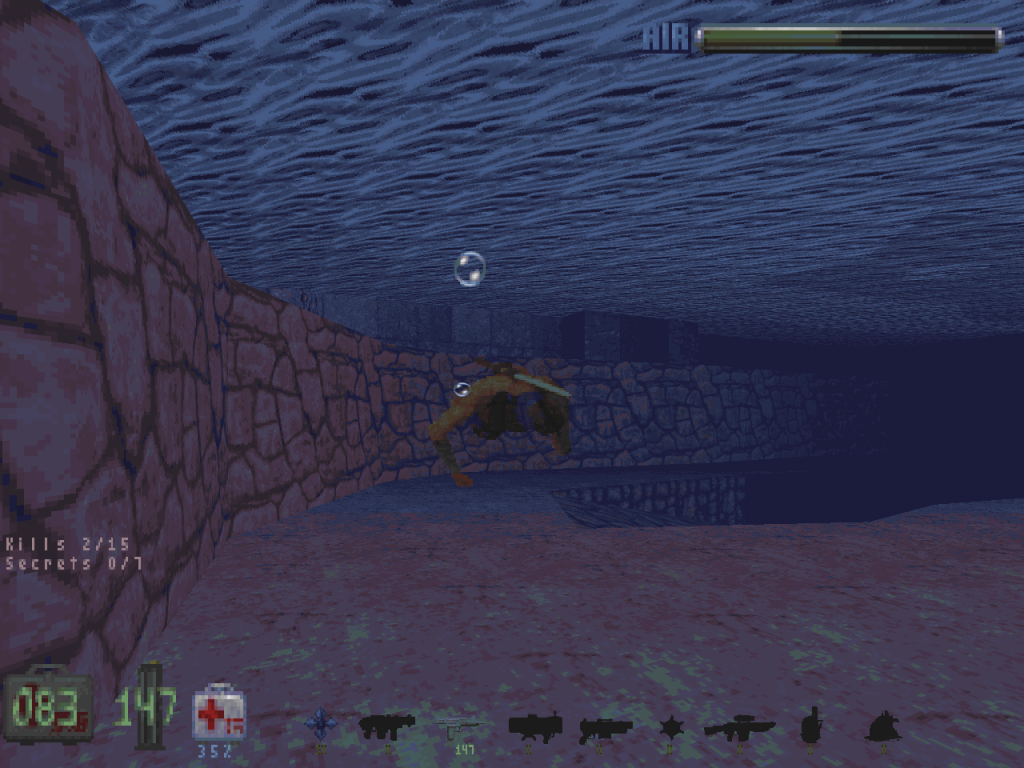
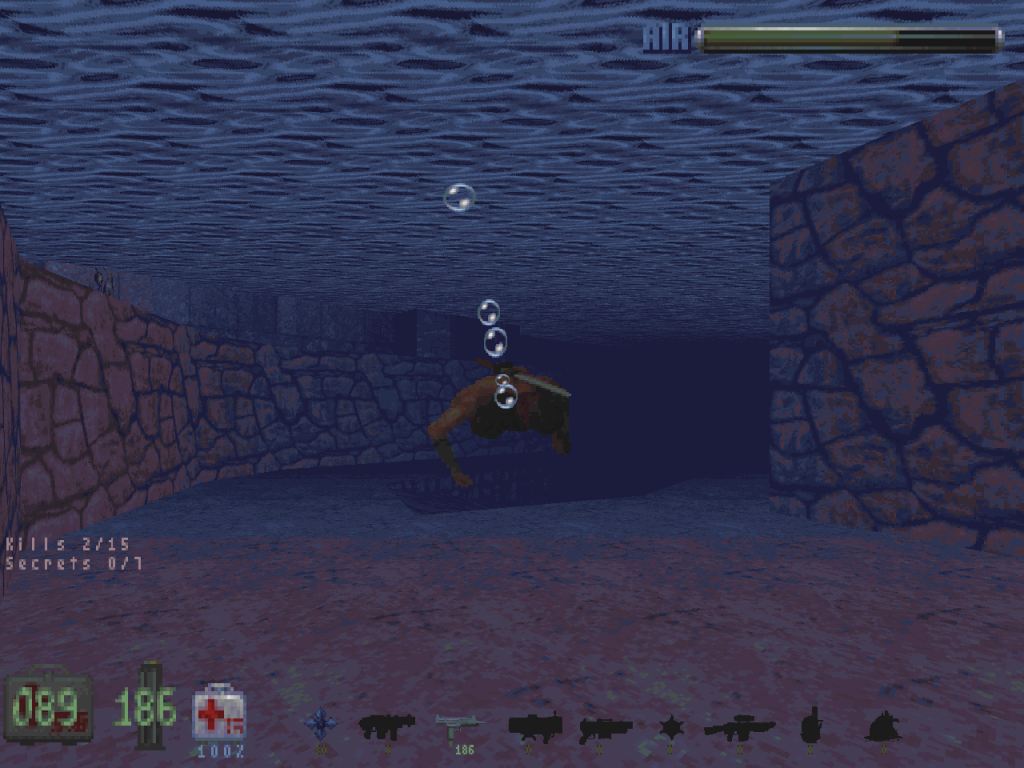
Okay, I don't know much of the technical side of creating lookups, but all I can say is that I can use a lookup that is not default in conjunction with fog in Shadow Warrior.
Here is a screenshot of the player with different colors underwater.
#2778 Posted 25 March 2012 - 04:59 PM
#2779 Posted 26 March 2012 - 06:01 AM
Been waiting for this since I've started mapping for Duke again
EDIT: I confirm it does work. Great job!
This post has been edited by Diaz: 26 March 2012 - 06:04 AM

Help
Duke4.net
DNF #1
Duke 3D #1