EDuke32 2.0 and Polymer! "talk about the wonders of EDuke32 and the new renderer"
#2600 Posted 10 November 2011 - 02:58 PM
#2601 Posted 11 November 2011 - 01:40 AM
Helixhorned, on 10 November 2011 - 02:58 PM, said:

Not for me. I like it to be as close as the real thing as possible. I always have to exit out of Mapster and look at pictures of what I'm trying to build. I bet people would use it more than you think. Not only could you import images like Google Earth screenshots, but you could import images of certain shapes you want to make into sectors. I tried to make a hole in the ground shaped like a nuke symbol once. Never could get it perfectly right.
#2602 Posted 11 November 2011 - 02:17 AM
#2603 Posted 11 November 2011 - 02:32 AM
#2604 Posted 24 November 2011 - 07:45 AM
#2605 Posted 11 December 2011 - 10:36 AM
I have been doing a whole lot of mapping recently. I want to thank Helix, Plagman, TX and whoever else for making it a crash-free experience compared to the "old days" of 6 months ago. I haven't had a crash mapping in Polymer mode or test mode. Before I used to turn on Polymer in Mapster only to quick test a light sprite and then go right back to rendermode 3 to continue mapping. And I rarely used test mode. Now I can freely use both without fear.
#2606 Posted 11 December 2011 - 12:28 PM
Marked, on 24 November 2011 - 07:45 AM, said:
This has been asked and discussed before in its own thread and I was tired of hearing about it, which is why I didn't reply. The additional coding should be very simple, and there is already an example of it in DukePlus (e.g. the headlight on the bike). Just make it an SE50 instead of SE49, have it constantly set its angle to the player's angle, set extra to the player's horiz and shade to the desired width.
#2607 Posted 11 December 2011 - 02:58 PM
This post has been edited by Marked: 11 December 2011 - 02:59 PM

#2608 Posted 01 January 2012 - 10:07 AM
#2609 Posted 01 January 2012 - 10:22 AM
djdori11, on 01 January 2012 - 10:07 AM, said:
WW2GI is supported because EDuke32 is based on the WW2GI source code. The only other supported game is NAM, because WW2GI was in turn based on the NAM code.
#2611 Posted 02 January 2012 - 09:33 PM
http://pastebin.com/0nTD8V6D
EDIT: And just got this random crash
http://pastebin.com/z1yj5Yyy
This post has been edited by The Commander: 02 January 2012 - 09:41 PM
#2612 Posted 03 January 2012 - 03:59 AM
The Commander, on 02 January 2012 - 09:33 PM, said:
http://pastebin.com/0nTD8V6D
EDIT: And just got this random crash
http://pastebin.com/z1yj5Yyy
Thank god for that, for some reason I thought it was only my map that was effected, I didn't think to test any others
#2613 Posted 03 January 2012 - 12:06 PM
#2614 Posted 03 January 2012 - 02:58 PM
#2615 Posted 04 January 2012 - 08:33 AM
DeeperThought, on 03 January 2012 - 02:58 PM, said:
Testing my level, it has autosave spots.
I died during testing, so I released the autosave = crash.
So best we catch this bug early.
What I forgot to note was that it only seens to chrash when loading the game while you are already ingame/dead.
Not from the main menu on startup.
This post has been edited by The Commander: 04 January 2012 - 08:35 AM
#2616 Posted 04 January 2012 - 09:03 AM
The Commander, on 04 January 2012 - 08:33 AM, said:

I died during testing, so I released the autosave = crash.
So best we catch this bug early.
What I forgot to note was that it only seens to chrash when loading the game while you are already ingame/dead.
Not from the main menu on startup.
Now that you mention it, this sounds like the same crash I complained about when trying DanM's new levels, but I thought it had gone away when I updated my video driver. Perhaps it was just a coincidence that it did not crash again after that update.
#2617 Posted 05 January 2012 - 02:31 AM
#2618 Posted 05 January 2012 - 02:05 PM
#2619 Posted 05 January 2012 - 03:08 PM
Helixhorned, on 05 January 2012 - 02:05 PM, said:
Looks like you did some great detective work there. The adult TV tiles restoration bug has no doubt been there since the beginning. And the Polymer light problem...I know that I and other people have reported that before, but I guess you were the first one to do anything about it. Let's hope that the crashes clear up now.
#2620 Posted 06 January 2012 - 10:58 PM
#2621 Posted 07 January 2012 - 12:53 PM
#2622 Posted 08 January 2012 - 02:15 PM
When reloading a save game after dying the total amount of textures needed to be loaded doubles.
e.g. 1000 becomes 2000, next time it's loaded it's 3000 etc.
I am unsure what the number could go up to but I got it up to 10000 something before stopping.
It also only loads the original amount and not the total amount displayed.
#2623 Posted 08 January 2012 - 07:14 PM
Helixhorned, on 07 January 2012 - 12:53 PM, said:
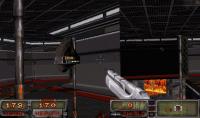
Seems pretty solid to me from a performance and stability point of view. I still can't save my game though but other than that it's great. I've no idea why that may be either as I've tried it on two different hard drives. The only thing I can think of is perhaps it doesn't like non-admin accounts when it comes to saving.
#2624 Posted 09 January 2012 - 03:45 AM
The best way to see it yourself is in the AMC TC; if you load up the map DMEPION, pick James, cheat to get all weapons and switch to weapon 7 (The Steyr AUG) and then fire it you'll see the error. The Zoom, which is achieved by increasing the player sprite's size, is also broken and doesn't work when showview is used (I'm guessing it disables the FOV effect or something?)
EDIT: I forgot that showview doesn't work in polymer yet so that's a moot point heh heh. I just tried polymost and while the ugly glitch with rotscrnang doesn't happen, the zoom effect still doesn't work whilst showview is in effect.
This post has been edited by James: 09 January 2012 - 03:48 AM
#2625 Posted 09 January 2012 - 07:58 AM
#2626 Posted 09 January 2012 - 08:27 AM
James, on 09 January 2012 - 03:45 AM, said:
You should use the setaspect command for zoom. AFAIK it works in all renderers now.
#2627 Posted 09 January 2012 - 08:15 PM
#2628 Posted 14 January 2012 - 06:56 AM
EDIT: actually wait, I'm a bit confused. There already was a MOUSE4 in the menu, what did the new thing do?
This post has been edited by James: 14 January 2012 - 06:58 AM
#2629 Posted 14 January 2012 - 06:57 AM
If all you need is quick T-menu access to tiles from one given map, it's possible to group them semi-automatically once and assigning them a hotkey. Simply open that map, go into 3D mode, and for each of i) ceiling/floor ii) wall and iii) sprite, press V once, select all tiles (go to first tile, press SPACE, go to last tile, press Ctrl-SPACE) and group them with Ctrl-G.

Help
Duke4.net
DNF #1
Duke 3D #1





