Duke4.net Forums: Adding mods to eduke32 - Duke4.net Forums

Jump to content

Page 1 of 1
  • You cannot start a new topic
  • You cannot reply to this topic

Adding mods to eduke32

User is offline   Nukester10 

#1

I was just wondering what steps you need to take in order to do this?

From what I understand you need to define a few things first in order for this to work.

Quote


TeaMonster said in an earlier post,

It's most definetly possible to import animated md3 models into eDuke.
I've got no idea on how to define stuff that isn't in the HRP, it can be done, but I've never done it, so bug one of the mod authors here.


From what I understand you have to create a def folder or file within the main Duke3D grp

Here is some sample code that i suppose you would place within this folder,

This is just an example of what it may look like,

}

// Chair (3708)
model "highres/sprites/props/3708_Chair1D.md3" {
scale 14 shade 3
skin { pal 0 file "highres/sprites/props/3708_Chair1D.png" }
frame { name "frame_1" tile 3708 }

}

// Table (3711)
model "highres/sprites/props/3711_Table1B.md3" {
scale 34 shade 4
skin { pal 0 file "highres/sprites/props/3711_Table1B.png" }
frame { name "frame_1" tile 3711 }

Here is a sample taken from the DEF CON

Would I have to add a definition to this folder as well?

define FRANKENSTINESWITCH 140
define NUKEBUTTON 142
define MULTISWITCH 146
define DOORTILE5 150
define DOORTILE6 151
define DOORTILE1 152
define DOORTILE2 153
define DOORTILE3 154

And what about the GAME CON and the USER CON?

Do I need to set definitions within ALL 3 FOLDERS or just 1 or 2 of them?

I haven't been able to find a tutorial anywhere on how to do this,so this is why I'm asking now?

Thanks for reading!

This post has been edited by Nukester10: 25 November 2012 - 07:04 PM

0

User is offline   Micky C 

  • Honored Donor

#2

I don't know very much about it, but what I can say is you don't need to mess around with defs.con if your models aren't using any kind of code (so they just sit there in game). You also don't need to mess around with the GRP file. All you need is the DEF file outlining the models and their properties, and a .bat file to tell eduke32 to read your DEF file. That's all the help I can give you.
0

User is offline   Nukester10 

#3

View PostMicky C, on 25 November 2012 - 07:04 PM, said:

I don't know very much about it, but what I can say is you don't need to mess around with defs.con if your models aren't using any kind of code (so they just sit there in game). You also don't need to mess around with the GRP file. All you need is the DEF file outlining the models and their properties, and a .bat file to tell eduke32 to read your DEF file. That's all the help I can give you.


I don't know how to create a .bat file and even if I did I wouldn't know what code to put in there in the first place.
So,how do you create one and so on and so on?
0

User is offline   Micky C 

  • Honored Donor

#4

http://wiki.eduke32....nd_line_options

Check the example at the top and the options. Put your code in a .txt file and rename the extension as .bat et voila.
0

User is offline   Nukester10 

#5

View PostMicky C, on 25 November 2012 - 07:11 PM, said:

http://wiki.eduke32....nd_line_options

Check the example at the top and the options. Put your code in a .txt file and rename the extension as .bat et voila.


Usage: eduke32 [files] [options]
Example: eduke32 -q4 -a -m -tx -map nukeland.map

Files can be *.grp/zip/con/def
Command Description Notes
-cfg [file.cfg] Use an alternate configuration file

Could you be a little more specific on how to do this?
And what makes it even more confusing is this example shown,

Example: eduke32 -q4 -a -m -tx -map nukeland.map

Ok,so where do I start and what's up with slash name this and slash name that?

know what I mean?
0

User is offline   Micky C 

  • Honored Donor

#6

The example "eduke32 -q4 -a -m -tx -map nukeland.map"is the code you put in the .txt file, reference the options to see what the letters mean. I suggest looking up .bat files from other mods such as DukePlus and WGRealms 2 to help you understand how they work. This applies to all fields of modding, it helps greatly to look at other people's work when you know they're doing the exact same or similar to what you're doing.
1

User is offline   The Commander 

  • I used to be a Brown Fuzzy Fruit, but I've changed bro...

#7

View PostMicky C, on 25 November 2012 - 11:26 PM, said:

I suggest looking up .bat files from other mods such as DukePlus and WGRealms 2 to help you understand how they work. This applies to all fields of modding, it helps greatly to look at other people's work when you know they're doing the exact same or similar to what you're doing.

I believe I have told him to do this before in one of his other threads, I guess he did not take the advice.
Most other "recent" mods all use the same structure format so start looking and open a ".bat" file with notepad!
0

User is offline   Nukester10 

#8

View PostCody, on 26 November 2012 - 06:48 PM, said:

I believe I have told him to do this before in one of his other threads, I guess he did not take the advice.
Most other "recent" mods all use the same structure format so start looking and open a ".bat" file with notepad!


Cody,that was very astute of you to point that out but what you failed to mention is that discussion in the earlier
thread you mentioned related specifically to HRP and had nothing to do with adding mods into eduke32 itself!
And don't say,"it's the same exact process!" because it isn't!

The above code I had shown is Hrp code and obviously will not work! I wouldn't have shown this code if I had known
the process of adding mods strickly into eduke32 was going to be this different....but it is!

MickyC

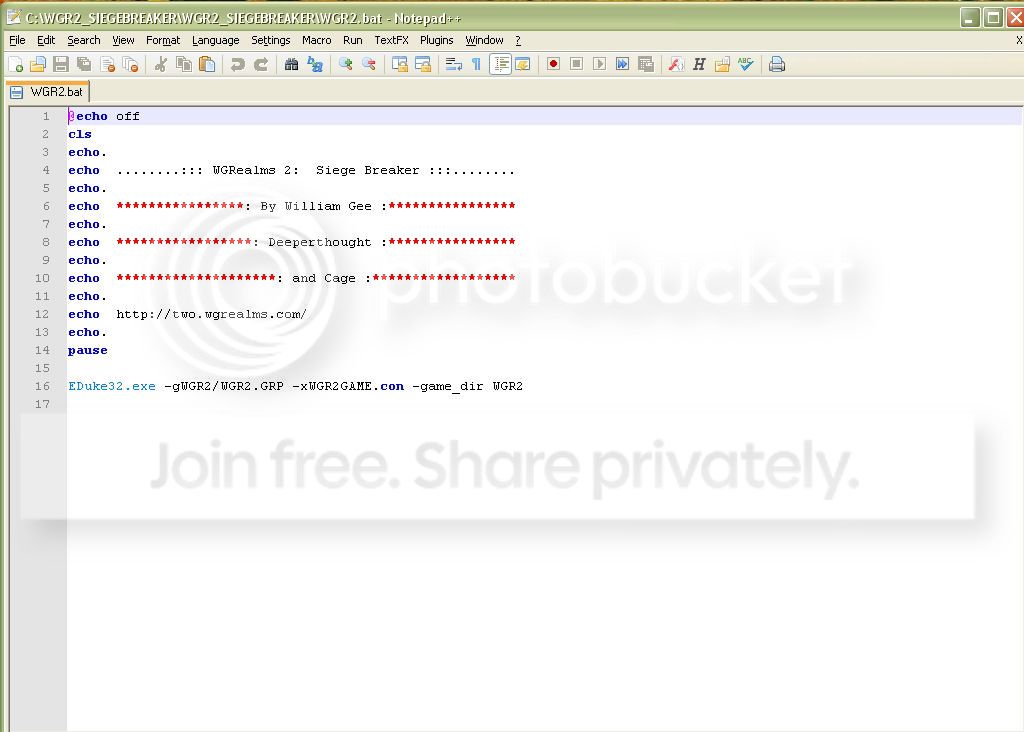
Lately,I've been studying WGRealms 2 (what an excellent game bty!) and when I opened the WGR2.bat file unfortunately this is not what I expected or wanted to see because this just makes things for me that much more difficult,
Posted Image

Now let's break this down for a minute,

Firstly,upon glancing at this,it appears this code has something to do with the opening credits.
At a closer glance,neither,"echo" "cls" nor the command,"pause" is contained within the
Command Line Options page you previously mentioned.

The only thing that looks familiar is on line 16

It mentions to use the, "Eduke32.exe" along with the,"-gWGR2/WGR2.GRP" and not to forget the
"-xWGR2GAME.con" and finally the "-game_dir WGR2"

What is actually mentioned that you referred to within the Command Line Options is shown next,

Command Description

-g[file.grp] Use an extra group file
-x[game.con] Load custom CON script

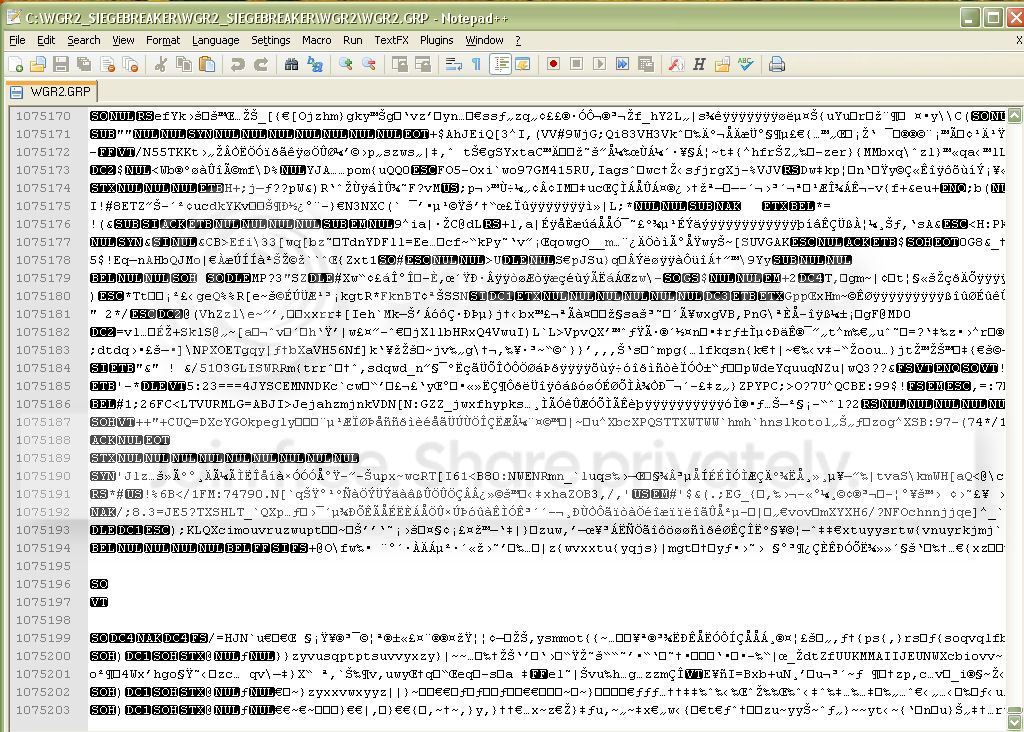
Here is what the last portion of the WGR2.GRP looks like,
Posted Image
Notice it has 1,075,203 lines of code.

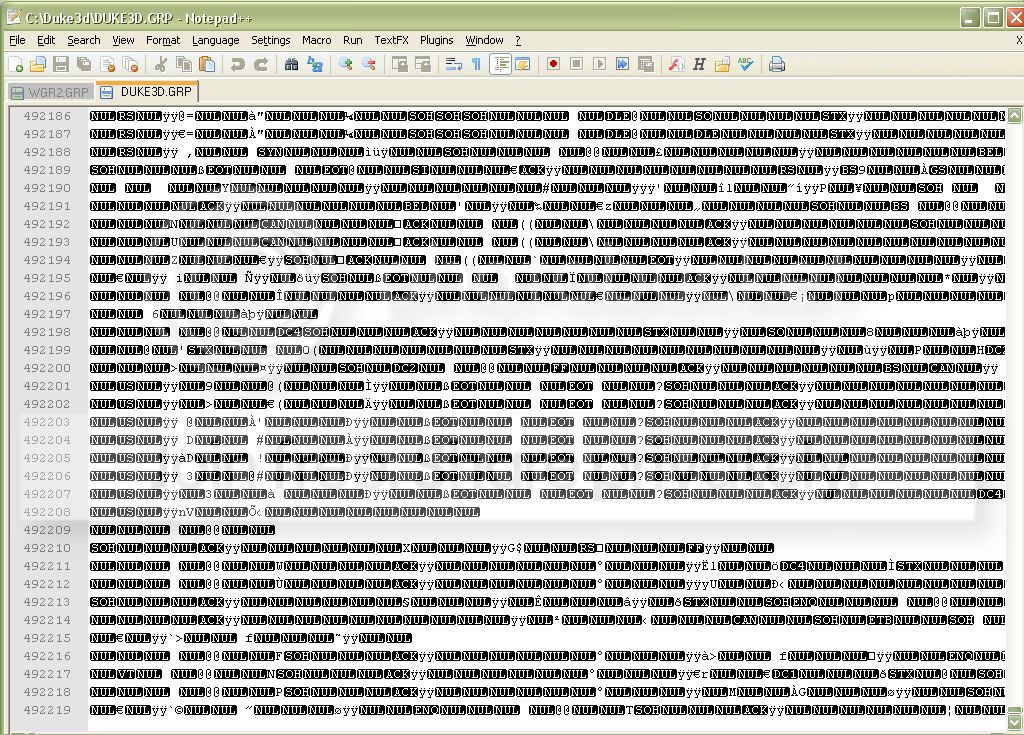
Now here is a pic of the Duke3D.GRP
Posted Image
Notice this file is much smaller,it only has 492219 lines of code.
So obviously the makers of WGR2 added their own custom code.
And as a newb this only makes things this much more difficult
in comprehending in relation to what I'm simply trying to achieve.

I happen to be looking at this code with Notepad++
and I have no idea what language this is.Is it C or C++?
who knows?

But with Notepad++ if you are familiar with it,there are different "Language" options you can choose
from to view the particular code you are interested in.I've looked at it in every language available and
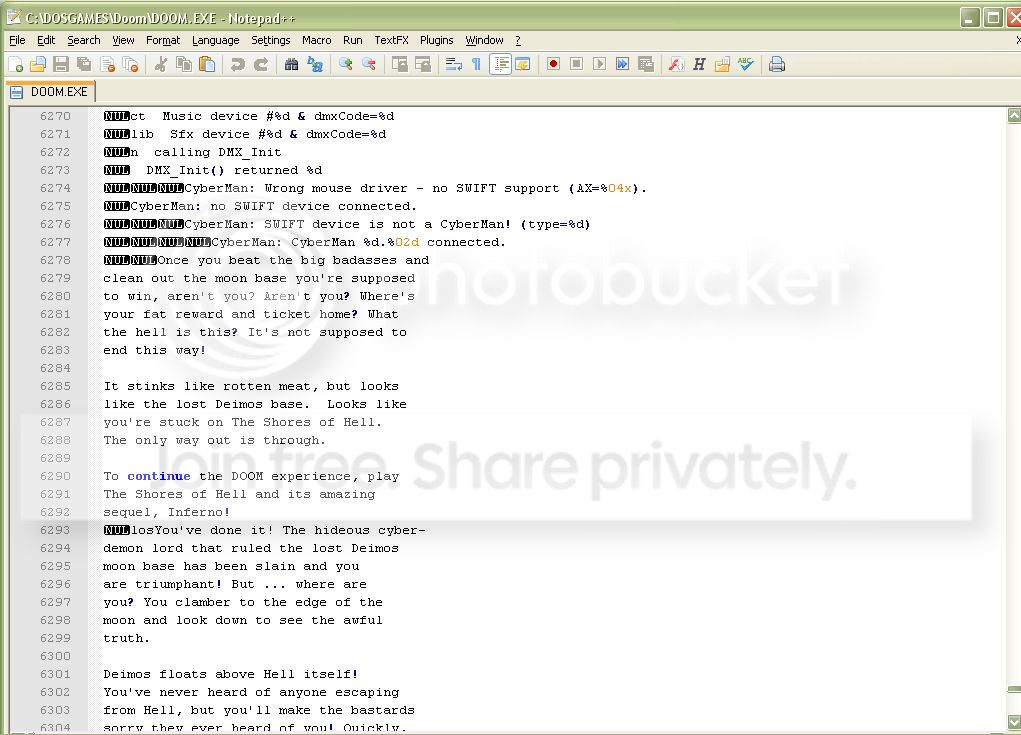
nothing looks any different.What I mean by different is,if you happen to look at the .exe file for Doom
you will notice that you can more easily read certain text contained within the code itself for example,
Posted Image
I would love to know what program the makers of WGRealms 2 used to create this custom code?
For that matter I'd love to learn how to code but that's another subject altogether and I'd like to apologize for
my exclamation and getting off topic but I thought this trivia was worth mentioning as well.

In relation to all of this my problem is much more simpler but unfortunately without any tutorials
easily available to go about I'm simply forced into experimenting with the only resource available,
that being the Command Line Options List.

And if there isn't any valuable input from anyone else,this could be a while.

0

User is offline   LeoD 

  • Duke4.net topic/3513

#9

Since you started this thread you apparently haven't even learned what a GRP file is. That's not a sign of initiative on your end. Sorry to say, but even if you are no troll you are completely wasting our time. There is so much information available about Duke mapping/modding/anything else. Use Google, the EDukeWiki, The Duke Nukem 3D Informational Suite and our forum search.
0

User is offline   Micky C 

  • Honored Donor

#10

Nukester10, I totally agree with what LeoD is saying. You could have saved yourself a lot of trouble with that last post by just doing a little searching on the wiki.

On the main page of the wiki for example there's a utility page which explains what all the files, including GRP files, do. http://wiki.eduke32.com/wiki/Utilities
And as for the .bat file you're having trouble with, it can't hurt to try wikipedia for a quick reference: http://en.wikipedia....wiki/Batch_file
0

User is offline   Kyanos 

#11

He's no troll, just a bit slower than the rest. Took him months to finish his model table, but he did finish, and while reading a .grp in notepad++ will get you confused right quick, at least he's reading. It could be that he gets ten mins online at the library every other weekend and just read through shit on his hard drive.

@ Nukester, I like you, keep going man, as you learn more learning more becomes easier. Read those links and more.

Extract duke3D.grp and read USER.CON then DEFS.CON and GAME.CON and every .CON in every mod you have.

You like models and have WGR2, pm me and I will link you privately to my personal wip WGR2 HRP completely illegal ripped from quake3 / old doom, hexen, heretic hrps / and our very own hrp. That will give you something to read.

Quote

I would love to know what program the makers of WGRealms 2 used to create this custom code?

I can't speak for the makers, but I for one use notepad++ to write con code.

This post has been edited by Drek: 16 December 2012 - 03:53 PM

0

User is offline   Mark 

#12

In the main eduke folder create a text file with notepad or other text editor of your choice. enter in the lines for your models and any new custom textures.

// Chair (3708)
model "highres/sprites/props/3708_Chair1D.md3" {
scale 14 shade 3
skin { pal 0 file "highres/sprites/props/3708_Chair1D.png" }
frame { name "frame_1" tile 3708 }

}

// Table (3711)
model "highres/sprites/props/3711_Table1B.md3" {
scale 34 shade 4
skin { pal 0 file "highres/sprites/props/3711_Table1B.png" }
frame { name "frame_1" tile 3711 }

}

dummytile 3875 64 64
texture 3875 {
pal 0 { file "highres/textures/3875.png" }
normal { file "highres/textures/3875_n.png" parallaxbias .03 parallaxscale 0.03 }
specular { file "highres/textures/3875_s.jpg" }
}

save that file as custom.def or whatever other name you want with the def extension
Then create a second text file called duke3.def also in the main folder. In that file type in 2 lines.
include custom.def
include duke3d_hrp.def

no added con code needed if you are just adding in props models that need no special code to do something fancy.
0

Share this topic:


Page 1 of 1
  • You cannot start a new topic
  • You cannot reply to this topic


All copyrights and trademarks not owned by Voidpoint, LLC are the sole property of their respective owners. Play Ion Fury! ;) © Voidpoint, LLC

Enter your sign in name and password


Sign in options



