EDuke32 2.0 and Polymer! "talk about the wonders of EDuke32 and the new renderer"
#766 Posted 19 July 2009 - 08:26 AM
#767 Posted 19 July 2009 - 10:21 AM
Sobek, on Jul 19 2009, 12:43 PM, said:
Oh right, I forgot to mention - I'm having no luck getting Normal Maps to work. I've got them generated just fine, and I've defined them exactly as they should be (even compared the def code I used to that of other normal maps already in the Polymer HRP), yet I don't get any normal maps for anything ingame. I tried enabling the parallax override command and tweaking things in game but there was still absolutely no effect, and my logfile shows no errors whatsoever (bar the IFSOUND errors generated if I use DukePlus).
In the ROR test map, I also don't have transparent water, it's just the dirty stock 8bit water texture...
Any thoughts? I'm running a 2900xt on my work machine so obviously there's the chance of issues with ATi cards, but I can't see any obvious faults - I'm using the Catalyst 9.6 / 9.7 drivers too (tried both).
There shouldn't be any issues with a 2900XT. Please post your normal maps and the definitions you used. Note that plain normal maps won't look any different unless the surface is lit. You need a height map in the alpha channel for them to add a parallaxing effect and for the parallax override variables/definitions to do anything.
#768 Posted 19 July 2009 - 05:52 PM
Plagman, on Jul 20 2009, 04:51 AM, said:
Not a problem. Attached is a downsized version of my normal map (simply downsizing won't compromise it, right? Didn't want to post a 5mb PNG if I could help it). The def code I'm using on the model is as follows;
// Battlestar Galactica (9990)
model "highres/sprites/props/BSG.md3" {
scale 20 shade 10
skin { pal 0 surface 0 file "highres/sprites/props/BSG.png" nocompress nodownsize }
normal { pal 0 surface 0 file "highres/sprites/props/BSG_N.png" parallaxbias 0 parallaxscale 0.1 }
skin { pal 0 surface 1 file "highres/sprites/props/BSG2.png" nocompress nodownsize }
skin { pal 0 surface 2 file "highres/sprites/props/BSG3.png" nocompress nodownsize }
frame { name "Frame0" tile 9990 }
}I added the 'surface 0' to the normal code recently just to see if it was being applied wrongly elsewhere, it made no difference. The thing is, it's not just my model. Even those textures in the HRP with their normals defined and present don't have any applied ingame... At the moment I'm using Nvidias normalmap generation plugin for Photoshop. My texture has the 3 RGB channels and a seperate ALPHA channel (solid black). I set the plugin to generate height data to the normal map via the alpha channel (sorry I'm being rather simplistic here), so I can only assume it's generating things correctly at that point.
It just seems that everything except the normal mapping works fine. Oh and the water as in the ROR map, not sure what's up there, it looks like this for me;

If I recall correctly, it's supposed to be transparent... I believe it was TX that originally posted a screenshot of it somewhere.
This post has been edited by Sobek: 19 July 2009 - 06:23 PM

#769 Posted 19 July 2009 - 06:59 PM
would it be possible to make water reflective and refract (is that the correct word? i always seem to forget.) the things bellow the surface and vice versa? Just suggesting it if it hasn't already (since this is the polymer thread i figured this would be the best place to mention a suggest / idea, if it is not the right place then i apologize.)
being able to see the surface / bottom has been proven possible through duke plus.
also great work guys I've been following this thread since its early stages, and I'm quite impressed with what i see being done so keep it up!
#770 Posted 19 July 2009 - 07:28 PM

Plagman posted it some time back on the 3dr thread for Polymer.
It sure got my pants wet.
#771 Posted 19 July 2009 - 07:34 PM
Sobek, on Jul 19 2009, 11:28 PM, said:

Plagman posted it some time back on the 3dr thread for Polymer.
It sure got my pants wet.
haha yep that's what i had in mind i guess i must of just missed it or forgot about it
#772 Posted 19 July 2009 - 11:56 PM
If I recall correctly, it's supposed to be transparent... I believe it was TX that originally posted a screenshot of it somewhere.[/quote]
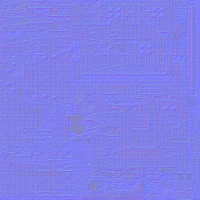
The PNG you've attached doesn't have an alpha channel. Also the normalmap itself is way too dull. Set the greater scale in NVidia Normal Map Filter.
This post has been edited by Roma Loom: 20 July 2009 - 12:01 AM
#773 Posted 20 July 2009 - 01:06 AM
Roma Loom, on Jul 20 2009, 06:26 PM, said:
Odd, it has an alpha channel present when I go to generate the normal map, and it lets me choose to add height to the normal map via the alpha channel... I don't see why the alpha would just vanish once it's created. But it doesn't really change the fact that none of the other textures that have normal maps (those already in the Polymer HRP) don't show any normal mapping at all. Something is definitely 'broken' for me.
*edit* Nothing I do lets Photoshop maintain the alpha channel in the PNG file... DDS? Sure, the alpha channel stays. But if I try and use PNG it just vanishes after saving, if I try and add it in later, it complains that the image format doesn't support what I'm trying to do (RGB + Alpha channels). I'm no good at normal maps so if you have any suggestions my mind is wide open.
The normal map I posted does look somewhat flat and useless, but that's just because it's downsized. At the original size, there's some very strong definition present. If I scale it much higher, it starts to look like a real mess...
This post has been edited by Sobek: 20 July 2009 - 01:20 AM
#774 Posted 20 July 2009 - 02:43 AM
Also for working with PNG alpha channel directly google the SuperPNG plugin. The only thing where it fails - some of 8bit PNGs in HRP...
#775 Posted 20 July 2009 - 02:52 AM
Wondering, are you working on anything for Duke3D at the moment?
#776 Posted 20 July 2009 - 03:17 AM
And yeah, Photoshop is a real bitch when it comes to PNGs with alpha channels. Good luck with that.
Edit: oh, and RoR isn't implemented in Polymer yet. That screenshot I posted shows that it works, but it's not accessible to the end-user yet. These two things are pretty much next on my list.
This post has been edited by Plagman: 20 July 2009 - 03:18 AM
#777 Posted 20 July 2009 - 04:05 AM
zchri9, on Jul 20 2009, 01:52 PM, said:
Wondering, are you working on anything for Duke3D at the moment?
http://romaloom.ho.c...1102_normal.png
#778 Posted 20 July 2009 - 04:32 AM
#779 Posted 20 July 2009 - 04:39 AM
Plagman, on Jul 20 2009, 09:47 PM, said:

And yeah, Photoshop is a real bitch when it comes to PNGs with alpha channels. Good luck with that.
Edit: oh, and RoR isn't implemented in Polymer yet. That screenshot I posted shows that it works, but it's not accessible to the end-user yet. These two things are pretty much next on my list.
Sounds very tasty, I await those things anxiously
Is normal mapping disabled completely at the moment, or not? I only ask because, while it's clear now that I can't use it on models, I still don't have ANY normal maps working on ingame textures, more specifically those that are included with the Polymer HRP. Is there any reason these wouldn't work?
#780 Posted 20 July 2009 - 05:23 AM
#781 Posted 22 July 2009 - 06:39 AM
Yesterday I tried making one of my actors change palette via a random chance. Sounds easy right? - just use ifnd or randvar?
Well here's the problem, I've used these within "eventloadactor" so it happens before the actor is alerted (as that'll look stupid seeing my actor change colour before your eyes) but then I noticed something which ruins everything - the randvar / ifrnd / basically the random number generater isn't very random at all.
The EXACT same actor will always be the different coloured one. In my test map, in the 3rd room, the actor near the back wall will ALWAYS be the coloured one!
No matter how many times I restarted the map or even restart the game the random number generator makes that actor the coloured one.
I don't know much about random number generators but from this I could assume that its a series of numbers that are fixed into the source code and the game just moves along these numbers every tic or once a number has been called and it starts at the first number upon map fully load.
Unfortunately this makes things predictable and have noticed this in the past but shrugged it off as super coninsidence but now it sticks out and its ruining my "random encounter" of this colour change.
Is there anyway around this by using some other form of "random numbering" or / and are there plans to make this generator more random? Perhaps not have it restart upon each map and let it continue where it left off? Have it start active right from the first intro movie since its not humanly possible to run through the movies and start a game at the exact tic of a second each time, or have it start a number ahead based on the seconds and milli seconds of the computer's clock or something.
Again, I don't know anything about random number generators so I don't know if anything can be done or if anyone actually wants to do anything about it.
It would be really helpful and fun to not have things set so fixed for something meant to be random.
This post has been edited by Chip: 22 July 2009 - 06:45 AM

#782 Posted 22 July 2009 - 11:32 AM
I don't know what you could do. Maybe you can use that feature that gets your personal computer day/time? =P
#783 Posted 22 July 2009 - 11:38 AM
#784 Posted 22 July 2009 - 12:16 PM
network: ERROR: Two players have the same random ID! network: ERROR: Please restart the game to generate new IDs. ...closing socket...
and is there a way to stop it from happening?
#785 Posted 22 July 2009 - 12:35 PM
Chip, on Jul 22 2009, 10:39 AM, said:
Yesterday I tried making one of my actors change palette via a random chance. Sounds easy right? - just use ifnd or randvar?
Well here's the problem, I've used these within "eventloadactor" so it happens before the actor is alerted (as that'll look stupid seeing my actor change colour before your eyes) but then I noticed something which ruins everything - the randvar / ifrnd / basically the random number generater isn't very random at all.
The EXACT same actor will always be the different coloured one. In my test map, in the 3rd room, the actor near the back wall will ALWAYS be the coloured one!
No matter how many times I restarted the map or even restart the game the random number generator makes that actor the coloured one.
I don't know much about random number generators but from this I could assume that its a series of numbers that are fixed into the source code and the game just moves along these numbers every tic or once a number has been called and it starts at the first number upon map fully load.
Unfortunately this makes things predictable and have noticed this in the past but shrugged it off as super coninsidence but now it sticks out and its ruining my "random encounter" of this colour change.
Is there anyway around this by using some other form of "random numbering" or / and are there plans to make this generator more random? Perhaps not have it restart upon each map and let it continue where it left off? Have it start active right from the first intro movie since its not humanly possible to run through the movies and start a game at the exact tic of a second each time, or have it start a number ahead based on the seconds and milli seconds of the computer's clock or something.
Again, I don't know anything about random number generators so I don't know if anything can be done or if anyone actually wants to do anything about it.
It would be really helpful and fun to not have things set so fixed for something meant to be random.
I don't know if this will help you like it did me, but I sorta noticed this behavior some times ago because I have certain things in my mod that are also semi-randomized. If I recall, the following bit of code was given to be by Hunter_rus back on 3DR about 1-2 years ago.
I put this at the end of EVENT_ENTERLEVEL
ifmultiplayer break
// De-Pseudo
gamevar TMP 0 131072
readgamevar numruns
addvar numruns 1
andvar numruns 65535
setvarvar TMP numruns
xorvar TMP 43690
whilevarn TMP 0
{
ifrnd 1 { }
subvar TMP 1
}
savegamevar numrunsIt will require those vars like TMP, numruns, etc. The most important thing is the "ifrnd 1 { }" part. It saves the "numruns" var and I assume it makes the number generator cycle a few times at startup of a map depending on the amount of times you've played a map or game. So try it out for a while and see if it helps. o.o
Also, if you use the DNCOORDS cheat, you'll see a value with the coordinates called "SEED" and you'll notice it's always changing. I'm sure that's the psuedo-random number generator in action.
This post has been edited by Lord Misfit: 22 July 2009 - 12:38 PM
#786 Posted 23 July 2009 - 07:10 AM
Quote
That's basically what I thought up today at work - randvar a number and save it out of the game (using that save to external file command which i read about some time ago) and use that to randvar pointless times equal to number number written (so it jumps up the RNG a few times) after which re-write that saved number for next time.
I was hoping there was a better and more practical solution but thanks guys
This post has been edited by Chip: 23 July 2009 - 07:11 AM
#787 Posted 23 July 2009 - 05:12 PM
There is one nice detail that mappers use to do, making a narrow sector with maskwalls and dropping down the ceiling with parallax can be usefull for good looking fences or gates, even 3d looking doors if you also parallax the floor. Well, this isnt working in polymer, and instead a these maskwalls seem to go all along the sector until the top and or down. Alejandro Glavic´s maps, Roch series, some maps of mine and many others have make use of this trick (in Fusion TC redux the railways use it), so i think it´s worth to be fixed.
Also, Dukeplus´s disable model feature isnt working.
#788 Posted 24 July 2009 - 03:49 AM
#789 Posted 24 July 2009 - 04:00 AM
Shadow Warrior has a GRP file that has ART files, try renaming that one and using it with Mapster
#790 Posted 24 July 2009 - 04:10 AM
http://www.proasm.co.../SwpBuild12.zip
SwpBuild is a Build editor for JFSW using SWP
#791 Posted 24 July 2009 - 04:17 AM
#793 Posted 24 July 2009 - 05:20 AM
I really like Mapster32, it makes things so easy on duke3d maps. Shadow Warrior looks like it will work, but it looks like it will need a names.h file of its own. So I will use the swpbuild for now. Thanks!
#795 Posted 24 July 2009 - 05:36 PM
It'd just be nice to be able to see what each of your lights is (very roughly) covering at a glance, which could probably help pinpoint potential issues with overlapping lights.
This post has been edited by Sobek: 24 July 2009 - 05:46 PM

Help
Duke4.net
DNF #1
Duke 3D #1