EDuke32 2.0 and Polymer! "talk about the wonders of EDuke32 and the new renderer"
#740 Posted 17 July 2009 - 10:28 AM
I don't know how angoff could be wrong, though, I just add it to the sprite angle...
Can you make a test case that would just need switching between renderers to expose the problem on a static model? That would help a lot.
#742 Posted 17 July 2009 - 10:48 AM
This post has been edited by Spiker: 17 July 2009 - 10:48 AM
#743 Posted 17 July 2009 - 01:06 PM
This post has been edited by zchri9: 17 July 2009 - 01:08 PM
#744 Posted 17 July 2009 - 01:36 PM
Piterplus, on Jul 17 2009, 07:34 PM, said:
What a mess!
not the image, my trousers. It looks awesome.
#746 Posted 17 July 2009 - 02:38 PM
Muelsa, on Jul 17 2009, 10:54 AM, said:
setactor [THISACTOR]. angoff gamevar
Angoff value is greater with polymer.
the Model Rotate too much compared to the Angoff's value.
-when i strafe left or right player model rotate too much
-z position is not the same than without polymer
-player model is not locked in car when i turning left right...
I do not know if Angoff is the real problem (I have to seek a little), this may be something else ..
but the code should not work the same on polymer?
here video if you do not understand what I say given my bad English
http://www.youtube.c...h?v=5Pp3tXK2iWg
#747 Posted 17 July 2009 - 03:03 PM
Muelsa, on Jul 17 2009, 03:38 PM, said:
-z position is not the same than without polymer
-player model is not locked in car when i turning left right...
I do not know if Angoff is the real problem (I have to seek a little), this may be something else ..
but the code should not work the same on polymer?
here video if you do not understand what I say given my bad English
http://www.youtube.c...h?v=5Pp3tXK2iWg
Are you using zadd in the model definition?
#748 Posted 17 July 2009 - 07:19 PM
EDuke32 was linked in an Australian magazine called Atomic.
#751 Posted 17 July 2009 - 08:14 PM
DeeperThought, on Jul 17 2009, 01:05 PM, said:
does someone need to turn down their rudeness/arrogance output? last time I checked, they did.
#752 Posted 17 July 2009 - 10:08 PM
d3drocks, on Jul 17 2009, 09:14 PM, said:
My post only seems that way if you don't know me at all and you assume that I was using the expression "last time I checked" in a nasty sarcastic way, like in your post. In fact, I was being literal. There's still a lot of stuff that hasn't been implemented in Polymer yet, and it might be useful to Plagman to be reminded about it from time to time.
#753 Posted 18 July 2009 - 02:01 AM
DeeperThought, on Jul 17 2009, 03:03 PM, said:
Yes, i have used zadd, something is changed with the position of the player ... it is not very serious, I feel that it's better like that, there is less to compensate for the Z position, the other problem is a bit more boring.
#754 Posted 18 July 2009 - 05:22 AM
(lighting exaggerated intentionally FYI);


BACKSTORY;
I had some free time this afternoon at work so I decided to do a little work on updating the Galactica mesh I had lying around (I do want to use it for something some day, might aswell save myself the trouble now and get some tinker-time with Polymer while I'm at it). I took the low-poly base ship mesh, nabbed the ribbing structure from Coxxon's HQ models, then applied the basic armor plating model over the top of that. Yes, the model is horribly broken in some areas - I had to do so much to try and keep the poly's way way down, and it shows. I'm thinking that, now that I know the whole process inside-out - I may just start from scratch with it and do it proper. At least I know I CAN, and can do it pretty fast.
I'm still amazed at how well Polymer's lighting casts over such detailed models. I initially expected light to pass through the model all over the place, but it's surprisingly good at what it does... I did absolutely nothing to the Voyager map I test things with, yet just by switching to Polymer it's made a big difference in the atmosphere of it all;
(That's an explosion at the end of the jeffries tube)

This post has been edited by Sobek: 18 July 2009 - 05:24 AM
#756 Posted 18 July 2009 - 07:18 AM
#759 Posted 19 July 2009 - 12:03 AM
#760 Posted 19 July 2009 - 12:18 AM
#763 Posted 19 July 2009 - 02:43 AM
Oh right, I forgot to mention - I'm having no luck getting Normal Maps to work. I've got them generated just fine, and I've defined them exactly as they should be (even compared the def code I used to that of other normal maps already in the Polymer HRP), yet I don't get any normal maps for anything ingame. I tried enabling the parallax override command and tweaking things in game but there was still absolutely no effect, and my logfile shows no errors whatsoever (bar the IFSOUND errors generated if I use DukePlus).
In the ROR test map, I also don't have transparent water, it's just the dirty stock 8bit water texture...
Any thoughts? I'm running a 2900xt on my work machine so obviously there's the chance of issues with ATi cards, but I can't see any obvious faults - I'm using the Catalyst 9.6 / 9.7 drivers too (tried both).
This post has been edited by Sobek: 19 July 2009 - 02:44 AM
#764 Posted 19 July 2009 - 05:53 AM
Edit: oh yeah i could also help out with testing.
This post has been edited by Devon: 19 July 2009 - 06:59 AM
#765 Posted 19 July 2009 - 05:56 AM
#766 Posted 19 July 2009 - 08:26 AM
#767 Posted 19 July 2009 - 10:21 AM
Sobek, on Jul 19 2009, 12:43 PM, said:
Oh right, I forgot to mention - I'm having no luck getting Normal Maps to work. I've got them generated just fine, and I've defined them exactly as they should be (even compared the def code I used to that of other normal maps already in the Polymer HRP), yet I don't get any normal maps for anything ingame. I tried enabling the parallax override command and tweaking things in game but there was still absolutely no effect, and my logfile shows no errors whatsoever (bar the IFSOUND errors generated if I use DukePlus).
In the ROR test map, I also don't have transparent water, it's just the dirty stock 8bit water texture...
Any thoughts? I'm running a 2900xt on my work machine so obviously there's the chance of issues with ATi cards, but I can't see any obvious faults - I'm using the Catalyst 9.6 / 9.7 drivers too (tried both).
There shouldn't be any issues with a 2900XT. Please post your normal maps and the definitions you used. Note that plain normal maps won't look any different unless the surface is lit. You need a height map in the alpha channel for them to add a parallaxing effect and for the parallax override variables/definitions to do anything.
#768 Posted 19 July 2009 - 05:52 PM
Plagman, on Jul 20 2009, 04:51 AM, said:
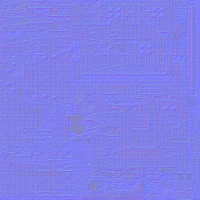
Not a problem. Attached is a downsized version of my normal map (simply downsizing won't compromise it, right? Didn't want to post a 5mb PNG if I could help it). The def code I'm using on the model is as follows;
// Battlestar Galactica (9990)
model "highres/sprites/props/BSG.md3" {
scale 20 shade 10
skin { pal 0 surface 0 file "highres/sprites/props/BSG.png" nocompress nodownsize }
normal { pal 0 surface 0 file "highres/sprites/props/BSG_N.png" parallaxbias 0 parallaxscale 0.1 }
skin { pal 0 surface 1 file "highres/sprites/props/BSG2.png" nocompress nodownsize }
skin { pal 0 surface 2 file "highres/sprites/props/BSG3.png" nocompress nodownsize }
frame { name "Frame0" tile 9990 }
}I added the 'surface 0' to the normal code recently just to see if it was being applied wrongly elsewhere, it made no difference. The thing is, it's not just my model. Even those textures in the HRP with their normals defined and present don't have any applied ingame... At the moment I'm using Nvidias normalmap generation plugin for Photoshop. My texture has the 3 RGB channels and a seperate ALPHA channel (solid black). I set the plugin to generate height data to the normal map via the alpha channel (sorry I'm being rather simplistic here), so I can only assume it's generating things correctly at that point.
It just seems that everything except the normal mapping works fine. Oh and the water as in the ROR map, not sure what's up there, it looks like this for me;

If I recall correctly, it's supposed to be transparent... I believe it was TX that originally posted a screenshot of it somewhere.

This post has been edited by Sobek: 19 July 2009 - 06:23 PM
#769 Posted 19 July 2009 - 06:59 PM
would it be possible to make water reflective and refract (is that the correct word? i always seem to forget.) the things bellow the surface and vice versa? Just suggesting it if it hasn't already (since this is the polymer thread i figured this would be the best place to mention a suggest / idea, if it is not the right place then i apologize.)
being able to see the surface / bottom has been proven possible through duke plus.
also great work guys I've been following this thread since its early stages, and I'm quite impressed with what i see being done so keep it up!

Help
Duke4.net
DNF #1
Duke 3D #1