gaula92, on 18 October 2017 - 12:22 PM, said:
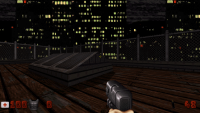
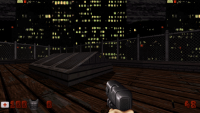
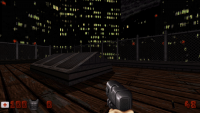
I have just tested that. The result is that the game appears unscaled on a coner of the screen
Sounds like if you ran at your display's native resolution, it would fill the screen, but if already performs worse then there's no point.
gaula92, on 18 October 2017 - 12:22 PM, said:
Without that, the classic renderer works well but has hiccups: that's to be expected because it's using ~88% CPU according to TOP. That high CPU usage comes from the fact that eduke3d classic renderer renders 640x480 frames: a 320x200 or 320x240 video mode should exist so eduke3d would render the frames INTERNALLY at the original game's resolution, and then let SDL2 scale to fullscreen using it's GLES renderer.
It's currently scaling the 640x480 frames, but it doesn't look as good as a 320x200 internal frame scaled to fullscreen physical resolution with a bilinear filter on it.
A matter of taste I guess, but the 320 video modes would be more optima CPU-wise for platforms like the Pi: NO software scaling at all should be done on such systems.
In fact, I seem to recall there was a 320x200 or 320x240 video mode time ago...
I'm not sure if you're coming from a Doom background or an emulator perspective, but right now the resolution sent to classic is used
for rendering itself. Type `vidmode 320 240` into the console, take a screenshot, scale it up in an image editor to 640x480 using nearest neighbor filtering, and compare it with a screenshot in the same place at 640x480. We currently do no scaling of our own.
Your concept of "the original game's resolution" is not quite right. Even on DOS, the setup utility lets you increase the resolution (and therefore the quality of the rendering) up to 800x600, and I believe higher resolutions up to 1600x1200 are possible with varying degrees of stability if you have the right hardware.
gaula92, on 18 October 2017 - 12:22 PM, said:
Producing internal frames at original game's resolution AND letting SDL2 do the scaing in hardware is what other engines do, like SDLPoP (Prince of Persia open source clone), RAWGL (Another World) or GZDoom. This aproximation works great and guarantees low CPU usage and perfect framerates without hiccups.
Adding support for letting the user configure internal resolution vs. output scaling (done with the graphics hardware if at all possible) is on our roadmap. As you say, it's a reasonable compromise to decrease quality in exchange for higher framerate.
gaula92, on 18 October 2017 - 12:22 PM, said:
Also, if I set FULLSCREEN ON on the graphics menu, the APPLY CHANGES option is greyed out, as if eduke3d would be detecting (wrong) that the Pi is unable of fullscreen SDL2 window... but in fact it's the ONLY type of SDL2 window it supports!

That might be a problem with SDL's reporting of which resolutions support fullscreen, or it might be a side effect of how we currently set up our video mode information that will go away once it is overhauled.

 Help
Help
 Duke4.net
 DNF #1
 Duke 3D #1