EDuke32 2.0 and Polymer! "talk about the wonders of EDuke32 and the new renderer"
#3116 Posted 20 October 2012 - 10:03 PM
But I always felt that some game sprites and HUD sprites shouldn't be affected by Polymer lights, and these negative lights only reinforces it.
#3117 Posted 21 October 2012 - 04:56 AM
#3118 Posted 21 October 2012 - 05:03 AM
This post has been edited by Diaz: 21 October 2012 - 05:17 AM
#3119 Posted 21 October 2012 - 05:03 AM
This post has been edited by Marked: 21 October 2012 - 05:04 AM
#3120 Posted 21 October 2012 - 08:40 AM
Fox, on 20 October 2012 - 10:03 PM, said:
But I always felt that some game sprites and HUD sprites shouldn't be affected by Polymer lights, and these negative lights only reinforces it.

Particle kind of sprites, sure; most of them should be fullbright no matter what, I agree with that. Why HUD models though? They looked very off before while they weren't affected by surrounding lights and pretty much everyone was complaining about that.
#3121 Posted 21 October 2012 - 08:41 AM
Diaz, on 21 October 2012 - 05:03 AM, said:
Yeah, OK; I'll fix it then.
#3122 Posted 21 October 2012 - 09:14 AM
Plagman, on 21 October 2012 - 08:40 AM, said:
Fox, on 20 October 2012 - 10:03 PM, said:
But I always felt that some game sprites and HUD sprites shouldn't be affected by Polymer lights, and these negative lights only reinforces it.
I meant just some HUD sprites, specifically muzzle flashes and shrinker crystal.
I suppose some sprites shouldn't suffer from both "positive" or "negative" lights. Perhaps just checking if the sprites is affected by the sector shade could work out. On top of that sprites shouldn't be affected by their own light source.
This post has been edited by Fox: 21 October 2012 - 09:14 AM
#3123 Posted 21 October 2012 - 09:54 AM
BTW, I had to add fixes to some light effects on my mod that relied on changing a special sprite to a SECTOREFFECTOR in CON code; flickering lights in DukePlus use the same kind of code, namely:
....
espawn SMALLSMOKE
setactor[RETURN].lotag 49
setactor[RETURN].hitag LE_RADIUS
setactor[RETURN].xvel VR
setactor[RETURN].yvel VG
setactor[RETURN].zvel VB
ifvare KILLINDEX 0 setvarvar LE_ID1 RETURN
else ifvare KILLINDEX 1 setvarvar LE_ID2 RETURN
setactor[RETURN].picnum SECTOREFFECTOR
setactor[RETURN].cstat 32768
changespritestat RETURN 3
.....As you can see I had to add a line to manually set the cstat of the SECTOREFFECTOR to 32768, otherwise the light would be a negative light by defalult. I don't know if it's been broken in Duke Plus too, probably so, as this code was based off it.
This post has been edited by Diaz: 21 October 2012 - 10:05 AM
#3124 Posted 21 October 2012 - 10:14 AM
#3125 Posted 21 October 2012 - 10:42 AM
#3126 Posted 21 October 2012 - 11:07 AM
#3127 Posted 21 October 2012 - 01:17 PM
Plagman, on 20 October 2012 - 09:42 PM, said:
Awesome... thanks! Being able to do it per color component is extra bonus!
This post has been edited by Wieder: 21 October 2012 - 01:50 PM
#3128 Posted 21 October 2012 - 02:35 PM
Marked, on 21 October 2012 - 05:03 AM, said:

That would indeed be very cool!
I think my first use for it will be a pit with a black light in it to make the hole fade to black over a smooth transition, as opposed to just black fog which can move around a lot depending on where you look. I haven't tried it out yet, but it should work fairly well. I'm a bit busy to sink my teeth into it deeply at the moment, but I'm sure Diaz will discover some pretty amazing things to do with it.
Also a warning to all polymer mappers: there's a good chance that some extra features will be added to lights at some point in the future, and that they might use extra bits such as flipping or wall alignment. If you use any of these and then these features are added, they will then occur in your old maps with undesirable consequences.
Basically, avoid using extra bits at all costs.
#3129 Posted 21 October 2012 - 04:56 PM
Fox, on 20 October 2012 - 10:03 PM, said:
Can't that be done by setting specularity to 0 or something along those lines in the defs?
Also, do glow maps get affected? If they do, they should not.
#3130 Posted 21 October 2012 - 07:11 PM
#3131 Posted 21 October 2012 - 11:43 PM
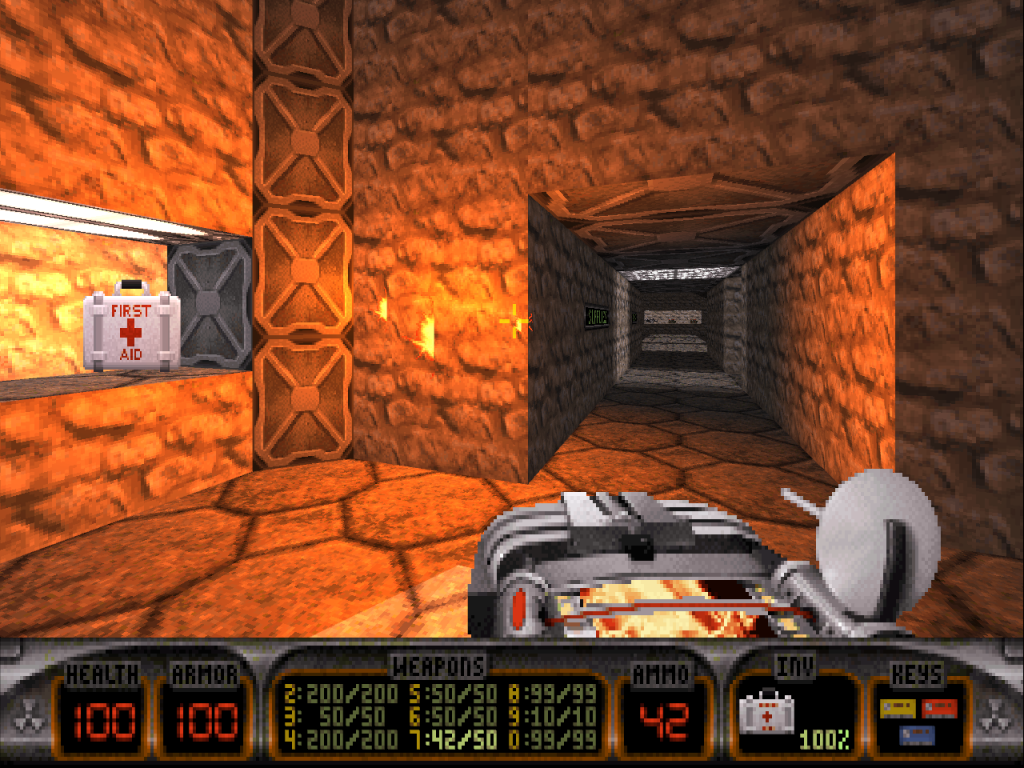
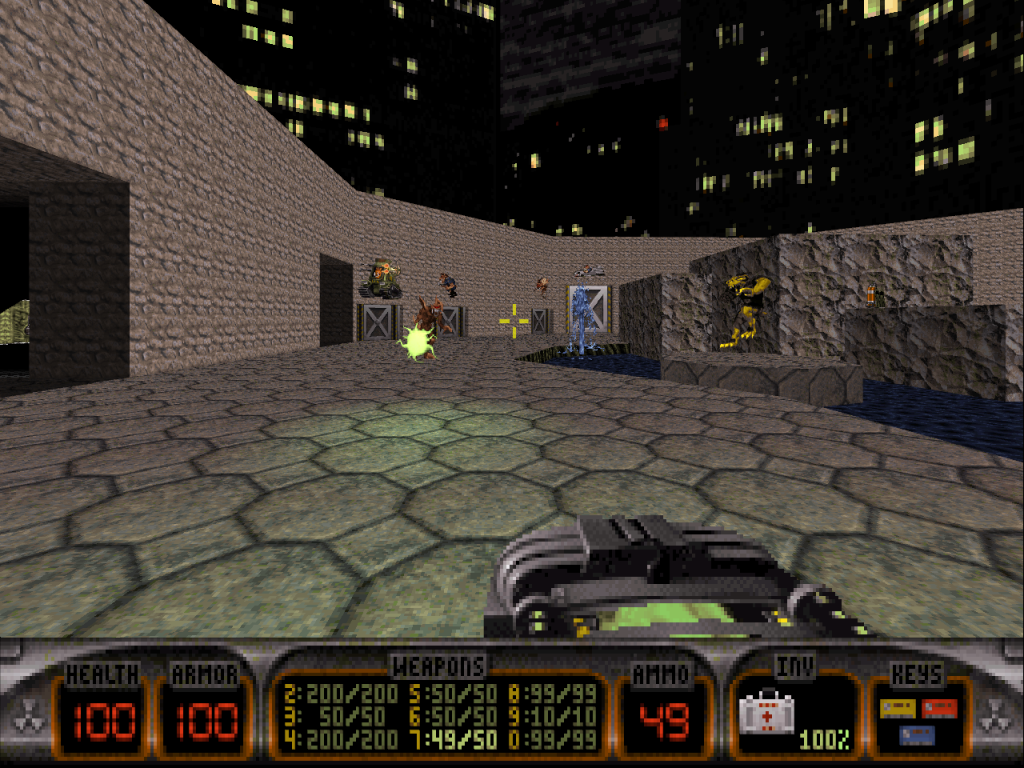
Check out how vibrant this red is on the right using negative lights, as opposed to a normal red light on the left.

This green is amazing, normally you'd have to make a texture like this pitch black to get any kind of green out of it.

And it's a fantastic transition between black fog and other fog (and most likely other fogs too). Using TROR, we now have fog depth
#3132 Posted 21 October 2012 - 11:50 PM
Hendricks266, on 21 October 2012 - 04:56 PM, said:

For HRP perhaps that could work, but I am thinking of how it display regular sprites.
#3133 Posted 21 October 2012 - 11:53 PM
#3134 Posted 21 October 2012 - 11:57 PM
EDIT: whoops didn't see there was a whole page of discussion past the talk about lights affecting models
This post has been edited by James: 21 October 2012 - 11:58 PM
#3135 Posted 22 October 2012 - 12:33 AM
Hendricks266, on 21 October 2012 - 11:53 PM, said:
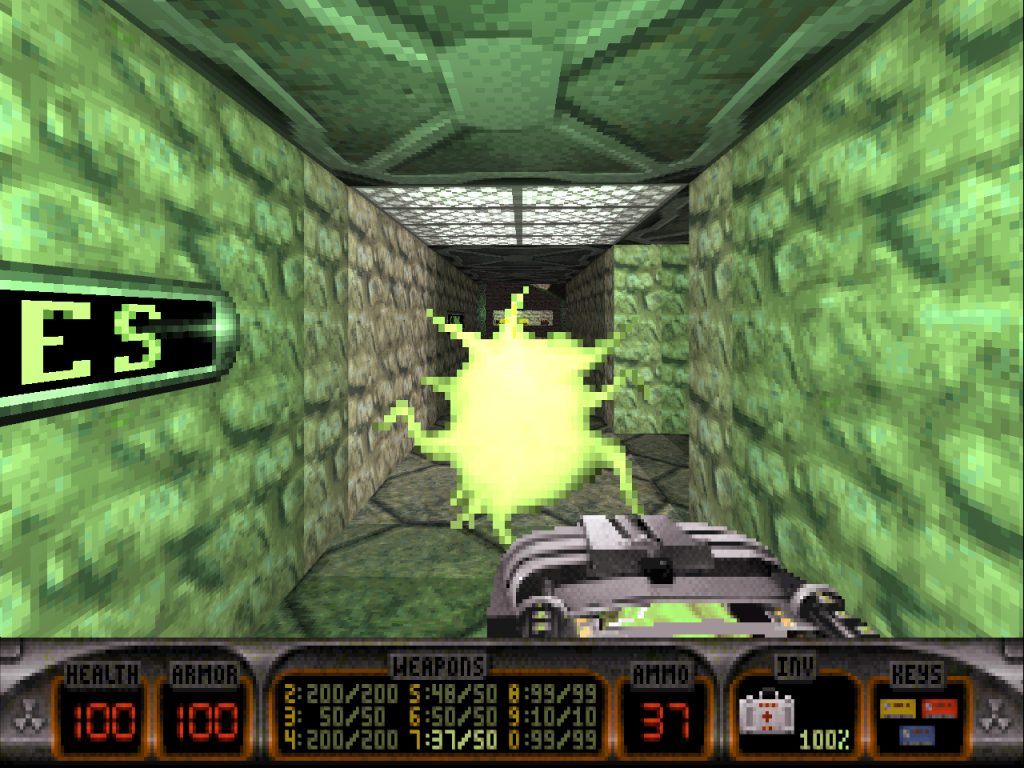
Well, these are examples of what should not happen:

===//===//===
I am experiencing a bug with ifvar commands.
Basically, I am trying to add some code in EVENT_DISPLAYROOMS, but for some reason this
ifvarand sector[SECT].ceilingstat 1
do somethingis not working, and instead I must use this
getsector[SECT].ceilingstat TEMP
ifvarand TEMP 1
do somethingI remember that for quite a while I avoided using "sector[id].member" as a variable, and now I know why.
This post has been edited by Fox: 22 October 2012 - 12:34 AM
#3136 Posted 22 October 2012 - 12:37 AM
Fox, on 22 October 2012 - 12:33 AM, said:
Ah, I understand now and I agree completely. Since the SHRINKSPARK and GROWSPARK lights are hardcoded, they should be modified so that they do not apply to the sprite casting them. Other hardcoded light sources, such as RPG, are debatable. Such functionality (cast a light but don't also be affected) should be expanded to CON usability, such as a new cstat or htflags bit that ignores Polymer lights.
Your other problem is a job for TX.
#3137 Posted 22 October 2012 - 12:42 AM
This post has been edited by Fox: 22 October 2012 - 10:13 AM
#3138 Posted 23 October 2012 - 12:38 AM
#3139 Posted 25 October 2012 - 03:10 PM
Technically I could use a resized image instead, but that would affect the linear filter in OpenGL mode. I could define a highres image with normal size, but an highres textures behaves differently...
#3140 Posted 26 October 2012 - 08:56 AM
#3141 Posted 26 October 2012 - 01:26 PM
#3142 Posted 26 October 2012 - 03:00 PM
#3143 Posted 26 October 2012 - 03:06 PM
#3144 Posted 26 October 2012 - 03:47 PM
http://sourceforge.n...duke32/bugs/26/
It was just a quick and dirty way of getting it up and running, but it needs to adjust dynamically depending on the scene contents and above a threshold, toggle into a slightly more expensive mode where you get increased depth precision. I'm unsure what you can do before that work is done, though; if I just naively bump the far clip plane distance you'll start to get more depth aliasing elsewhere in the scene. Maybe add fog as a workaround until that's fixed? Sorry I don't have a better solution and for generally dropping the ball on Polymer work.
#3145 Posted 26 October 2012 - 04:26 PM
Plagman, on 26 October 2012 - 03:00 PM, said:
I could do that. But that would have side-effects, and more important I don't want to. The same way I could batch recolor images, but that doesn't means tints or palmaps are not necessary, right?
The problem here is that there are things you can't do depending on the technical scale (art file data) of the image.

Help
Duke4.net
DNF #1
Duke 3D #1