Duke4.net Forums: EDuke32 2.0 and Polymer! - Duke4.net Forums

Jump to content

  • 213 Pages +
  • « First
  • 80
  • 81
  • 82
  • 83
  • 84
  • Last »
  • You cannot start a new topic
  • You cannot reply to this topic

EDuke32 2.0 and Polymer!  "talk about the wonders of EDuke32 and the new renderer"

User is offline   Tetsuo 

#2420

View PostPlagman, on 30 August 2011 - 04:25 PM, said:

Why don't you do it yourself? It shouldn't be rocket science, I even think rhoenie has an HOWTO up.

It shouldn't be rocket science but I'm failing to build it. I tried downloading the latest SVN source code you have on your synthesis site and compile it on the Mac as best as I can... I even made sure I installed sdl via macports just in case it doesn't look for the sdl framework (which I do have installed) and prefers the more unix way:

Spoiler


The parts that catch my eye are the no such file or directory after it says it succeeded but I tried making a folder of the same name as those files but it then errors out saying those are folders (well obviously). It's not exactly obvious what to do about it. No binaries show up anywhere despite it saying it succeeded. Although it seems as though it failed to build actually and since it did there's no end file to copy.
There's also errors like

Quote

make: *** No rule to make target `obj/SDLMain.o', needed by `eduke32'. Stop.
which I have no idea what this means. All I can figure is something is missing but I don't know what or what to do about it.... There seems to be more work to do to get it compiled than what is said in Rhoenies instructions besides... and it's not all obvious to me.

Also I don't find an apple directory or the line that it says to edit in this part here:

Quote

Note: If you get sourcecode versions released after january 2010 you only need to edit the file: eduke32/Apple/Makefile.shared. In most cases you only have to change the APPLE_TARGET to match your setup.


So it may be easy peasy but I guess I'm missing something obvious that I should be seeing so very easily.

I even downloaded the latest (albeit highly outdated by now) source from Rheonie and followed that instruction and even then it failed but this time with even more errors because you have to choose a specific SDK from the makefile.shared and it only goes up to 10.5. His doesn't even support compiling on/for 10.6+ (xcode 4 for 10.7 only includes 10.6 and 10.7 SDK's) or 64-bit. But that's not the version I want anyway. Like I said his version is outdated by now and I want the latest compiled.


This post has been edited by Tetsuo: 30 August 2011 - 08:09 PM

0

User is offline   Helixhorned 

  • EDuke32 Developer

#2421

You have to put SDLMain.m and SDLMain.h from the SDL light development pack the Apple/ directory into the root eduke32 directory, IIRC.
0

User is offline   Tetsuo 

#2422

Yes I've read what you said elsewhere and tried that, didn't work. You are talking about the main folder when you extract the source right? Also which apple directory are you speaking of specifically because I had a hard time finding those files and I'm not even sure I got the correct ones. I downloaded many revisions of the source from the synthesis page and found no trace of an Apple/ directory. Nor do those files show up in a spotlight search when searching source downloaded from the synthesis site.

I tried grabbing sdlmain.h out of the SDL framework and the SDLMain.m from the SDL light development kit previous to you posting that but that didn't seem to work. I tried grabbing sdlmain.h from the newest available build from rhoenie's site and put it in the main folder alongside the sdlmain.m from the developer lite package as i couldn't find a sdlmain.m in that source and it still didn't work. Just gave the same error.

Rhoenie's source tarballs do have apple directories but they are so out of date it defeats the purpose which is to get the latest compiled for Mac. Also I can't find SDLMain.m in them either. But I could find .h and like I said I tried putting that in the main folder on the newer source and it didn't work for me.

This post has been edited by Tetsuo: 31 August 2011 - 01:53 AM

0

User is offline   Helixhorned 

  • EDuke32 Developer

#2423

The Apple/ directory is in the SVN tree. You could use the ones from SDL since I don't recall changing the prototypes, but for EDuke32 I rewrote some parts that were giving me weird x86 code.
0

User is offline   Tetsuo 

#2424

OK I tried that and now I'm getting the following errors after downloading the svn and copying the sdlmain files to the main folder and trying to make it.

Quote

ld: library not found for -lsupc++
collect2: ld returned 1 exit status
Failed linking executable eduke32!


And if I try polymer-perf I get the additional:

Quote

src/unix.c:34: error: conflicting types for ‘socklen_t’
/usr/include/sys/socket.h:111: error: previous declaration of ‘socklen_t’ was here
src/unix.c: In function ‘enet_socket_accept’:
src/unix.c:251: warning: pointer targets in passing argument 3 of ‘accept’ differ in signedness
Failed building obj/unix.o from src/unix.c!
make[1]: *** [obj/unix.o] Error 1
make: *** [source/enet/libenet.a] Error 2


Which one am I supposed to use anyhow? Polymer or Polymer-perf?
0

User is offline   Plagman 

  • Former VP of Media Operations

#2425

Don't use Polymer-perf. It's way faster, but it's also kinda stale.
0

User is offline   Plagman 

  • Former VP of Media Operations

#2426

And try changing -lsupc++ to -lstdc++
0

User is offline   Tetsuo 

#2427

OK I did a spotlight search and I guessed that since makefile.shared showed up you have to change it there and it seems to have worked now. But damn that was not an obvious answer for a programming layman like myself. The only thing is now full screen isn't working... it either kicks to a smaller screen in the bottom corner of my desktop or fails to show up and I only hear music. Also the mouse isn't working....... I tried redownloading the source code and doing the two things recommended here and the mouse works now...

Here's my log:

Spoiler


OK this seems to only happen when setting the game full screen it fails when I try to do that. On the other hand the long standing bug I had been talking about where sectors outside the one you are in cease to draw showing the skybox after a while seems to have been fixed so that's something.

This post has been edited by Tetsuo: 31 August 2011 - 04:37 PM

0

User is offline   Kyanos 

#2428

Plagman, I have a model that looks wrong in polymer, but correct in polymost. It only does this when I combine the normal and detail textures. I think it might have to do with a lack of transparency in the normal and detail?
See WGR2 Models thread for download.

0

User is offline   Plagman 

  • Former VP of Media Operations

#2429

That's because you're trying to set up parallax mapping with huge factors; your height map probably isn't anywhere close to correct looking at these shots.
0

User is offline   Plagman 

  • Former VP of Media Operations

#2430

To be clear the default factors are non-zero, so if your height map doesn't exist or has garbage in it, you want to manually set parallaxscale to 0.
0

User is offline   Kyanos 

#2431

View PostPlagman, on 31 August 2011 - 08:33 PM, said:

That's because you're trying to set up parallax mapping with huge factors; your height map probably isn't anywhere close to correct looking at these shots.

I figured it was something I did. I just wanted to show you in case it was a polymer issue. And the height map came from that crazybump program, so it's probably flawed somehow, they base it from a picture. I will make my own and hope for better results. Thanks Plagman.
0

User is offline   MusicallyInspired 

  • The Sarien Encounter

#2432

View PostTX, on 28 August 2011 - 11:31 AM, said:

I guess nobody posted about this here yet, but Plagman fixed the huge problems ATI users were experiencing with Polymer last night. Go Plagman.


Hooray! Congrats, Plagman! Not that it matters to me anymore. I've since upgraded to a NVidia card with no issues at all. But this will be a godsend for people still living under ATI's regime. Thank you for all your hard work!
0

User is offline   Kyanos 

#2433

So Plagman, I've come across another issue with the same model as yesterday.

View PostDeeperThought, on 01 September 2011 - 12:50 PM, said:

I did some more testing. The shimmering bug only happens in Polymer. It happens regardless of whether the normal is being used, so the normal is not causing it. Apparently it is a Polymer glitch.

I am attempting to replace a set of fence tiles with this one md3. The model has 2 planes in the center, each facing opposite directions. These two planes are what change for each different sprite via separate skins. This is the area DT is talking about in this quote. Both planes coexist at the exact same location, just a mirrored duplicate. I will try some adjustments on the model. I just wanted to let you know about this because it does work in polymost.
0

User is offline   Mark 

#2434

I don't want to turn this into a modeling thread so I will post my response over in the other WGR section. I'm pretty sure I know what the problem is with the model itself.

This post has been edited by Marked: 01 September 2011 - 03:11 PM

0

User is offline   Danukem 

  • Duke Plus Developer

#2435

Is synthesis taking an abnormally long time to get updated with the latest snapshot? As of this posting, the latest revision in there is r1994.
0

User is offline   Plagman 

  • Former VP of Media Operations

#2436

A package update on the server broke it for a while; I tried to get it back up earlier today, but failed to fix all the problems. It should be fixed now, the build should be up momentarily.
0

User is offline   Plagman 

  • Former VP of Media Operations

#2437

And I think that Polymer-specific model problem might just be a symptom of the different backface culling behavior. I'll take a look.
0

User is offline   Kyanos 

#2438

Quote

TX, on 28 August 2011 - 02:31 PM, said:
I guess nobody posted about this here yet, but Plagman fixed the huge problems ATI users were experiencing with Polymer last night. Go Plagman.


Thanks Plagman, this fix finally makes polymer playable for me on my laptop :(

This post has been edited by Drek: 02 September 2011 - 12:05 PM

0

User is offline   Tetsuo 

#2439

Yeah those fixes also fixed the problem I was having on my eDuke32 although it seems now fullscreen is broken for me for now like I indicated earlier.
0

User is offline   Danukem 

  • Duke Plus Developer

#2440

There's a Polymer related bug that no one has reported yet, and I think was recently introduced (I'm not sure how recently, but I started noticing it a few weeks ago...I didn't realize what it was back then and didn't report it).

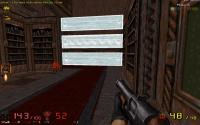
There is a problem with floor aligned and wall aligned sprites not being displayed with the correct game palette when the game palette changes (e.g. when nightvision goggles are used). I have only seen this happen in WGR2, which has a modified nightvision palette.

-Many wall aligned sprites continue to look normal when the goggles are on, instead of having the altered palette.
-Some floor aligned sprites do have the altered palette when the goggles are on, but then they continue to have it even after the goggles are off.
-In one instance which I haven't been able to replicate, all of the wall aligned wood planks in the map (even those miles away from where the goggles were used) continued to be displayed with the altered palette after the goggles were turned off. Turning goggles on/off again did not fix it. I have a screenshot of this attached.

EDIT: The easiest way to see an example of the bug is to kill some enemies with the rocket launcher while using nightvision ("spirit vision" in WGR2). When you turn them off, some or all of the blood pools will still have the goggle palette.

Attached thumbnail(s)

  • Attached Image: duke0004.jpg

0

User is offline   Jblade 

#2441

anyway to disable Mapster32 spamming it's console with map corrupt errors? It's telling me every level I load has corruptions in it and I've lost track of what keys I have to press to try and fix it or what console commands to use.
0

User is offline   Mike Norvak 

  • Music Producer

#2442

View PostJames, on 05 September 2011 - 01:49 PM, said:

anyway to disable Mapster32 spamming it's console with map corrupt errors? It's telling me every level I load has corruptions in it and I've lost track of what keys I have to press to try and fix it or what console commands to use.


Yeah is kinda annoying, anyways you can enter this on the console: corruptcheck tryfix
0

User is offline   Danukem 

  • Duke Plus Developer

#2443

View PostNorvak, on 05 September 2011 - 05:40 PM, said:

Yeah is kinda annoying, anyways you can enter this on the console: corruptcheck tryfix


Is there any possibility of that raping the map? It scares me. I just did it on a map, and it changed literally hundreds of sectors. Here's a sample:

 -> auto-correction: reset sector 11's ceiling slope
 -> auto-correction: reset sector 12's ceiling slope
 -> auto-correction: reset sector 13's floor slope
 -> auto-correction: reset sector 14's floor slope
 -> auto-correction: reset sector 15's ceiling slope


The map looks fine, but it's huge and I may have missed something.
0

User is offline   Fox 

  • Fraka kaka kaka kaka-kow!

#2444

I am not sure, but it seems for that is imply removed the slope cstat from sectors with a slope value of zero.
0

User is offline   Micky C 

  • Honored Donor

#2445

I think it's to do with a bug that potentially caused slopes sectors to reset their slope to zero, and corruptcheck tryfix prevents that.
0

#2446

maybe it could have something to do with floorstat and ceilingstat. Maybe if it resets the stat quickly, then the floor or ceiling automaticly sets heinum to zero when the statnum 2 is not set.
0

User is offline   Danukem 

  • Duke Plus Developer

#2447

View PostFox, on 05 September 2011 - 06:25 PM, said:

I am not sure, but it seems for that is imply removed the slope cstat from sectors with a slope value of zero.


That sounds plausible. But that's so minor it shouldn't be considered "corruption". The game could easily fix that at map load time, anyway.
0

User is offline   Helixhorned 

  • EDuke32 Developer

#2448

There are two pieces of information about the slope of a ceiling or floor that are stored for each sector: ...heinum determines the amount of the slope, but ...stat's bit 2 determines whether it's drawn (and collision-handled) as a slope at all. If the two are inconsistent, mild annoyances may occur in the editor. I didn't make it run at load-time for the unlikely case that some clever person used heinum as an additional tag.
0

User is offline   Danukem 

  • Duke Plus Developer

#2449

View PostHelixhorned, on 06 September 2011 - 01:05 PM, said:

I didn't make it run at load-time for the unlikely case that some clever person used heinum as an additional tag.


Is having inconsistencies between stats and heinum safe, or is it not safe? If it's not safe, then I don't see why the inconsistency needs to be allowed for the sake of a possible tag, especially when there are other ways to achieve the same result (moreover, I doubt that anyone has actually used it that way or plans to). If it is safe, then it's not what should be considered "corruption". When mapster reports "corruption", that sounds very serious; it's too bad there's no easy way to tell how serious the corruption actually is without having a lot of technical knowledge.
0

Share this topic:


  • 213 Pages +
  • « First
  • 80
  • 81
  • 82
  • 83
  • 84
  • Last »
  • You cannot start a new topic
  • You cannot reply to this topic


All copyrights and trademarks not owned by Voidpoint, LLC are the sole property of their respective owners. Play Ion Fury! ;) © Voidpoint, LLC

Enter your sign in name and password


Sign in options