Duke4.net Forums: Mapping questions thread - Duke4.net Forums

Jump to content

  • 27 Pages +
  • « First
  • 25
  • 26
  • 27
  • You cannot start a new topic
  • You cannot reply to this topic

Mapping questions thread

User is online   ck3D 

#781

You can experiment by just placing a sprite inside of a sliding door or subway child sector and see how it behaves, stays in place but is intangible and only visible as long as the original sector is drawing inside the frame. In addition to that, I've found certain buggy behaviors are possible, e.g.. when combining the sector movement with certain effects that alter floor Z (in my case was earthquake IIRC) can get the item to take off and shoot up, up and away into the sky. Can be used for trolling purposes if one learns to control that. Have player fancy key for twenty minutes then as soon as Duke finally gets near it blasts off Team Rocket style.

This post has been edited by ck3D: 01 April 2026 - 09:01 AM

1

#782

Alright I got the group of sprites floating up and down as desired above an outdoor pool, but now the pool sector obviously goes up and down too. Is there any way to make only the sprites move up and down? :whistling: If not I will let it be as it is now, hopefully it doesn't look too awkward lol

I put some ammo into some made-of-sprites vent shaft and it stays there even if it does see me through the sprites, now in a similar other shaft the ammo drops down as soon as it sees me, but I want it to stay inside the shaft like the other one. It just doesn't work and I'm going nuts lol. What could be possibly wrong here now? :huh:
0

User is offline   pepsodent 

#783

View Postunedukecated, on 02 April 2026 - 07:10 AM, said:

Alright I got the group of sprites floating up and down as desired above an outdoor pool, but now the pool sector obviously goes up and down too. Is there any way to make only the sprites move up and down? :whistling: If not I will let it be as it is now, hopefully it doesn't look too awkward lol

there's no way to make sprites go up/down without making sectors do that too. You'd have to code a new effect for it yourself. You can put your sprites on very tiny sectors that no one will notice and make those go up/down. From what I read thats not an option for you since you are out of walls.

View Postunedukecated, on 02 April 2026 - 07:10 AM, said:

I put some ammo into some made-of-sprites vent shaft and it stays there even if it does see me through the sprites, now in a similar other shaft the ammo drops down as soon as it sees me, but I want it to stay inside the shaft like the other one. It just doesn't work and I'm going nuts lol. What could be possibly wrong here now? :huh:

check z cords on that ammo, maybe its bellow the vent shaft. Also check the blocking flags on the shaft itself to be sure ammo can stay on it.
1

#784

View Postpepsodent, on 02 April 2026 - 07:37 AM, said:

there's no way to make sprites go up/down without making sectors do that too. You'd have to code a new effect for it yourself. You can put your sprites on very tiny sectors that no one will notice and make those go up/down. From what I read thats not an option for you since you are out of walls.


Uhh yes this could work, although I probably need an hour to do so. ;) Thanks!

Quote

check z cords on that ammo, maybe its bellow the vent shaft. Also check the blocking flags on the shaft itself to be sure ammo can stay on it.


Yeah silly me again, block was on and ammo had correct Z coords, but the "shaft" actually is a ceiling fan and it was 1-sided only lol. Fixed! :D

This post has been edited by unedukecated: 02 April 2026 - 08:53 AM

0

User is online   ck3D 

#785

View Postunedukecated, on 02 April 2026 - 08:53 AM, said:

Uhh yes this could work, although I probably need an hour to do so. ;) Thanks!


What pepso suggested would be the artisanal way (and probably is a must-learn at some point since there can be so many applications of that trick), but there also is a possible way that is more elegant but it's already been suggested about three times in this thread, I will let you cook a little regarding what it may be, but if you didn't follow the logic of some of the posts, maybe all you need to know is you can just point at any sprite in 2D mode then hit F8 to edit all of its properties, and one of them should ring a bell that resonates with one we have been talking about. FWTW by having the general movement work, you already got the main/hard part.

If you feel like solving the exercise then you may (or may not depending on your layout) need one extra sector somewhere that would be technically visible (just to load) from all possible angles the player can have on the bobbing sprites (for instance larger boundary sector around most of the room), even though the sprites geographically wouldn't be in it, and blocked maskwall(s) (not one-way walls) to visually conceal it. Would look clean, but indeed moderately technical to nail, would feel satisfying though.

Or you may just say screw it and forget about it, on the map side at least, even if it's possible if too technical for now. Danukem has programmed a special SE for me before that achieves precisely what you want in one of his mods, as a last resort you can try asking him if you can use his code, but it's possible he also decides it would be cooler if you learned how to write it.

In general Build is a technical engine, it is nothing like DooM where you can just draw 2.5D landscapes with barely any consideration for what the math does (well actually you can choose to do that in it too, but then will run into the corresponding difficulties), every value one manipulates matters to the unit in some capacity, things as fundamental as exact heights or lengths or shade values sometimes need a justification that prevails over cosmetics. But it is not difficult to tame when instead of thinking you are expected to have a solution for every idea you want to materialize, you either accept to save it for later when your grasp on engine expectations is better (can be either wise or a disaster if never confident enough), or look at the set of tricks that you already have down and imagine the combinations that would work to at least come close enough (slow but sure baby steps). I feel like that is where most people will (and should) draw the line about tips, conceptualization of which precise effects can be combined to do what really is most of Build work, and it's not unusual at all (but part of the course and learning curve) to not be able to live up to grand ideas (we all have them)... yet. But getting there by means of one's own bubble gum and duct tape is better than torpor in front of quixotic challenge resulting in not moving at all.

It is fine and encouraged to ask for technical confirmation on how the base effects work or don't obviously, but very quickly can veer into the creative aspect and become ghostmapping when one starts requesting all of their solutions. Not saying this is happening now, it's obvious from your work and updates you can figure things out, but a general observation of a natural human tendency - one that for self-preservation makes complete sense but socially doesn't compute too well, and Build itself doesn't take well to, instead expecting the direct user to know how/where to be flexible around it so that they can come up with personalized solutions. Otherwise is asking for help on an equation that would be simple if 90% of the variables weren't uncertain (literally if you sum up the game and engine to raw math), occasionally there is a chance someone will get it right for you but most of the time looks like an impossible problem, to the mapper themselves first and foremost. When once you realize that instead of learning all of the variables, you just need a clear equation then there is no more problem.

This post has been edited by ck3D: 02 April 2026 - 02:33 PM

2

#786

View Postck3D, on 02 April 2026 - 12:51 PM, said:

What pepso suggested would be the artisanal way (and probably is a must-learn at some point since there can be so many applications of that trick), but there also is a possible way that is more elegant but it's already been suggested about three times in this thread, I will let you cook a little regarding what it may be, but if you didn't follow the logic of some of the posts, maybe all you need to know is you can just point at any sprite in 2D mode then hit F8 to edit all of its properties, and one of them should ring a bell that resonates with one we have been talking about. FWTW by having the general movement work, you already got the main/hard part.

If you feel like solving the exercise then you may (or may not depending on your layout) need one extra sector somewhere that would be technically visible (just to load) from all possible angles the player can have on the bobbing sprites (for instance larger boundary sector around most of the room), even though the sprites geographically wouldn't be in it, and blocked maskwall(s) (not one-way walls) to visually conceal it. Would look clean, but indeed moderately technical to nail, would feel satisfying though.

Or you may just say screw it and forget about it, on the map side at least, even if it's possible if too technical for now. Danukem has programmed a special SE for me before that achieves precisely what you want in one of his mods, as a last resort you can try asking him if you can use his code, but it's possible he also decides it would be cooler if you learned how to write it.

In general Build is a technical engine, it is nothing like DooM where you can just draw 2.5D landscapes with barely any consideration for what the math does (well actually you can choose to do that in it too, but then will run into the corresponding difficulties), every value one manipulates matters to the unit in some capacity, things as fundamental as exact heights or lengths or shade values sometimes need a justification that prevails over cosmetics. But it is not difficult to tame when instead of thinking you are expected to have a solution for every idea you want to materialize, you either accept to save it for later when your grasp on engine expectations is better (can be either wise or a disaster if never confident enough), or look at the set of tricks that you already have down and imagine the combinations that would work to at least come close enough (slow but sure baby steps). I feel like that is where most people will (and should) draw the line about tips, conceptualization of which precise effects can be combined to do what really is most of Build work, and it's not unusual at all (but part of the course and learning curve) to not be able to live up to grand ideas (we all have them)... yet. But getting there by means of one's own bubble gum and duct tape is better than torpor in front of quixotic challenge resulting in not moving at all.

It is fine and encouraged to ask for technical confirmation on how the base effects work or don't obviously, but very quickly can veer into the creative aspect and become ghostmapping when one starts requesting all of their solutions. Not saying this is happening now, it's obvious from your work and updates you can figure things out, but a general observation of a natural human tendency - one that for self-preservation makes complete sense but socially doesn't compute too well, and Build itself doesn't take well to, instead expecting the direct user to know how/where to be flexible around it so that they can come up with personalized solutions. Otherwise is asking for help on an equation that would be simple if 90% of the variables weren't uncertain (literally if you sum up the game and engine to raw math), occasionally there is a chance someone will get it right for you but most of the time looks like an impossible problem, to the mapper themselves first and foremost. When once you realize that instead of learning all of the variables, you just need a clear equation then there is no more problem.


Uhm not sure what you're trying to tell me, but I have indeed moved on. The group sprites floating above the outdoor pool looking good as it is, the water sector of pool floating up and down too with the sprites is now just the way I wanted it because I added something to it. So now there's no need to edit it any further. :) It's just that I sometimes (often?) have a hard time to get things to work the way I want it, and after some time of trying without success I like to ask here before a chance of giving up may occur lol
It's all a learning process if you're new into mapping like Pepsodent or me. But now we already can do quite a lot, just not everything. I haven't learned TROR or simply SOS yet, but maybe later. SOS is something easy but it's also kinda boring. I'd like to learn TROR instead someday later. But whatever, for now everything is fine and it's pretty obvious I know how to edit sprites via F8. Something you need to do anyway if you want SE49 and SE50 to work properly, you can't set them up without F8 editing, you have to put values for RGB colors and so on. ;)

Anyway thanks a lot for you time and detailed input ck3d! :)
0

User is offline   pepsodent 

#787

View Postunedukecated, on 03 April 2026 - 06:21 AM, said:

I haven't learned TROR or simply SOS yet, but maybe later. SOS is something easy but it's also kinda boring. I'd like to learn TROR instead someday later.

Its a bit foolish to put SOS aside thinking TROR is a better option. Both have their applications and you can mix them together too for something interesting. I also disagree that SOS is boring, in my opinion its the most important part of any Build engine map, its the main thing that differentiates your map from any other 2.5D engine, like Doom for example. Its an incredibly fun and helpful tool to make your layouts more interesting and interconnected.

This post has been edited by pepsodent: 03 April 2026 - 08:06 AM

3

User is online   ck3D 

#788

TROR is just SOS with extra hacky sauce on top anyway, it is impossible to learn without SOS basics (and to make anything actually cool with without serious SOS skills). I guess sure you could always Ctrl + E poke a bunch of little holes into a classic map and call it TROR but come on. Anyway it is a (possible) extension of SOS, not a separate branch.

Point I was trying to make is, Build (not I) likes personalized solutions, in fact it is the only real way to work with it since closer to coding than visual design under the hood (which is deceptive enough to draw misleading comparisons to simple engines like DooM), and so one can't ask for solutions the same way they can't ask for ready-made lines of code - kills the point that is the process of Frankensteining your own personal monster, and even practically doesn't function since the author is the person with access to and (ideally/hopefully) knowledge of the data they have written, and so it's almost a guarantee the 'solution' won't even work out of the box and then the whole experience feel even more impenetrable, etc.

So asking how things in general work is cool; just be mindful the line with other people ghostmapping your effect is stupidly easily crossed due to the technical nature of the engine, see for instance how you provided perfect screenshots and notes on that clipping problem of yours before and it still stumped a good three, four mappers because in reality so much is nowhere but in the mapper's hands but also head; the information is everything, and that goes both ways. Anyway the enthusiasm about learning is great, I have no doubt you will keep developing and if you don't understand my point now, don't worry about it, you will later.

This post has been edited by ck3D: 03 April 2026 - 08:46 AM

0

#789

Long story short: map started 1st of December until I messup with TROR multiple times = restart from scratch without any TROR or SOS, yet it's very accessible and interconnected, at least more or less and much more than 7G Hub I'd say, but you'll see then. Someday...

This post has been edited by unedukecated: 03 April 2026 - 10:25 AM

0

User is online   ck3D 

#790

You can make good levels without SOS/TROR/heck even any verticality or supposed prerequisites whatsoever, there is no such thing as a quality checklist. That being said, not liking SOS is always going to be against the grain in terms of opinion since it is that and moving sectors that justify most everything about Duke 3D being more technical to map for than DooM, and so it's common to assume someone who would just want to make simple playable environments would use that engine instead since it doesn't have the features that they don't need and thus would just be hurdles to them. Personally am on that boat too because it makes logical sense but honestly it can take multiple finished Duke maps for most to even dare touch SOS and so you will learn it when/if ever you feel like it like everyone does.

It makes sense you (anyone) couldn't get TROR to work if you don't know what you are doing with SOS at this stage, the image in your head just isn't going to be this direct to form for now and it isn't on the tool if you hadn't learned what you were manipulating quite yet so shouldn't resent it, but stick to Build in general and eventually you'll develop that confidence with experience.

This post has been edited by ck3D: 03 April 2026 - 11:14 AM

2

#791

View Postck3D, on 03 April 2026 - 11:08 AM, said:

You can make good levels without SOS/TROR/heck even any verticality or supposed prerequisites whatsoever, there is no such thing as a quality checklist. That being said, not liking SOS is always going to be against the grain in terms of opinion since it is that and moving sectors that justify most everything about Duke 3D being more technical to map for than DooM, and so it's common to assume someone who would just want to make simple playable environments would use that engine instead since it doesn't have the features that they don't need and thus would just be hurdles to them. Personally am on that boat too because it makes logical sense but honestly it can take multiple finished Duke maps for most to even dare touch SOS and so you will learn it when/if ever you feel like it like everyone does.

It makes sense you (anyone) couldn't get TROR to work if you don't know what you are doing with SOS at this stage, the image in your head just isn't going to be this direct to form for now and it isn't on the tool if you hadn't learned what you were manipulating quite yet so shouldn't resent it, but stick to Build in general and eventually you'll develop that confidence with experience.


Yeah sorry, I know SOS has its right to exist of course - just like any of the other cool features Build/Mapster have to offer. It's just that I'm very strict, so if I don't want a feature in the map I don't use it at all (TROR and SOS in this maps case). Whatever, it really is fun to playtest it so far and yet so many more adjustments have to made (enemy selection and distribution can be a PITA). But I fixed the broken doortile and curtrains flicker finally. Just be removing the curtains there (there are other curtains nearby anyway). and using a sector for the door instead of a sprite.

So yeah, TROR and/or SOS definitely later. I have regained a few walls and can put new sectors here and there now which I will definitely need sooner or later a few times. Also still trying to tweak Polymer performance, blocking lots of areas with visuals like smaller buildings and info walls or something. Oh dear... :D
1

#792

Well don't go overthinking what learning SOS entails. Strictly speaking you don't have to do anything you aren't already doing. Anytime 2 sectors overlap you have SOS
1

User is online   ck3D 

#793

View Postunedukecated, on 04 April 2026 - 09:48 AM, said:

Yeah sorry, I know SOS has its right to exist of course - just like any of the other cool features Build/Mapster have to offer. It's just that I'm very strict, so if I don't want a feature in the map I don't use it at all (TROR and SOS in this maps case). Whatever, it really is fun to playtest it so far and yet so many more adjustments have to made (enemy selection and distribution can be a PITA). But I fixed the broken doortile and curtrains flicker finally. Just be removing the curtains there (there are other curtains nearby anyway). and using a sector for the door instead of a sprite.

So yeah, TROR and/or SOS definitely later. I have regained a few walls and can put new sectors here and there now which I will definitely need sooner or later a few times. Also still trying to tweak Polymer performance, blocking lots of areas with visuals like smaller buildings and info walls or something. Oh dear... :D


Working with restraints actually is really cool, I absolutely love doing it, as long as you renew the type of restraint(s) frequently (which you probably will naturally come to do, in order to keep mapping fresh over time) this just means you will develop every time a little expertise in this or that niche of the process until eventually everything starts blending together and you can just make and manipulate whatever, because you've narrowed it down and dissolved the unnecessary specialization. Basically it is fun, results in unique levels more often than not, and it will make you improve at articulating your vision in general as little techniques for everything develop until it all merges.

SOS/TROR is all I do now and most of my interest left in playing around with the engine but for years I was scared of a lot of things wall manipulation (due to trauma from OG DOS Build loving the opportunity to randomly corrupt the map, invert sectors, etc. which gave it bad rep for a long time, but in reality it all has been sorted out by EDuke32 for years and years and Mapster is a reliable editor), plus it just wasn't always so easy with the old editors and so I actively stayed away from SOS for a bit as it seemed dangerous, only later realized it wasn't the case as I learned more about how the engine worked, and the documentation is clearly out now (hence why I generally encourage reading, even just sometimes out of boredom skimming through an Infosuite or EDuke Wiki page, etc.). Seriously got into it more maybe over the last decade (Blast Radius is full of it and you can see the progression from sloppy-ish towards clean) and only learned TROR last year because I was bored and also realized from WG's maps it actually had lots of untapped gameplay potential. But it took me 15 years after it was invented to bother with it, just to say you really are allowed to not even think about it.

But yeah most likely you'll just go through phases, another thing I stayed away for over a decade used to be dynamic lights, now I put them absolutely everywhere to the point where I occasionally get bored of them and go back to sharpening some gradient shading skills again for a bit, etc... It is just the natural thing to do progressing through the linearity of the development of an individual all the while they are documenting their expression.

Hitting the limits early but then cutting back a shit ton is something I've found myself doing lately, honestly I'd say it's good practice because it forces you to focus on highlights around a level early on even if/when it is spread out.

This post has been edited by ck3D: 04 April 2026 - 11:16 AM

0

#794

@ lllllllllllllllll: yeah very funny! :P

@ ck3d: yeah, restrictions are cool and you can count on me that I won't make it too easy for the player again (I love how often TLOD/Nacho died in the 7G Hub stream xD), so be warned! :) Just don't be scared already, it's all fair and hopefully well balanced. And if not, try to find 1 of the many secret areas to get more kickass items! :P

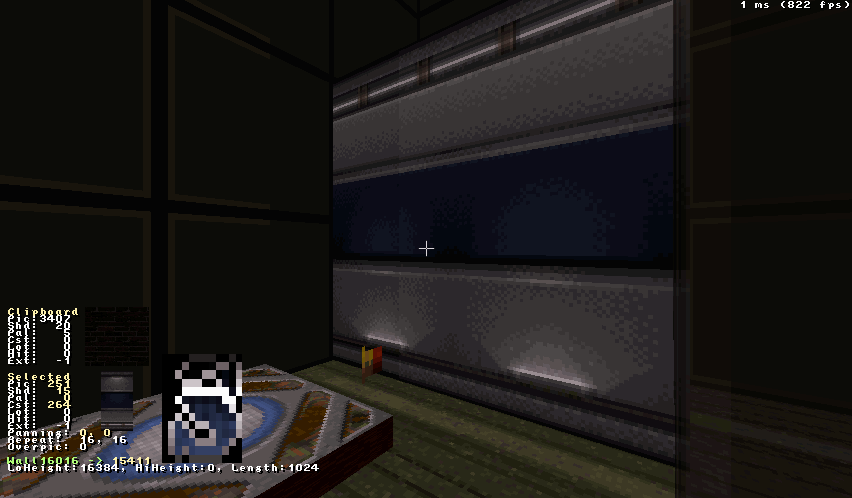
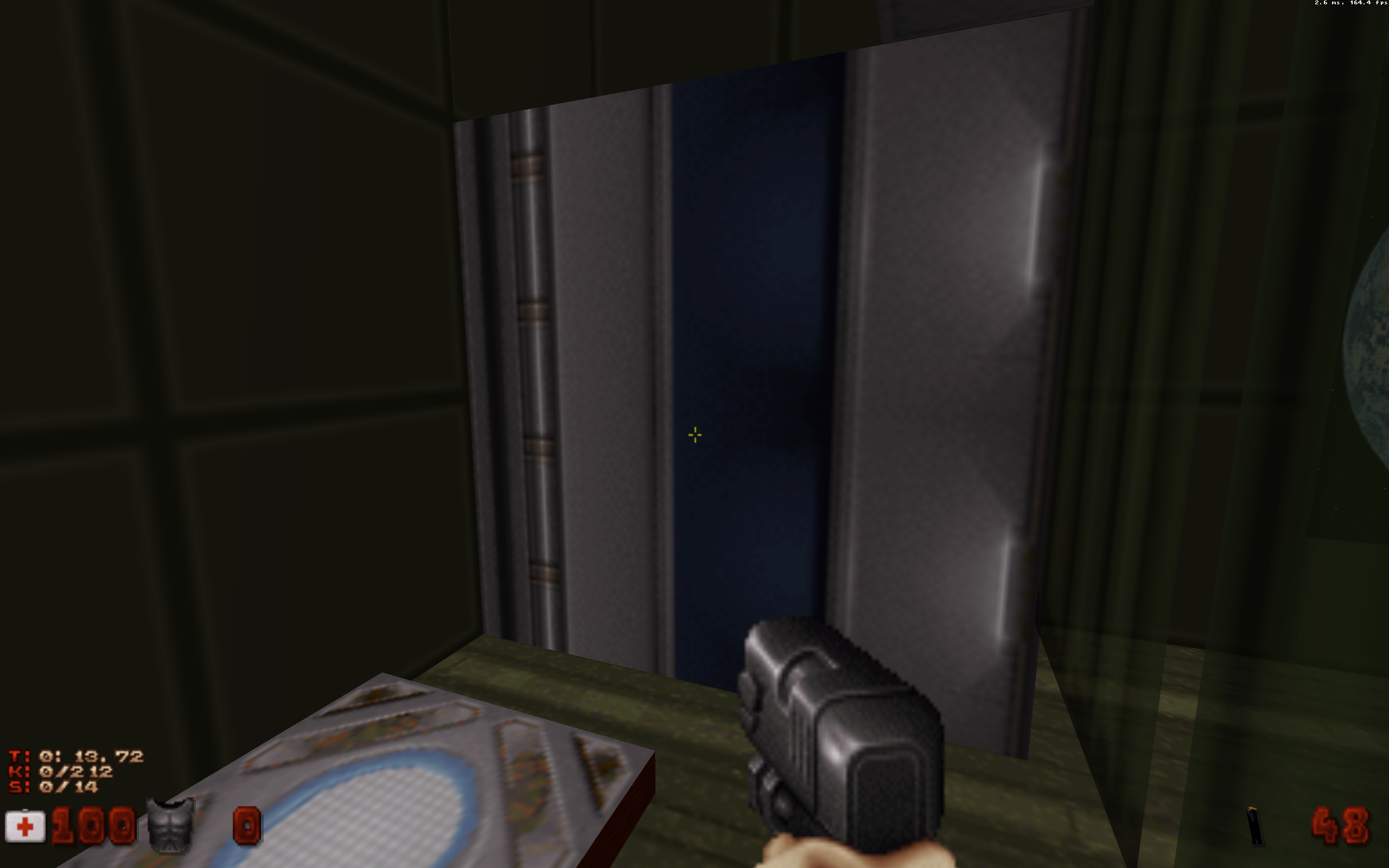
I made my first slide door finally but some textures flicker like hell in all render modes, guess this needs adjusting via using other textures or something since none flicker in the Altslidoor.map for example. Weird rocket science yet again lol

This post has been edited by unedukecated: 05 April 2026 - 11:08 AM

0

User is online   ck3D 

#795

Are you using the 'traditional' method for slide doors (the one the Infosuite details as a spiderweb of vertices towards the center of the door sector pretty much), because it is useful to know in order to achieve E2 type doors, but also doesn't have to be so complicated, can be just a free-floating ST25 sector with the required effectors, any shape, can accomodate maskwalls, be made to look like objects, etc. Most people who make tech doors just make them like that and then have the door sector(s) slide into gaps between walls if needed.

Texture flickering issue sounds strange (but Polymer is strange), maybe make sure no wall is clipping through anything during the operation because that sounds the most plausible thing like that description, also remember this effect is specifically rigged to work perfectly horizontally or vertically, at an angle it will break in many ways.

This post has been edited by ck3D: 05 April 2026 - 11:21 AM

0

#796

View Postck3D, on 05 April 2026 - 11:19 AM, said:

Are you using the 'traditional' method for slide doors (the one the Infosuite details as a spiderweb of vertices towards the center of the door sector pretty much), because it is useful to know in order to achieve E2 type doors, but also doesn't have to be so complicated, can be just a free-floating ST25 sector with the required effectors, any shape, can accomodate maskwalls, be made to look like objects, etc. Most people who make tech doors just make them like that and then have the door sector(s) slide into gaps between walls if needed.

Texture flickering issue sounds strange (but Polymer is strange), maybe make sure no wall is clipping through anything during the operation because that sounds the most plausible thing like that description, also remember this effect is specifically rigged to work perfectly horizontally or vertically, at an angle it will break in many ways.


Yeah, I made them Infosuite style and just fixed the flickering. Moving the vertices marked with green here: https://infosuite.du...age=ae_doors_b3 was the reason, you have a white and a red line at the same location so I moved them elsewhere without any white/red line at the same spot and it works without any flickering now. I guess some parts of the Infosuite are pretty outdated or at least old fashioned. :P
0

User is online   ck3D 

#797

Hmm the method the Infosuite exhibits is correct though, those vertices are supposed to fully overlap ideally (it can be a little off as long as it doesn't throw off the calculation too much, hopefully doesn't break the door by offsetting its position over time upon repeated activations). That is so you know that normally isn't a problem and maybe here is just Polymer being the odd man out again, seeing as it has totally different drawing priorities I could imagine it having difficulties handling overlapping walls, software renderer and Polymost most likely wouldn't.

Method you learned actually corresponds to learning more than sliding doors by the way, also must have taught you Star Trek Doors and Split Star Trek Doors which work the exact same.

P.S.. Just remembered/noticed again, but Infosuite also describes the method with gaps in the walls I was on about if you scroll down to 'The modern sliding door' on the page you linked to. It is great you learned the original technique as in theory it is the 'clean' way to work with horizontal doors (that can actually block rendering of what's behind them, etc.) and like I said is logic that can be applied again to more effects. The 'modern' technique is a lot lazier and more useful to know if you ever want movable/pushable objects (doesn't even need a separate track as parent sector or anything), to a degree you can complexify the 'door' into pretty much whatever. One con is fixed speed that is pretty slow in addition to the effect being buggy with diagonal displacements (but the room can be designed at an angle instead). Can also attach to walls for horizontal pistons/crushers.

This post has been edited by ck3D: 06 April 2026 - 02:22 AM

0

#798

Well the flickering was there when overlapping walls in Polymer and polymost, now without any overlapping there is no more flickering and the door works fine and normal after multiple activations. It's also in safe spot where there is not much to see/to block, but I use ceiling doors and such to hide other areas from too many other areas being rendered to improve performance. Works pretty wall, once a ceiling door is closed frames increase significantly and everything is smooth again then. Just some outdoor areas are having heavy frames drop if you look around or if you look from a certain spot to another certain spot with loads of sectors being rendered all at once methinks.

Whatever, I wlll try to continue to leave these problematic areas without putting too many sprites and such and block some more views, hiding sectors. Actually mostly doing spritework like hell now, like 5200 used now which is equally to 7G Hub I'd say, but this time it will be more way since so many areas still are untouched and empty.

Here's the slide door by the way:
Posted Image
:P
0

#799

The way I've constructed them there are 2 kinds of slide doors:
one is constructed with 2 red sectors which touch nothing else , and the other is 1 red sector connected to a white wall.
What you've got appears to be both- 2 sectors connected to a white wall

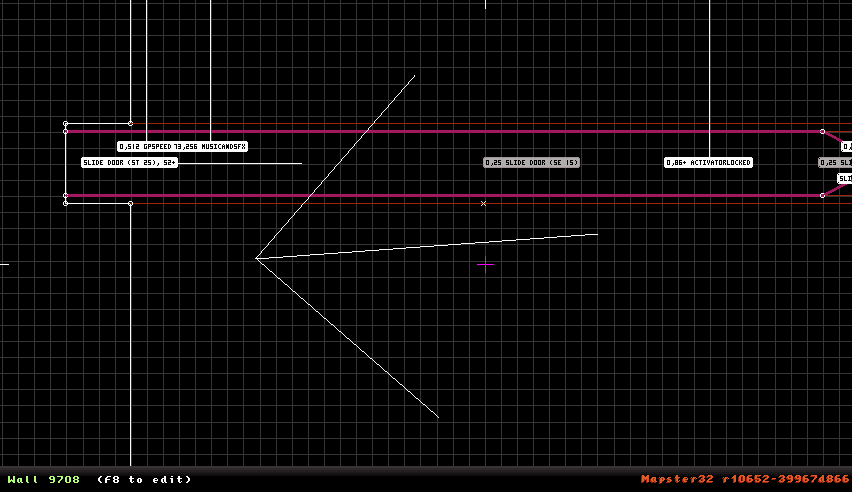
The 'flaw' with what you posted is the so-called door sector is supposed to be empty space. The reason the white & red walls overlap in the tutorial is from there being no actual sector inside the door. The reason for the shape of the door's tip is that sector is the needed wrapper to control the behavior of the white walls, making them move. That sector is where the effectors and tag go. The door itself is really white walls that move. The red sector is completely 'open' in that the floor/ceiling is flush with the surrounding sectors.

The flickering in your setup is caused by the slide door being a sector. Its walls are visible and so white walls overlapping you of course have 2 walls on top of each other just like 2 sprites overlapping

To make that slide door 'correct' you delete the larger red sector, The 'wrapper' on the right should be connected to the white wall with red lines. You then overlap those red lines with the white wall part way.
Other route is you separate the current slide door from the white walls and extend vacant space between it and the white wall on that end to match the distance the door will recede into the wall. That is to keep the door from blinking out of existence when it crosses other walls.

A slide door made from 2 red sectors does not need to be blocked either nor masked. Raising the floor to meet the ceiling or ceiling to floor is perfectly fine and blocks LOS for rendering while a mask will not.


Course if what you got works it works.
If that is a mask you can unmask it and raise/lower the slide door sector to save performance with no changes to the door
1

#800

Or I could just leave the slide door as it is now because it works perfectly. :P And no more slide doors, waste of walls. I'll stick to ceiling and swing doors now.

Now something odd again: how can I get the expander sprite #32 to work? I can place it but not collect it, unlike the shrinker. But I don't want the shrinker, I want the expander ONLY. Any way to make the expander work or do I really have to put the shrinker instead? :rolleyes:
0

User is online   ck3D 

#801

Slide door doesn't take as many walls, it's just as ||||... was saying you messed something up in the construction and came up with a hybrid of both techniques that essentially is twice the resources a contraption. Where you placed the effectors isn't supposed to be a sector, that is supposed to be invalid/non-player space hence why the dragging of the vertices during the assembling (again really just paraphrasing what was explained in the message above you). You are not the first mapper I see try making their first slide doors and make this exact mistake, I suspect it may be due to a wrong approach to that page on the Infosuite where instead of following the instructions, some may be tempted to just try and reproduce the screenshots 1:1 except by ignoring the process (the wall-dragging, what the vertices are supposed to be connected to, etc.) they are also ignoring the logic that makes it work, and essentially making an image of the effect that sometimes actually sort of works, but is not the effect (or is the effect but unnecessarily doubled or tripled up).

Slide door is basic, it is ST25, SE15 (hitag: channel) inside sector pointing at opposite direction the door will open + GPSPEED (lotag: distance = Build units / 2 here, for some reason), throw in MSFX for funsies and that is it. You get a moving sector that can be manually operated and that can be attached to other walls it will then drag along with it which is what the old school method does, where the 'doors' really are the (white wall) edges of the level sliding in and out (well, out and in). That is why normally you need the triangular end to be able to sneak the effectors into some kind of valid space. Maybe instead of, or in addition to 'old school'/'modern' technique would be more proper to call them negative/positive slide doors or something.

Anyway you don't have to change the door if satisfied with it, but the claim about resources normally spent is incorrect and really due to how you made this specific one.

Mind you I also struggled with the wall dragging logic at play here at first for my first couple of maps. Wasn't helped that it wasn't even screenshots mappers had at the time to learn the effects, but literal ASCII art renditions of how to manipulate the vertices. As a result, for a while I only made improper ones that were unusually curved (due to the vertex placement) and would only partially open by shapeshifting, but they were functional and pretty unique in a fun way, been tempted to bring them back sometime.

Expander never was a weapon pick-up in the game, and so you would have to write code for it but honestly can also try thinking of a level-based solution/gimmick instead to force the player to get rid of the shrinker and from mapper POV might feel more satisfying.

This post has been edited by ck3D: 07 April 2026 - 07:10 AM

1

#802

Slide door: whatever, it's done and I have no intend to make a second slide door anytime soon.

Expander: well this sucks big time, but okay you will have 10 shrinker shots then, no more! :P
0

Share this topic:


  • 27 Pages +
  • « First
  • 25
  • 26
  • 27
  • You cannot start a new topic
  • You cannot reply to this topic


All copyrights and trademarks not owned by Voidpoint, LLC are the sole property of their respective owners. Play Ion Fury! ;) © Voidpoint, LLC

Enter your sign in name and password


Sign in options