
 Help
Help
 Duke4.net
 DNF #1
 Duke 3D #1


As a small experiment I've been following the indications in https://wiki.eduke32.../Packaging_mods to try replacing the game's main menu screen (tile 2493 "betascreen") with a custom image using the following .DEF code:
texture 2493 { pal 0 { file "my_menu.png" nocompress nodownsize } }
This works fine. However, my intent is now to replace tile 2456 ("menuscreen") with the stock 2493 so that both menu screens look the same. I've tried a number of different things and in all cases, the 2456 menuscreen has really bad colors:
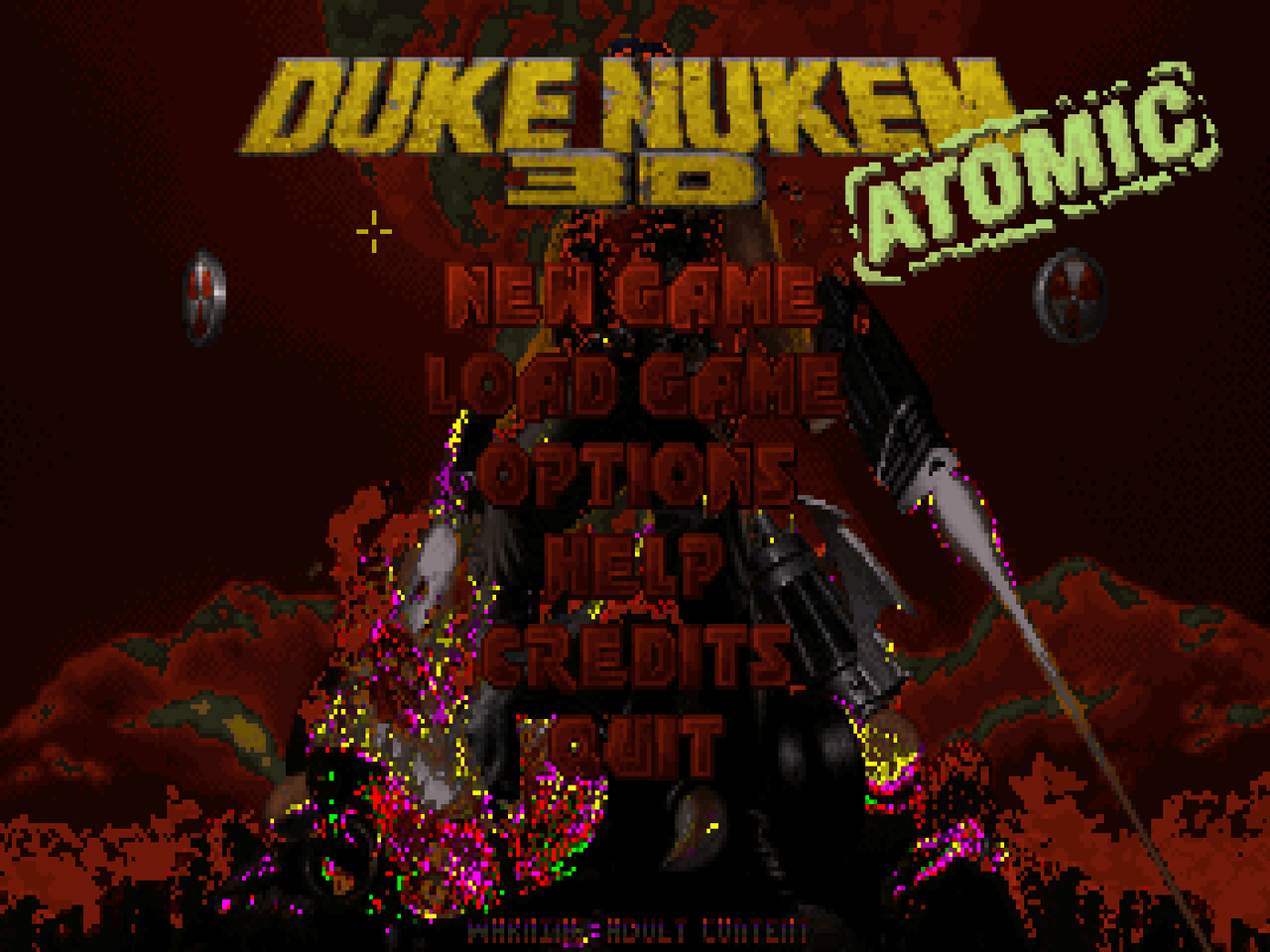
Here's what I've tried so far:
1. Extract TILES009.ART from DUKE3D.GRP, then 2493.png from it and use the following:
tilefromtexture 2456 { pal 0 { file "2493.png" nocompress nodownsize } }
2. The same but using texture instead.
3. Creating a new .ART file with 2493.png at index 2456, then importing it:
artfile { file "my_art.ART" }
but the same happens.
4. Replacing tile 2456 with 2493 directly inside TILES009.ART, then importing it as above.
I haven't tried adding my TILES009.ART to DUKE3D.GRP, but I suspect it'll have the same result.
I've also noticed that Group File Studio and BAFed both show tile 2493 with those wrong colors, and the extracted .png looks the same. Strangely enough, however, doing tilefromtexture 2496 { pal 0 { file "2493.png" nocompress nodownsize } } still displays it fine as tile 2496, though I don't understand why.
Am I doing something wrong? Thanks.


