Duke4.net Forums: [PLAYTEST] "98%" Duke Nukem Advance for PC - Duke4.net Forums

Jump to content

Page 1 of 1
  • You cannot start a new topic
  • You cannot reply to this topic

[PLAYTEST] "98%" Duke Nukem Advance for PC

User is offline   oasiz 

  • Dr. Effector

#1

Duke Nukem Advance for PC [Playtest]
Brought to you by branung, oasiz and contributors (Full list at the bottom!)

!! NOTE !!
If you have played the previous version from last summer, this one has countless changes since then.
This is a PLAYTEST RELEASE, we're 98% there but some known issues still remain and are listed further ahead.
Please leave feedback for any issues & suggestions you might have, thanks!

Posted Image

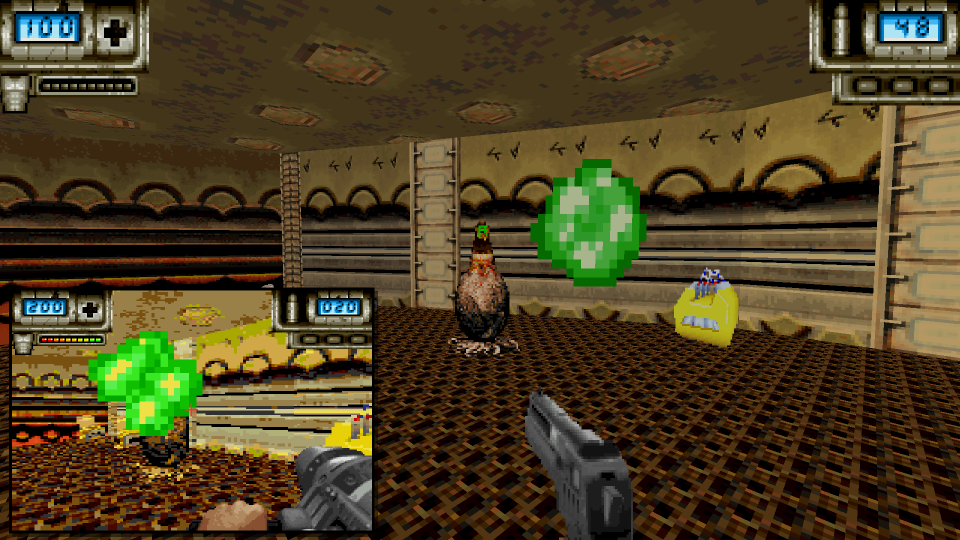
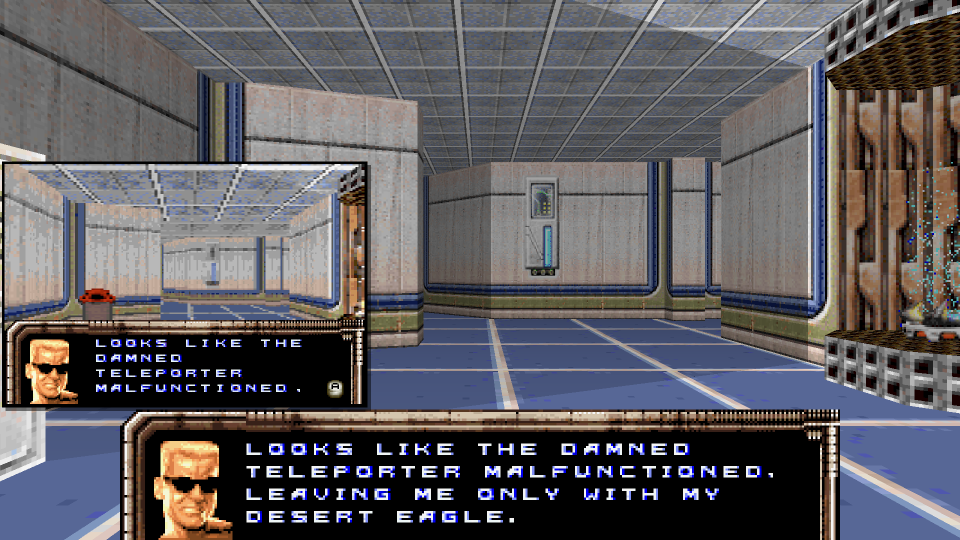
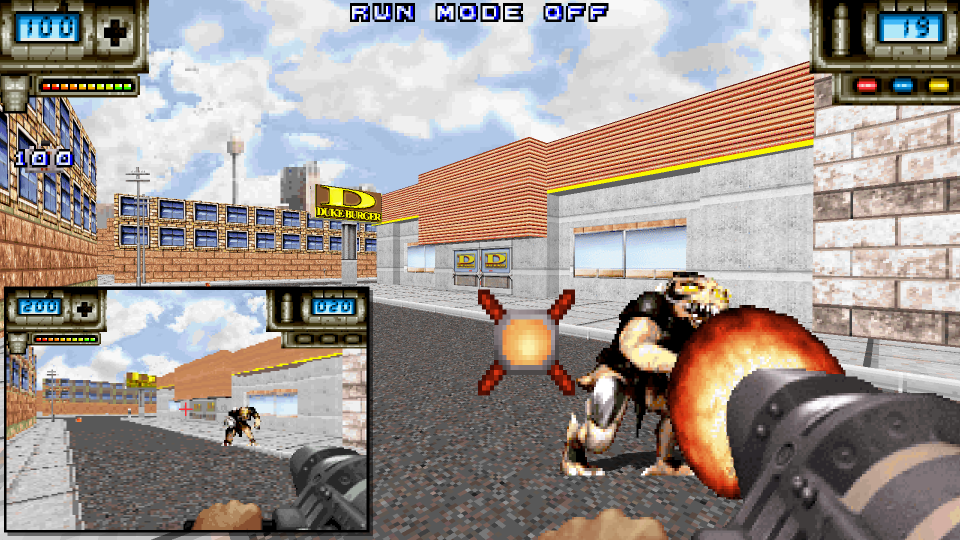
Released in 2002 as a Duke Nukem spin-off title, Duke Advance sought to bring a proper Duke3D-like experience on a portable handheld for the first time.

What you get is a full new campaign with 19 new maps that's been tailored for the hardware, complete with familiar enemies, plenty of new ones and even a new weapon in the form of a "lead cannon" -- An extra powerful quad barreled shotgun!

This project acts as a "what-if" port from GBA to Duke3D, utilizing original assets such as sounds, graphics and levels with any necessary conversion and fixes to present them inside Build engine.
You'll get to experience all the unique GBA content but with all the bells & whistles of today!

For those who are curious, DN:A itself runs on the proprietary Southpaw Engine developed by Torus games which is more known for powering the GBA port of Doom II. The GBA adaptation of Duke in many ways can be thought of as a mod for this engine, making DN:A mechanically and technically quite reminiscent of Doom's gameplay and limitations.
Doom and Build being different engines with a lot of subtle differences on game play, a bunch of work went into adapting Doom-specific things to Build, some times foregoing purity in favor of game play.
Posted Image
Posted Image
Posted Image


DOWNLOAD
https://github.com/b.../heads/main.zip
You will find the git repo there as well.


RUNNING
- Git clone this repo or download
- Extract to a path
- Provide valid Duke3D 1.5 GRP file in the same path (~43 megs)
- Run the provided eduke32.exe (or supply own) -- Pick 'DNA4PC' as custom content -> Start
NOTE: We haven't tested with GNU/Linux yet, case sensitivity issues expected. Will be fixed later!

KNOWN ISSUES
- Customization is still WIP and not very bullet proof, 2nd page is not functional yet.. more on next section
- Later maps use maskwalls for vines instead of sprites, changing this is on the agenda
- Player is slightly shorter than the GBA original
- Automatic viewscreen thing is a bit iffy as the player can immediately move away
- Bullet trails in parallax sky (Also an issue in d3d)
- Freezer works differently due to code stupidities we didn't want to figure out just yet
- Palette swaps seen in few maps are not accurate to original

CUSTOMIZATION
As with all revisionist changes, there will be a lot of preferences on what's acceptable and what's not.

To make things simple, we have two presets that should make this easy: PC ENHANCED: Keeps all the new GBA stuff in but also the following from below: Alarm reduction, Autoshade and voicing with duke3d oneliners GBA ORIGINAL: Foregoes all of the above enhancements/"improvements" where applicable.

If you're still not satisfied then you can further customize your experience from the in-game "customize" menues.

- Alarm sound: Lessen the gaudy loud alarm you hear in some maps as the GBA original is rather obnoxious, sounding roughly 10 times and retriggering after a while.
- (NOTIMPLEMENTED) Step sound: Disables the step sounds which are new to the GBA version
- Cutscenes: Requires manual toggling of cutscenes via in-game triggers. GBA has these automatic
- Autoshade: Applies some much needed auto-generated basic 3D shading for walls and ceilings to make them pop more as the GBA original lacks any.
- Voicing: Apply fitting duke3d oneliners for cutscenes or have the whole game voiced by Gianni Matragrano! GBA original is completely silent aside from gameplay.
- Crosshair: Choose between 9 crosshairs
More may be added as per feedback.. let us know in the comments! :P

CREDITS
Voxelvoid - Initial work, Export of maps & texture assets.
branung - Project lead, Main code, Art, Mapping, Design
oasiz - Map effects, Editor support, Additional code & Design
Dzierzan - Lead cannon HUD recreation ART
Jimmy Gnosis - Pipebomb HUD tile fixes
Hendricks266 - GBA 3DR title graphics palette conversion assistance
Gianni Matragrano - Voice actor for Duke's lines in cutscenes when enabled.
12

User is offline   zykov eddy 

#2

Wow. For years, I've been wondering if somebody would actually attempt to port Duke Advance to PC, and very happy to see that it actually finally happened! I started making a port many years ago, but got bored very quickly. Now only thing we need is a port of Megadrive Duke 3D :P

This version is pretty close to the original, and I will definitely finish it, because I love the original, but haven't played it in many years. So far I only finished the first level, and would suggest making the shortgun firing sound louder. Also, for smoother pistol reloading, I would also suggest adding this code to APLAYER:

Spoiler

1

User is offline   Reaper_Man 

  • Once and Future King

#3

This is amazing.
1

User is offline   Ninety-Six 

#4

Oh, good. I regularly play Advance when I play 3D as, much like 64 and PnP I consider it a part of the overall Duke 3D experience. Of course it's been on an emulator shhh so I can rebind the controls to something a bit more modern and comfortable, though even then I'd long hoped for a PC port so it could be played with proper mouse+keyboard controls. The game gets pretty tough near the end and fighting the controls at the same time as you're fighting the enemies isn't very fun.


I do have a question though. How were the difficulty levels implemented? Are they mirrors to the PC original? Because I learned a few years ago that Damn I'm Good doesn't play like PC DIG. It actually adds a few more enemies, in addition to increased damage taken (though I was never sure on the amount).
0

User is offline   MusicallyInspired 

  • The Sarien Encounter

#5

Oh wow! Gotta try this. I nought DNAdvance brand new from the story once upon a time. Stupidly traded it in with Doom and Doom II and a couple others at GameStop for the Zelda Collection on Gamecube. It's been ages since I tried this.
0

User is offline   DNS 

#6

Never was a fan of handheld games because of the tiny screen and having to hold a device up to your face so it's cool now getting the opportunity to play this without an emulator.

I only had time to screw around with the setup and play the first 3 levels. I used the eduke32 executable provided as to not introduce any problems that might result from a different version. A few things which I noticed and/or would like to see quality of life options for:

- The difficulty selection screen works left to right but you have to use the up and down arrows to actually navigate the menu. This is counter intuitive for those of us that always navigate menus with only the keyboard.

- The optional crosshair that you're able to select from the "customize" menu before starting the campaign seems to be broken. Regardless of which crosshair you choose, once the first map loads it always defaults back to the first option and pressing the "backspace" key in game doesn't change anything as the text underneath in the menu suggests.

- The crosshair is red so it's rather difficult to see due to lack of contrast against a lot of, if not most of the textures/sprites in the game. Either turning it back to yellow or providing the option would be nice.

- Not the biggest fan of the HUD being on the top of the screen. I know this is authentic to the original game but having the option to move it to the bottom or disable it completely and just use one of the stock Duke Nukem 3D HUD options would be ideal.

I know that some of these gripes could be set back to stock with relatively minor con editing or deletion of assets which is what I will end up doing if you won't consider implementing any of this but I thought I would bring it to your attention either way.

Thanks for your efforts in bringing this to the community.

This post has been edited by DNS: 23 February 2026 - 01:09 AM

0

User is offline   DNS 

#7

View PostMusicallyInspired, on 21 February 2026 - 07:29 AM, said:

I nought DNAdvance brand new from the story once upon a time. Stupidly traded it in with Doom and Doom II and a couple others at GameStop for the Zelda Collection on Gamecube.


Oh dear lord... Why?
0

User is offline   oasiz 

  • Dr. Effector

#8

View PostDNS, on 23 February 2026 - 12:53 AM, said:

Never was a fan of handheld games because of the tiny screen and having to hold a device up to your face so it's cool now getting the opportunity to play this without an emulator.

I only had time to screw around with the setup and play the first 3 levels. I used the eduke32 executable provided as to not introduce any problems that might result from a different version. A few things which I noticed and/or would like to see quality of life options for:

- The difficulty selection screen works left to right but you have to use the up and down arrows to actually navigate the menu. This is counter intuitive for those of us that always navigate menus with only the keyboard.

- The optional crosshair that you're able to select from the "customize" menu before starting the campaign seems to be broken. Regardless of which crosshair you choose, once the first map loads it always defaults back to the first option and pressing the "backspace" key in game doesn't change anything as the text underneath in the menu suggests.

- The crosshair is red so it's rather difficult to see due to lack of contrast against a lot of, if not most of the textures/sprites in the game. Either turning it back to yellow or providing the option would be nice.

- Not the biggest fan of the HUD being on the top of the screen. I know this is authentic to the original game but having the option to move it to the bottom or disable it completely and just use one of the stock Duke Nukem 3D HUD options would be ideal.

I know that some of these gripes could be set back to stock with relatively minor con editing or deletion of assets which is what I will end up doing if you won't consider implementing any of this but I thought I would bring it to your attention either way.

Thanks for your efforts in bringing this to the community.


Thanks for the feedback!
- Provided EDuke32 is not a requirement but it will require a fairly recent one from the past few months
- Difficulty navigation, we had to hack the original skill screen with new draw commands and manually reading what's being shown. There is no support for left/right in this screen, just like with the original game's list I'm afraid :( Will need to try to figure out what can be done.
- Crosshair selection bug is know, "new game" currently overrides some of the settings. Will have to take a look.
- Better colour for crosshair.. I agree.
- HUD, there are some bits which limit this but maybe it's possible to Y flip the elements and have them at the bottom coordinates? No clue how stupid or good it might look. Numbers and such of course the right way around.
1

User is offline   DNS 

#9

View Postoasiz, on 23 February 2026 - 01:25 AM, said:

Thanks for the feedback!
- Provided EDuke32 is not a requirement but it will require a fairly recent one from the past few months
- Difficulty navigation, we had to hack the original skill screen with new draw commands and manually reading what's being shown. There is no support for left/right in this screen, just like with the original game's list I'm afraid :( Will need to try to figure out what can be done.
- Crosshair selection bug is know, "new game" currently overrides some of the settings. Will have to take a look.
- Better colour for crosshair.. I agree.
- HUD, there are some bits which limit this but maybe it's possible to Y flip the elements and have them at the bottom coordinates? No clue how stupid or good it might look. Numbers and such of course the right way around.


That could work for the HUD. Essentially the health/ammo indicators could be moved to the botttom and the armor and key card bars moved directly above them. The scaling would likely need to be adjusted however because it could potentially obscure the time/kills/secrets indicator if a user like myself has that optionally set for eduke32 to display. It would be far less work to just allow the stock Duke 3D HUD's but it's your call.

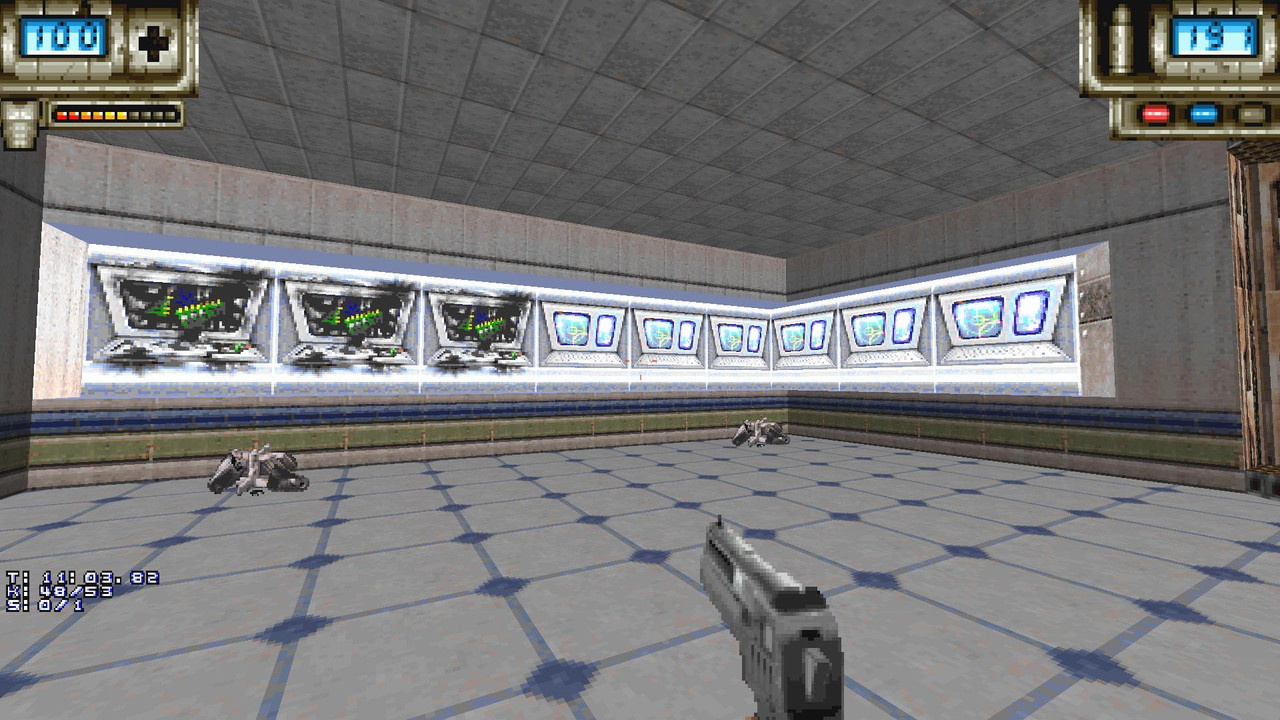
Another thing I noticed is that some textures that are supposed to be breakable aren't. For example, these computer terminals in the second level:
Image


Also, I'm not super familiar with the default behavior of Duke Advance but are toilet usage and water drinking to regain health not functional in this game?

This post has been edited by DNS: 26 February 2026 - 07:56 PM

0

User is offline   DNS 

#10

.

This post has been edited by DNS: 27 February 2026 - 07:46 AM

0

Share this topic:


Page 1 of 1
  • You cannot start a new topic
  • You cannot reply to this topic


All copyrights and trademarks not owned by Voidpoint, LLC are the sole property of their respective owners. Play Ion Fury! ;) © Voidpoint, LLC

Enter your sign in name and password


Sign in options